
How to adapt remote key fob on VW / Audi / Skoda / Seat (VAG)
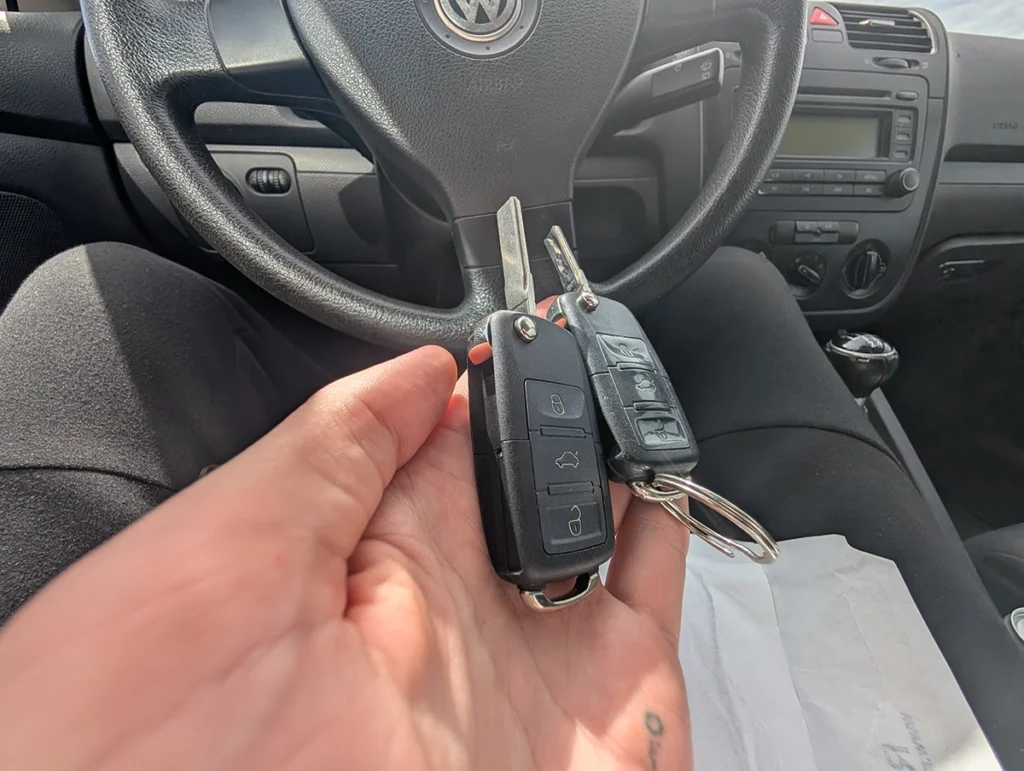

This is complete step-by-step procedure for adapting key remote when key can be used to start but lock and unlock buttons does not work.
Affiliate Disclosure: iamcarhacker.com is an Amazon and other affiliate programs Associate. As an Amazon Associate, I earn from qualifying purchases. Full Affiliate disclosure.
Used tool

Video: How to adapt remote key on VAG
This video shows how to adapt remote key on VAG
Technical overview
| Item | Details |
|---|---|
| Vehicle | VW / Audi / Skoda / Seat (mainly ~1998–2013, some later models) |
| Applicable models | Central locking / comfort system / BCM remote control |
| System | Remote key fob synchronization / adaptation |
| Difficulty | Easy–Medium |
| Time required | ~5–10 min |
| Prerequisites | At least one working ignition key, scanner with adaptation access |
How to adapt remote key on VAG car
STEP 1 — Identify correct control module
On most VAG cars remote control is stored in:
- Module 46 – Comfort System Central (older cars)
- Module 09 – Central Electronics / BCM (newer cars)
👉 If module 46 is not accessible, use module 09
Typical rule:
- Golf 4 / Octavia 1 → module 46
- Golf 5 / Octavia 2 → usually module 09
- Newer BCM cars → module 09 only
STEP 2 — Clear previous remote learning values
This step is important and often skipped.
- Enter correct module (46 or 09)
- Go to Adaptation
- Select Channel 00
- Press Read → Save
This clears all previously learned remotes.
👉 If you skip this, adaptation often fails.
STEP 3 — Start remote adaptation
- Go to Adaptation
- Select Channel 01
- Enter value = number of remotes you want to adapt
Examples:
- adapting 1 key → value 1
- adapting 2 keys → value 2
- adapting 3 keys → value 3
👉 VERY IMPORTANT:
All keys must be adapted at the same time.
If you adapt only one and forget another key,
the missing key will stop working.
STEP 4 — Save and sync remotes
- Press Save
- Scanner should show Adaptation success
- Within a few seconds:
- press any button on remote
- do this for each remote you entered
👉 On many cars you have about 15 seconds window.
STEP 5 — Test remote
confirm remote works from distance
remove key from ignition
test lock/unlock buttons
Additional Information & Compatibility Notes
🔧 Remote adaptation ≠ immobilizer programming
This procedure only adapts:
- central locking remote
- trunk unlock
- panic button
It does NOT program immobilizer.
If key starts car → immo is already programmed.
🔧 Cars where this usually works
- VW Golf 4 / 5
- VW Passat B5 / B6
- Skoda Octavia 1 / 2
- Audi A3 8L / 8P
- Audi A4 B5 / B6 / B7
- Seat Leon 1 / 2
🔧 Cars where remote is often separate system
On some newer MQB cars:
- remote learning may be automatic
- may require ODIS or online access
- BCM may block adaptation if key not matched
🔧 Common reasons adaptation fails
- weak key battery
- wrong module used
- not clearing channel 00 first
- trying to adapt keys one-by-one
- aftermarket remote not compatible
- comfort module fault codes
Before using or purchasing any diagnostic tool for this procedure, always verify compatibility with your exact vehicle model, year and system configuration. Supported functions may vary depending on software version, hardware revision and regional limitations.
Alternative tools
- Youcanic U-CAN II
- OBDeleven
- Thinkscan 689BT
- Thinkdiag2
- Best OBD2 scanners with ECU coding
- Best VAG OBD2 scanners
Related guides & background information
- Can you program car keys with OBD2 scanner?
- How to program car key with OBD2 scanner (generic guide)
Legal & safety notice
This procedure modifies vehicle comfort system configuration.
Always ensure you are the legal owner of the vehicle before adapting keys or remotes.
Incorrect adaptation may disable existing remotes and leave the vehicle without remote access.
More procedures like this
 Add / All Keys Lost – Citroën C4 Picasso 2012
 Key programming (add new key / all keys lost) – Passat B6 2.0 TDI (2008)
 How to do BMW E46 Remote Programming (EWS Key Sync)
 How to program key card on Renault Megane MK2 (2006)
Procedures tested with this scanner
 How to Check Diesel Fuel Injectors (VW / Audi / Skoda / Seat) Using OBD2 Scanner
 Steering Angle Sensor Calibration (SAS Reset) – Honda Civic 2017
 How to Register and Code a New Battery on BMW E60/E61 (Fix Battery Drain & Charging Issues)
 How to open rear brake calipers for brake pad replacement in VW Passat B6 (EPB service mode)
Most popular OBD2 guides








Hi, I am Juraj Lukacko. I got frustrated by unhelpful and scammy mechanics, so I decided to learn everything about car diagnostics myself. I test dozens of new car diagnostic tools every month along with learning new strategies to fix and customize cars.

Responses