 By Juraj · Last updated October 18, 2026
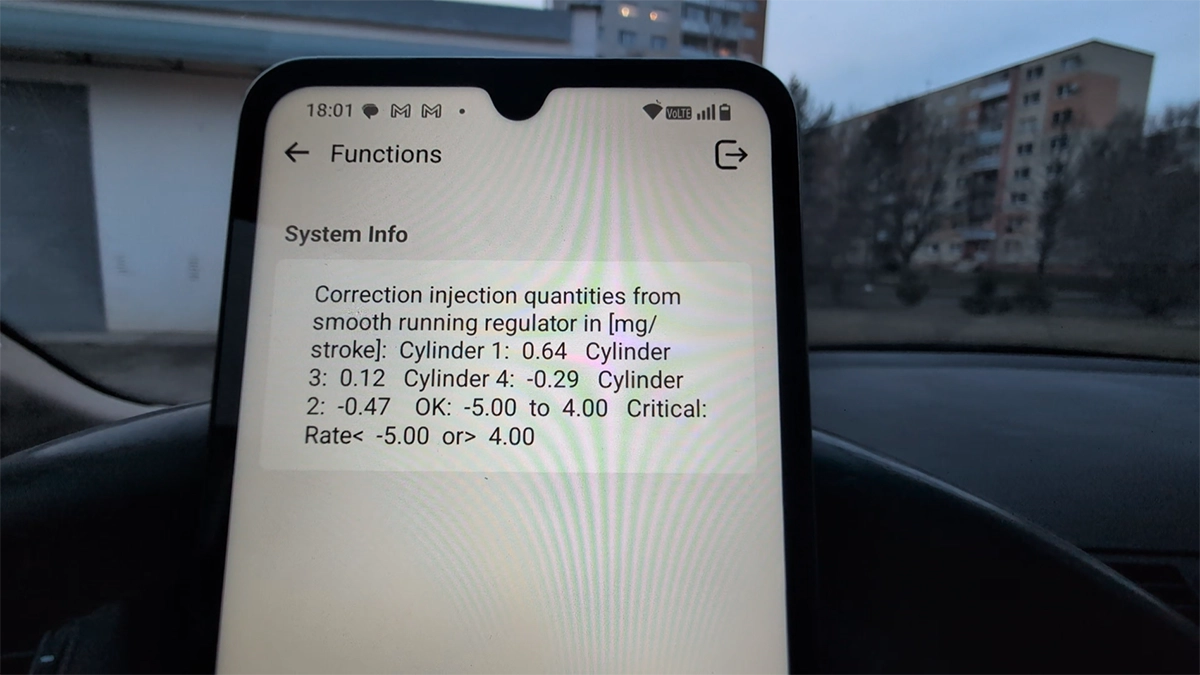
This guide shows how to check diesel fuel injectors on BMW E46 by reading injector correction values (smooth running control) using an OBD2 scanner.
I earn from qualifying purchases and sometimes get tools for free (full disclosure). It never affects my scoring.
Used tool in this guide

Video: How to check diesel injectors BMW E46
This video shows how to access injector values using different scanners and where to find smooth running control data, even when it is hidden.
Supported vehicles
| Vehicle |
|---|
| 3-series-e46 |
Technical overview
| Vehicle | BMW 3 Series (E46) |
|---|---|
| Year | 2005 |
| System | Engine (DDE – diesel ECU) |
| Procedure type | Diagnostics / Live data |
| Difficulty | Easy |
| Time required | ~2–5 minutes |
| Prerequisites | Engine at operating temperature recommended |
Step-by-step procedure
Connect diagnostic tool
- Plug in your OBD2 scanner
- Turn ignition ON
- Start engine (recommended for accurate values)
Navigate to correct menu (IMPORTANT)
Using Thinkdiag2:
BMW → Special Functions → Smooth Running Control
- Values are often NOT in standard live data
- You must go through Special Functions
Confirm DTC check
- Tool may ask to check or clear fault codes
- Confirm and continue
Display injector values
- Select Show values
You will now see:
- Injector correction values (mg/stroke)
- One value per cylinder
Evaluate values at idle
Typical reading example:
- Cylinder 1: +0.5
- Cylinder 2: -0.8
- Cylinder 3: +0.3
- Cylinder 4: -0.2
👉 Ideal values:
- Close to 0 mg/stroke
Recommended interpretation
- ±1 mg/stroke → excellent
- ±2 mg/stroke → acceptable
- ±3–4 mg/stroke → warning zone
Rev the engine
- Lightly rev engine (1500–2500 RPM)
- Observe changes
👉 Healthy injectors:
- Values remain stable
- Stay close to zero
Evaluate overall engine behavior
Combine scanner data with:
- Smooth idle
- Smooth driving
- No misfires
Additional information & compatibility notes
- Some scanners cannot access injector correction values
- Even within the same tool:
- Live data may NOT show injectors
- Special functions are required
👉 From testing:
- Thinkdiag2 → works via Smooth Running Control
- Some tools (like Mucar 682 models) may NOT show values
- Mucar 892BT → confirmed working
Important diagnostic note
High correction values do NOT always mean bad injectors.
Possible causes:
- Low engine compression (e.g. bent valves)
- Vacuum leak
- Faulty MAF sensor
- Fuel system issues
👉 Injectors often only compensate another problem
Alternative tools
 ToolMucar 892BTMucarOfficial website ›Check on Amazon ›Read review
  ToolYoucanic UCAN-II full-systemYoucanicOfficial website ›Read review
  ToolThinkscan 689 (wired)ThinkcarOfficial website ›Check on Amazon ›Read review
  ToolXTool D8sXToolOfficial website ›Check on Amazon ›Read review
  RoundupThe 5 Bi-Directional Scanners I Actually Reach For (Out of 50+ Tested)Read the guide
 Legal & safety notice
More procedures like this
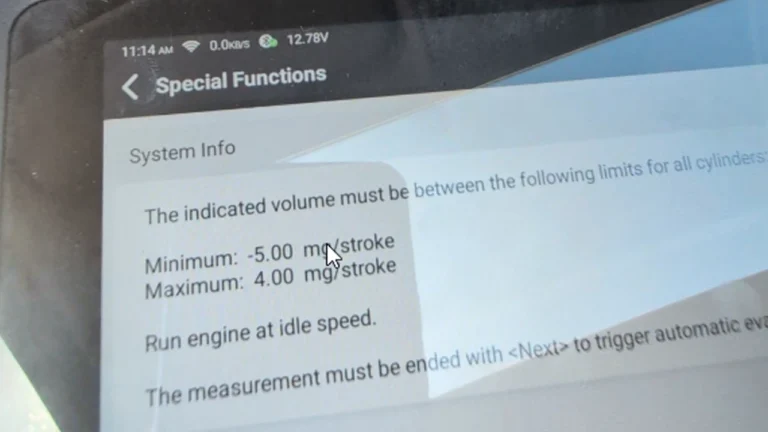
How to Check Fuel Injectors on BMW 5 Series E61 530d (2008) with OBD2 Scanner
BMW E46 318d (2005, 85kW) DTC Delete: Removing P0401 EGR and Lambda Code 4298 From the ECU Firmware
How to Add a Key / Perform AKL on BMW E46
How to update software BMW MK4 navigation + add custom splash image
BMW 3-series E46 (2005) – Oil Service Reset (With & Without OBD2 Scanner)
How to do BMW E46 Remote Programming (EWS Key Sync)
Most popular OBD2 guides






I'm Juraj Lukacko and I work as an auto electrician. On this site I share what I learn from real work on real cars, to help you pick the right tools for diagnostics, programming and tuning and get the job done.
More about me →