
How to do BMW E46 Remote Programming (EWS Key Sync)
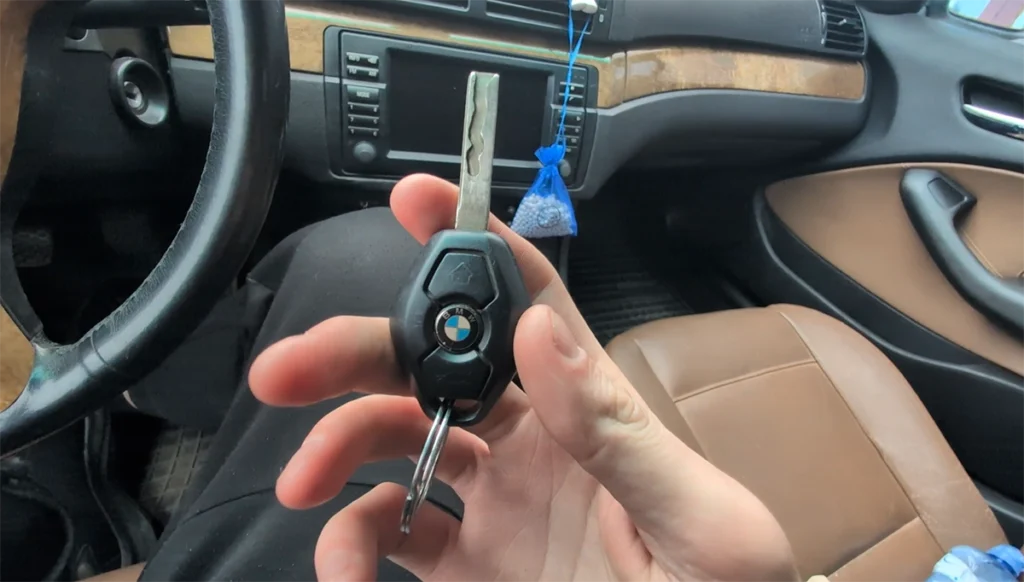
This guide shows how to program (synchronize) a remote key for BMW E46 using the manual EWS remote learning procedure – without diagnostic tools.
Affiliate Disclosure: iamcarhacker.com is an Amazon and other affiliate programs Associate. As an Amazon Associate, I earn from qualifying purchases. Full Affiliate disclosure.
Used tool in this guide
No tools needed, just new compatible blank key. In video below, I have used these exact keys – I will link same stores I bought them from.
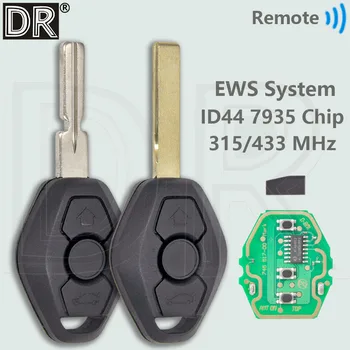
Fqreuency: 315 Or 433 ASK
Chip: Xhorse XT15 ID44 PCF7935
Battery: CR2025
Weight: 50g
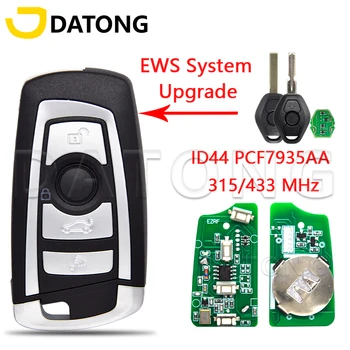
Fqreuency: 315 Or 433 ASK
Chip: Xhorse XT15 ID44 PCF7935
Battery: CR2025
Weight: 150g
Supported vehicles
| Vehicle |
|---|
| 3-series-e46 |
Technical overview
| Item | Details |
|---|---|
| Vehicle | BMW E46 |
| Year | 2005 |
| System | EWS / ZKE (Central locking module) |
| Procedure type | Remote programming (key sync) |
| Difficulty | Easy |
| Time required | ~1–2 minutes |
| Prerequisites | All doors closed, working central locking, good key battery |
Step-by-step procedure
- Close all doors, trunk and hood
- Insert key into ignition
- Turn key to position 1 (KL R) briefly (max 5 seconds)
- Turn key OFF and remove it
Important: Now you have ~30 seconds to complete the next steps
- Press and hold UNLOCK button
- While holding UNLOCK, press LOCK button 3 times
- Release UNLOCK
➡️ If successful:
- Doors will lock and unlock automatically (confirmation)
Programming multiple keys
- Repeat steps 5–7 for each additional key
- Do NOT insert key into ignition again between keys
- Maximum: ~4 keys
Finish
- Insert key into ignition and turn to ACC (optional finalization)
Video: How to program remote on BMW E46 key
This video shows how to synchronize both original BMW diamond key and aftermarket upgrade key (AliExpress type) on BMW E46.
Additional Information & Compatibility Notes
- This procedure ONLY programs remote locking/unlocking
- It does NOT program immobilizer (EWS chip)
- Engine start requires correctly programmed transponder (EEPROM / EWS pairing)
Common issues:
| Problem | Cause |
|---|---|
| No response | Dead key battery |
| No lock/unlock confirmation | Wrong timing |
| Only one key works | Others were not re-synced in same session |
| Remote works but car won’t start | Missing EWS chip programming |
Before using or purchasing any diagnostic tool for this procedure, always verify compatibility with your exact vehicle model, year and system configuration. Supported functions may vary depending on software version, hardware revision and regional limitations.
Alternative tools
- Best OBD2 scanners with ECU coding
- Best Bi-Directional OBD2 scanners
- Best OBD2 scanners overall
- Best OBD2 scanners for BMW
Related guides & background information
Legal & safety notice
This procedure modifies vehicle system settings through the control module. Incorrect use may cause faults or warning lights. Always ensure the vehicle is secured and follow proper safety procedures.
More procedures like this
 How to program key card on Renault Megane MK2 (2006)
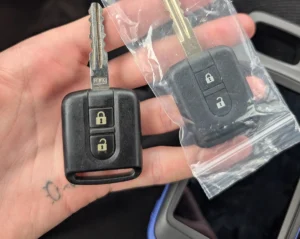 Nissan Micra K12 Key Programming (Add / Relearn Keys)
 How to adapt remote key fob on VW / Audi / Skoda / Seat (VAG)
 How to add a new key – Volkswagen Golf MK5 (2006)
Most popular OBD2 guides








Hi, I am Juraj Lukacko. I got frustrated by unhelpful and scammy mechanics, so I decided to learn everything about car diagnostics myself. I test dozens of new car diagnostic tools every month along with learning new strategies to fix and customize cars.

Responses