
How to turn OFF Start/Stop – Skoda Rapid 2019
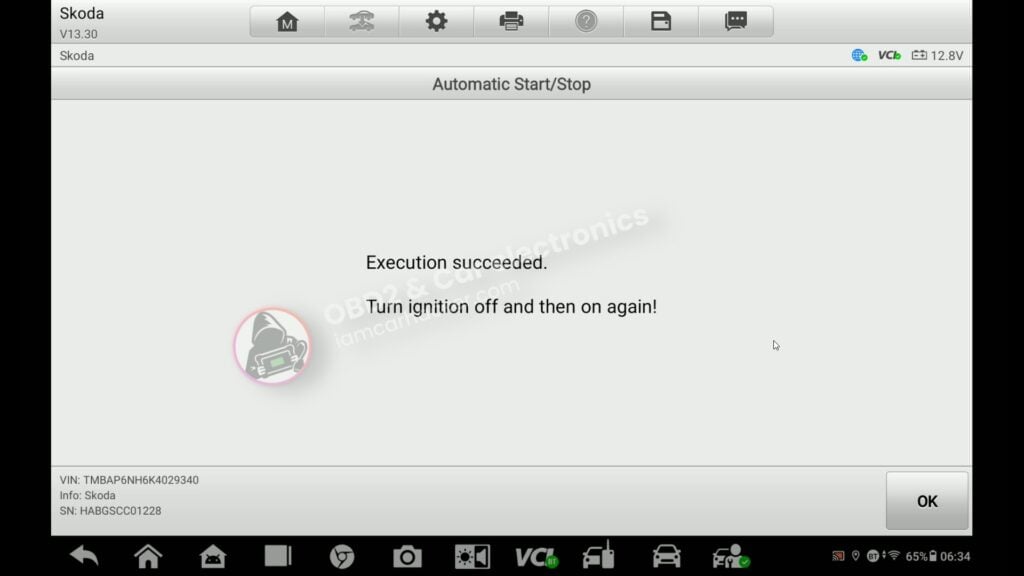

This guide shows how to disable the automatic start/stop system on Skoda Rapid using a service function – and how to fix the common error that appears after.
Affiliate Disclosure: iamcarhacker.com is an Amazon and other affiliate programs Associate. As an Amazon Associate, I earn from qualifying purchases. Full Affiliate disclosure.
Used tool in this guide

Supported vehicles
| Vehicle |
|---|
| rapid-nh |
Video: How to disable start/stop on Skoda
This video shows the exact step-by-step process inside the scanner, including module access and adaptation settings.
Technical overview
| Item | Details |
|---|---|
| Vehicle | Skoda Rapid |
| Year | 2019 |
| System | Skoda Rapid |
| Procedure type | Engine Control Module (ECU) |
| Difficulty | Coding / Adaptation |
| Time required | ~3–5 minutes |
| Prerequisites | Battery voltage above 12V |
Step-by-step procedure
1. Disable Start/Stop via service function
Open Service / Hot functions, select Start/Stop, choose Skoda, and run Turn OFF Start/Stop.
2. Check dashboard for error
After performing the function, you may see a Start/Stop error on the dashboard. This is normal on some vehicles.
3. Fix error via adaptation
Go to Diagnostics, select Engine Control Module, and open Adaptation.
4. Find Start/Stop adaptation
Locate parameter Activation of Start/Stop function.
5. Set adaptation correctly
Set the value to active.
Service function disables Start/Stop, but the adaptation must remain active. If you disable it here, the dashboard error will appear.
6. Confirm and cycle ignition
Apply the change, then turn ignition OFF and ON again.
Additional Information & Compatibility Notes
Before using or purchasing any diagnostic tool for this procedure, always verify compatibility with your exact vehicle model, year and system configuration. Supported functions may vary depending on software version, hardware revision and regional limitations.
Alternative tools
- XTool A30M
- Mucar 892BT
- Youcanic U-CAN II
- OBDeleven
- Best OBD2 scanners with ECU coding
- Best Bi-Directional OBD2 scanners
Related guides & background information
Legal & safety notice
This procedure modifies vehicle system settings through the control module. Incorrect use may cause faults or warning lights. Always ensure the vehicle is secured and follow proper safety procedures.
Procedures tested with this scanner
 How to Check Real Mileage – Skoda Rapid 2019 (OBD2)
 How to fix DPF warning, glow plug blinking and limp mode on Skoda Rapid 1.6 TDI (2014)
 BMW 3-series E46 (2005) – Oil Service Reset (With & Without OBD2 Scanner)
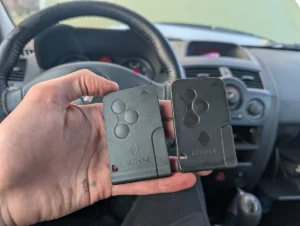 How to program key card on Renault Megane MK2 (2006)
Most popular OBD2 guides







Hi, I am Juraj Lukacko. I got frustrated by unhelpful and scammy mechanics, so I decided to learn everything about car diagnostics myself. I test dozens of new car diagnostic tools every month along with learning new strategies to fix and customize cars.

Responses