 By Juraj · Last updated August 14, 2026
Every immobiliser job on an Immo 2 Opel or Vauxhall starts with the same four digits. Add a key, replace an ECU, fit a cluster from another car, recover from all keys lost: none of it moves without the code.
If the Car Pass is gone, the code is still in the car. It is stored in four separate modules, and you only need one of them to give it up.
I did this on a 2006 Corsa C. The same immobox family sits in the other cars listed below, so the method should carry across, but one car is what I have actually verified.
I earn from qualifying purchases and sometimes get tools for free (full disclosure). It never affects my scoring.
Used tools in this guide
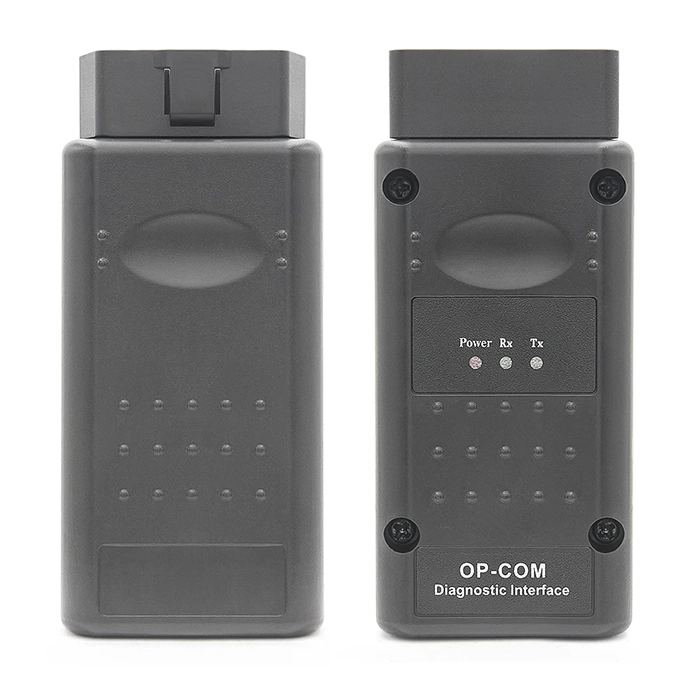
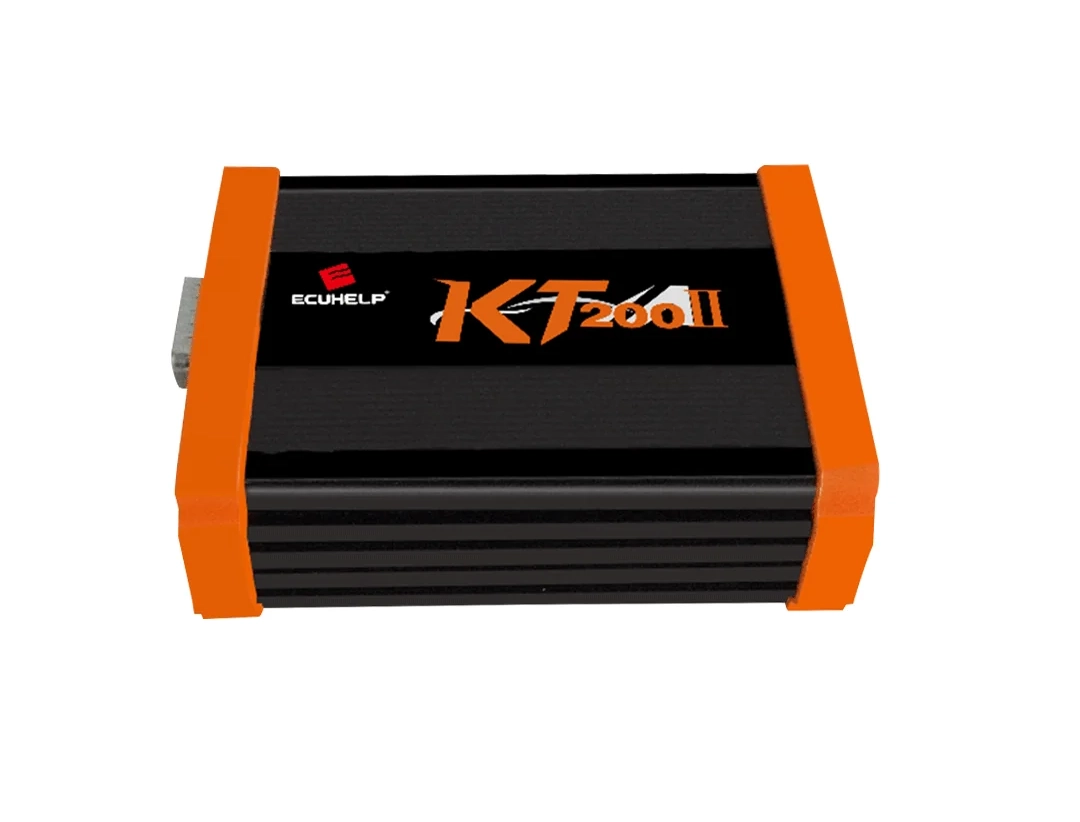
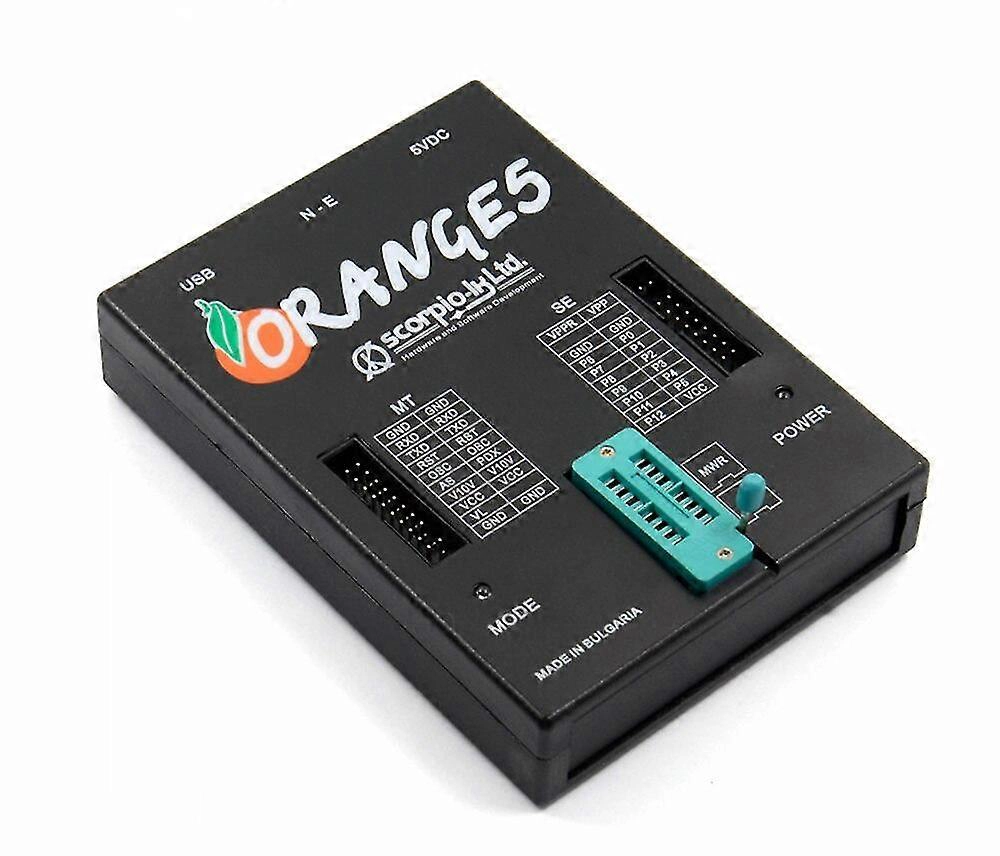
For the two OBD methods, an OP-COM or a scan tool that supports Opel immobiliser functions. For the ECU dump, a flasher such as the KT200. For the BCM, an EEPROM programmer and a soldering iron you trust. For the immobox, an Orange 5.
Video
Step-by-step procedure
Quick answer
Work through them in that order. Most people never get past the first one.
What this code actually is
The four digits printed on the Car Pass and the security code stored in the modules are the same number. There is no separate "module code". If you have the Car Pass, you already have what this article is about.
It is always four digits and always numbers, never letters. Anything longer or with letters is a different code, usually the radio code.
A dealer can issue a replacement Car Pass if you can prove the car is yours. It costs money and takes time, but it is the legitimate route and worth a phone call before you start taking modules apart.
Before you take anything apart
Confirm the car actually has an immobiliser. Open the engine ECU measuring blocks and look for the immobiliser function flag. If it reads as programmed, you are in the right place.
All four modules store the same code, so you only need one of them to talk to you. Which one is easiest comes down to what tools you already own.
The four locations, in the order worth trying
| Module | Where the code sits | Access | Tool |
|---|---|---|---|
| Instrument cluster | Internal memory | OBD, car stays together | OP-COM or Autel |
| Engine ECU | EEPROM | OBD | Autel, KT200 |
| BCM | EEPROM | Bench, chip desoldered | EEPROM programmer |
| Immobox | MCU | Bench, module out, wired to pinout | Orange 5 |
The order is about effort, not reliability. All four hold the same number.
Instrument cluster, over OBD
This is the one to try first and the reason most people never need the rest of this article.
Go to instrument cluster module.
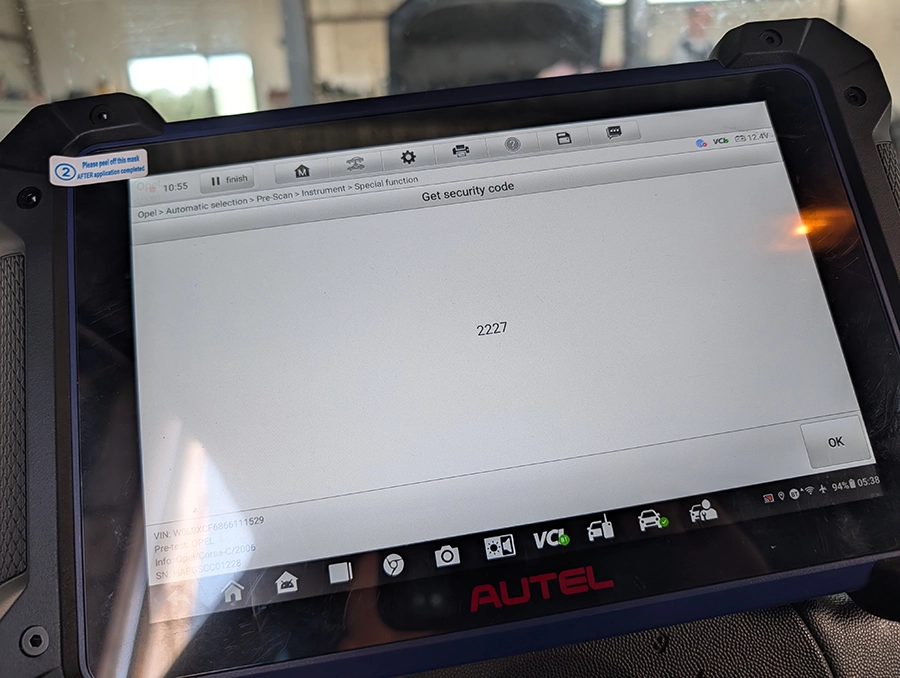
Autel path: special functions > get security code
Opcom path: eeprom menu > read security code
Both OP-COM and an Autel tablet read the code straight out of the cluster over the OBD socket. The cluster stays in the dash. Nothing gets opened, nothing gets unplugged.
There is a long-running forum argument about whether the Corsa C cluster stores this in an EEPROM or in the NEC chip. It does not matter on this path. I have never had my cluster open and both tools returned the code.
Engine ECU, over OBD
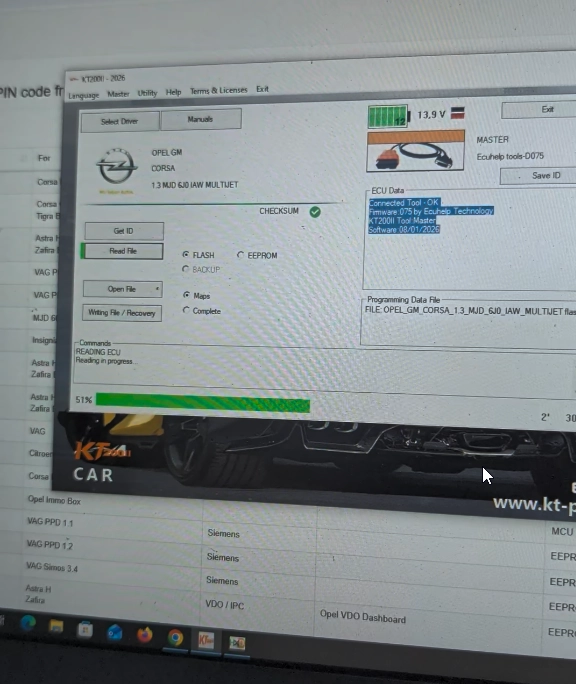
Also an OBD job if your tool can read the ECU EEPROM. I used a KT200. I was not sure if the code is in eeprom or flash, so I red both.
You only need the EEPROM.
Drop the resulting dump into a calculator to pull the four digits out.
BCM, on the bench
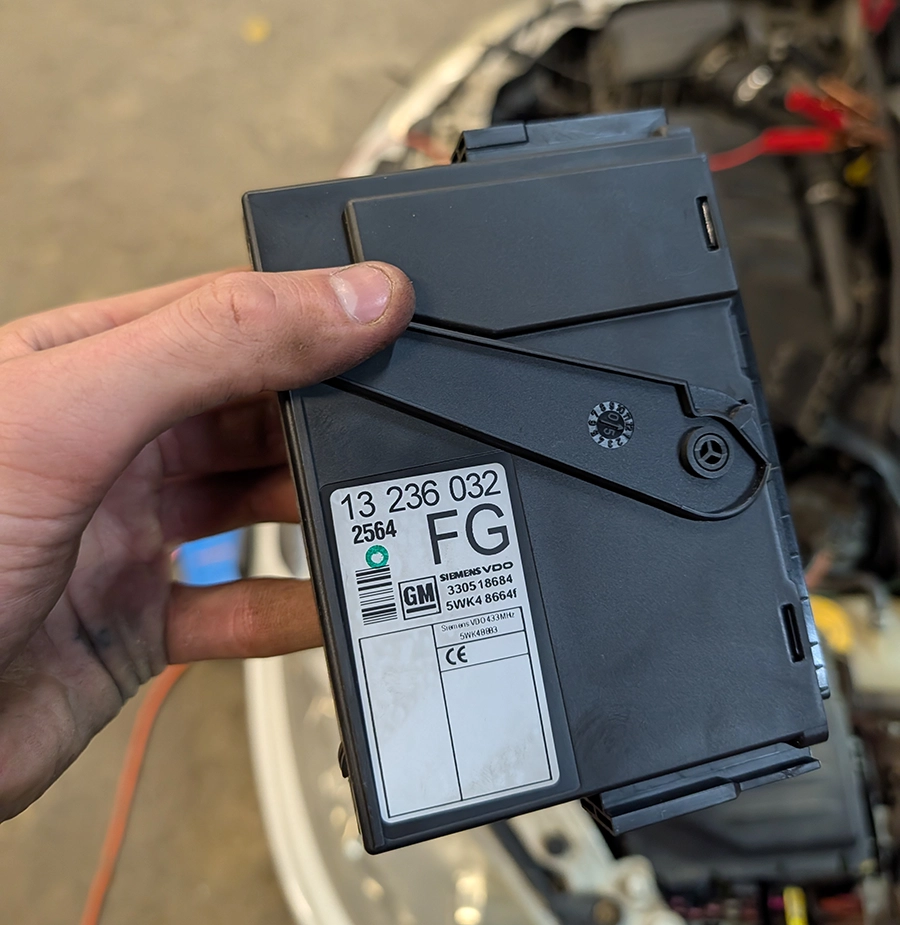
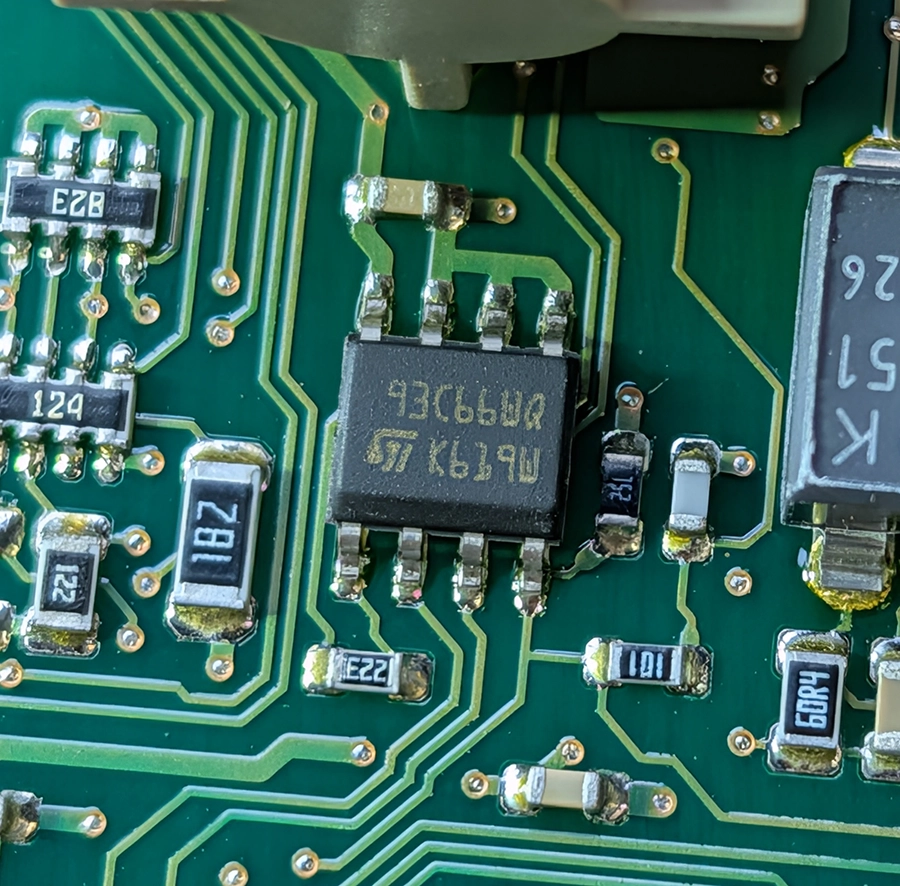
This is where it gets physical. None of my tools reached the BCM over OBD, so the module comes out, the EEPROM chip gets desoldered, read externally, then soldered back.
It is a real soldering job on a board that runs the car's body electrics, but it is straightforward work on a package you can see and reach. Of the two bench methods, this is the one I would do first.
Immobox, on the bench
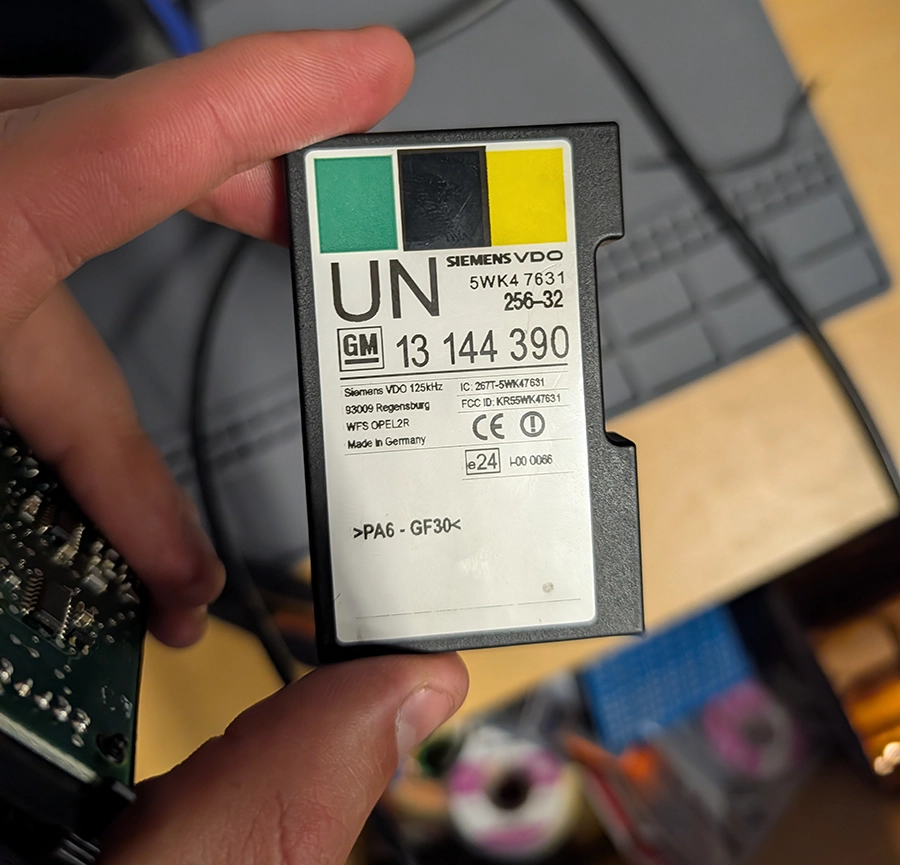
Hardest of the four by a wide margin, and the one I would leave until everything else has failed. The module comes out and the MCU gets read directly, wired up according to the pinout.
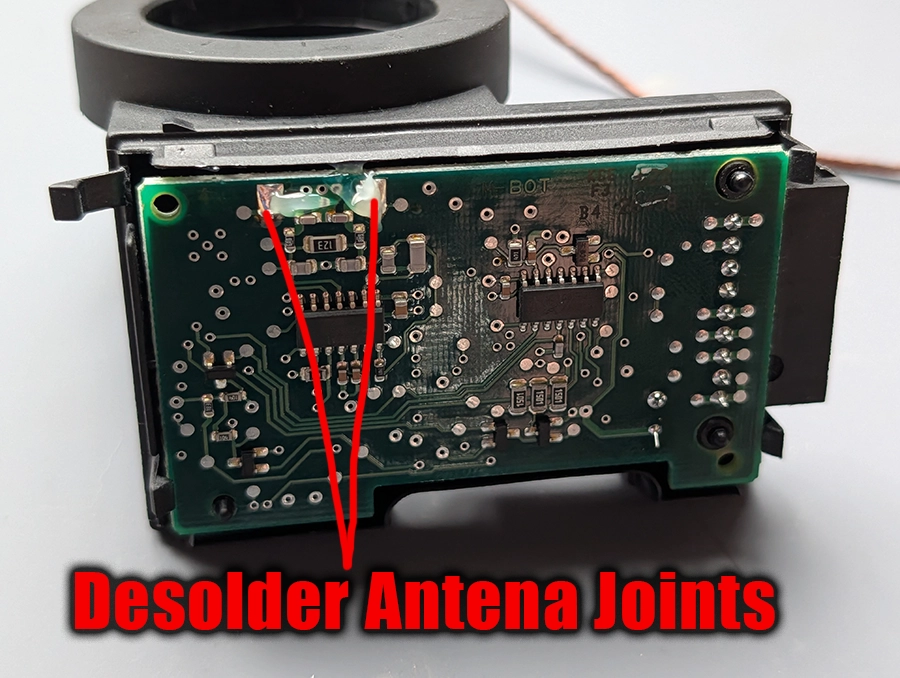
First remove the cover and desolder antena joints to get to other side where the chip sits.
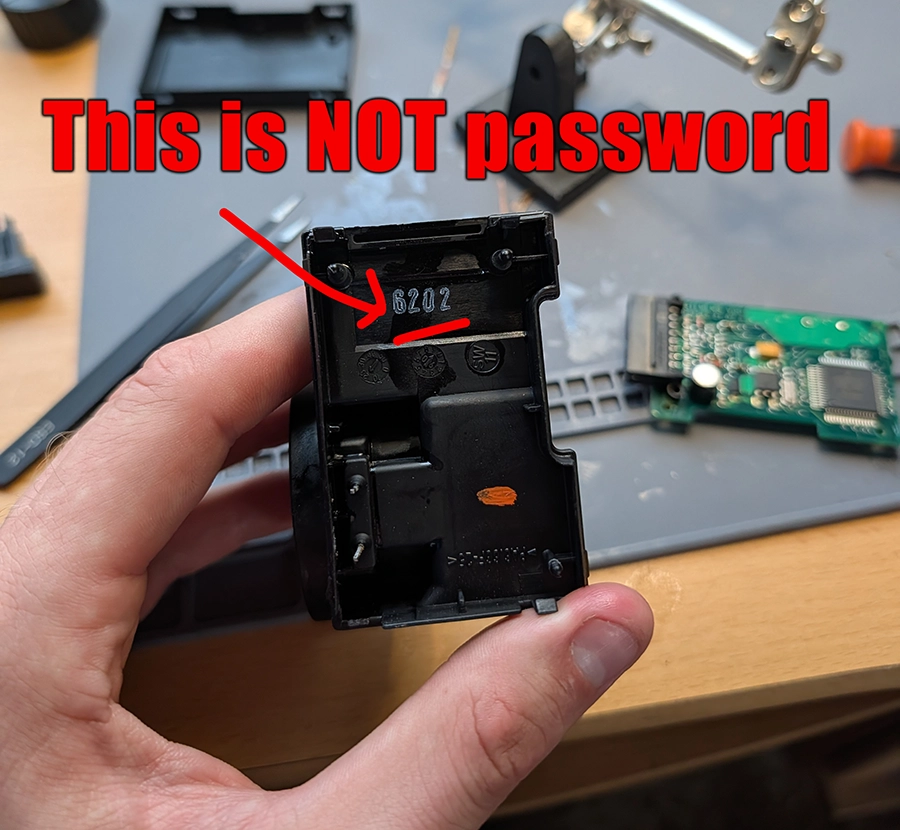
I saw 4-digit number on both immobox I red, but this was not password even though these numbers differed in different immoboxes.
Two chip variants live inside the same box. A Motorola HC908AB16A in a QFP64 package, which is security locked, or a TI TMS370C702 in a square PLCC28 package. Which one you have changes how you read it. It changes nothing about the other three methods.
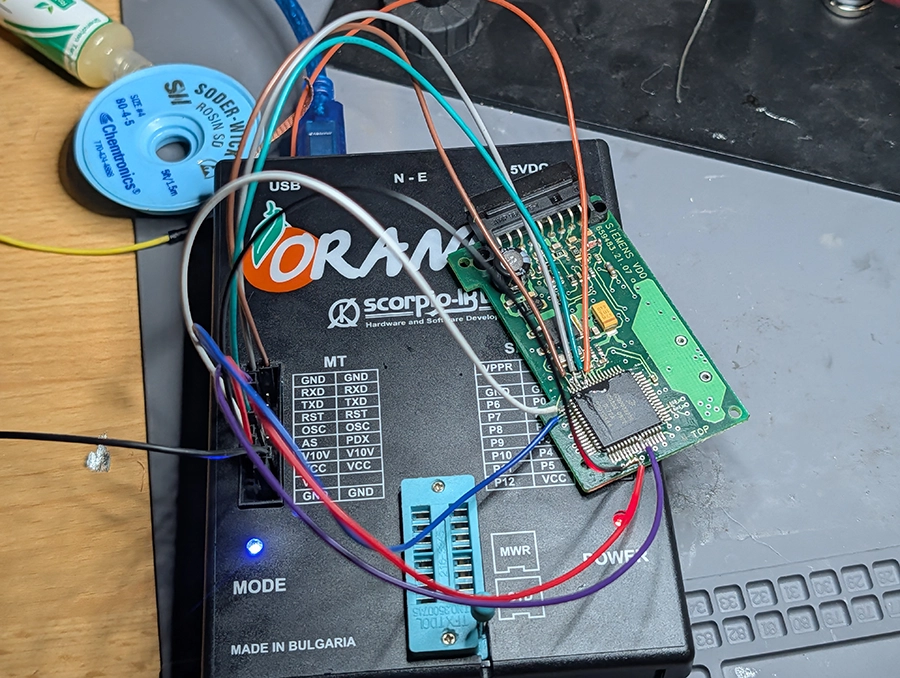
How to read QFP64 chip with Orange 5 clone
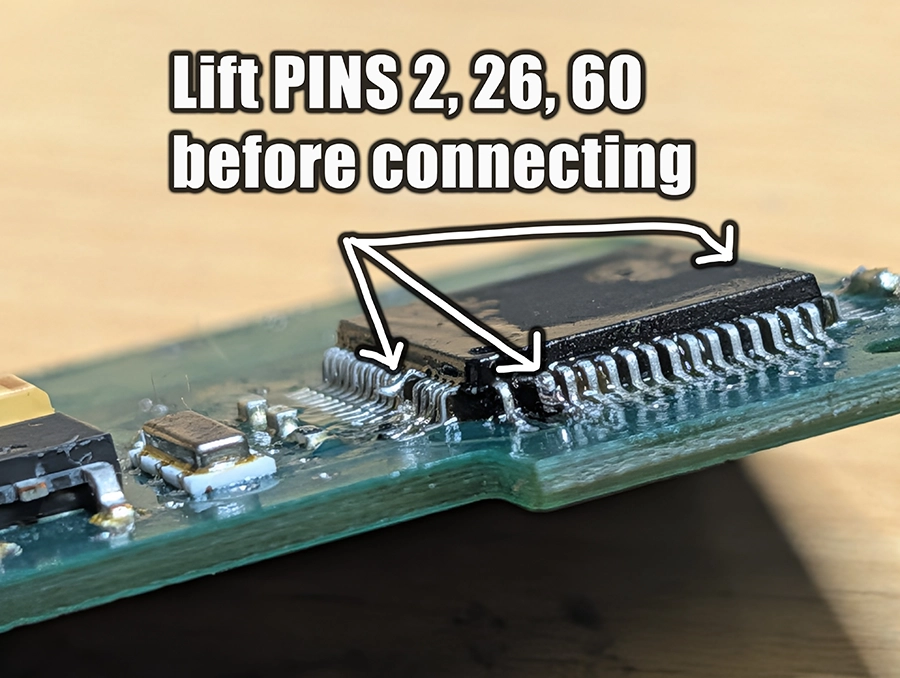
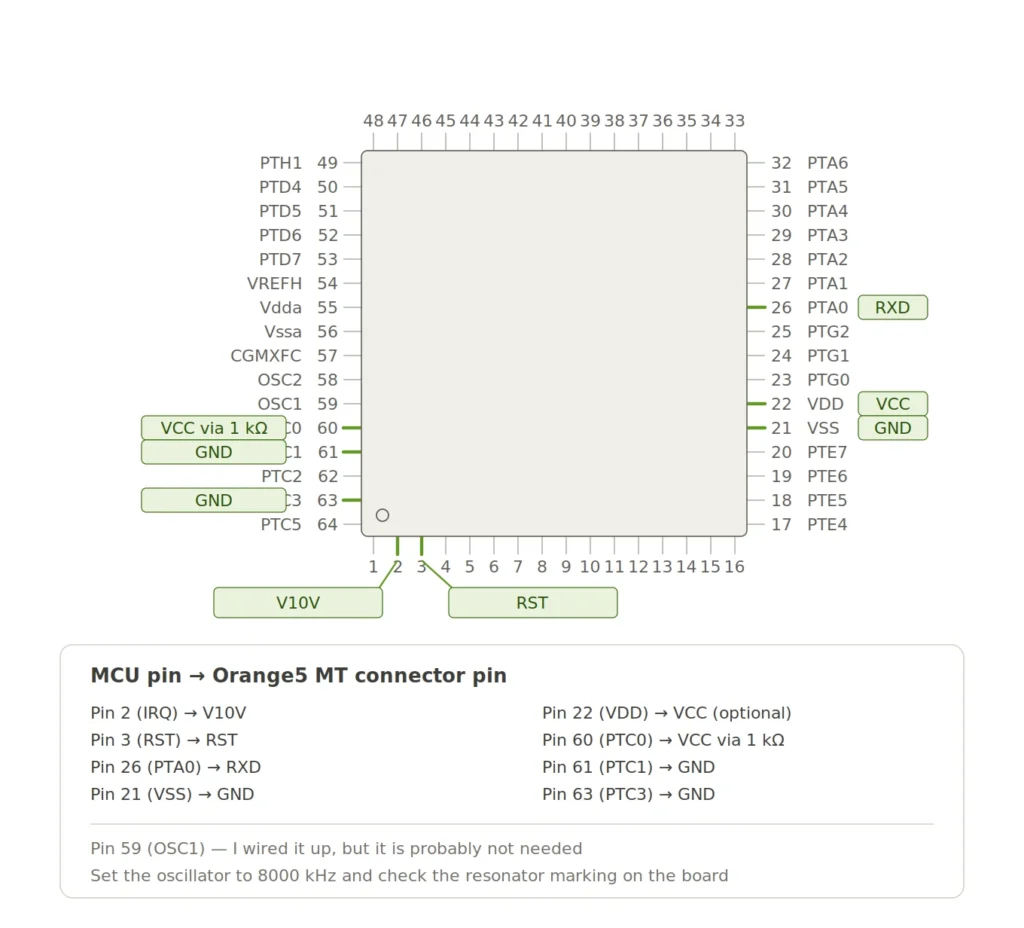
First lift the PINS 2, 26 and 60 from circuit board.
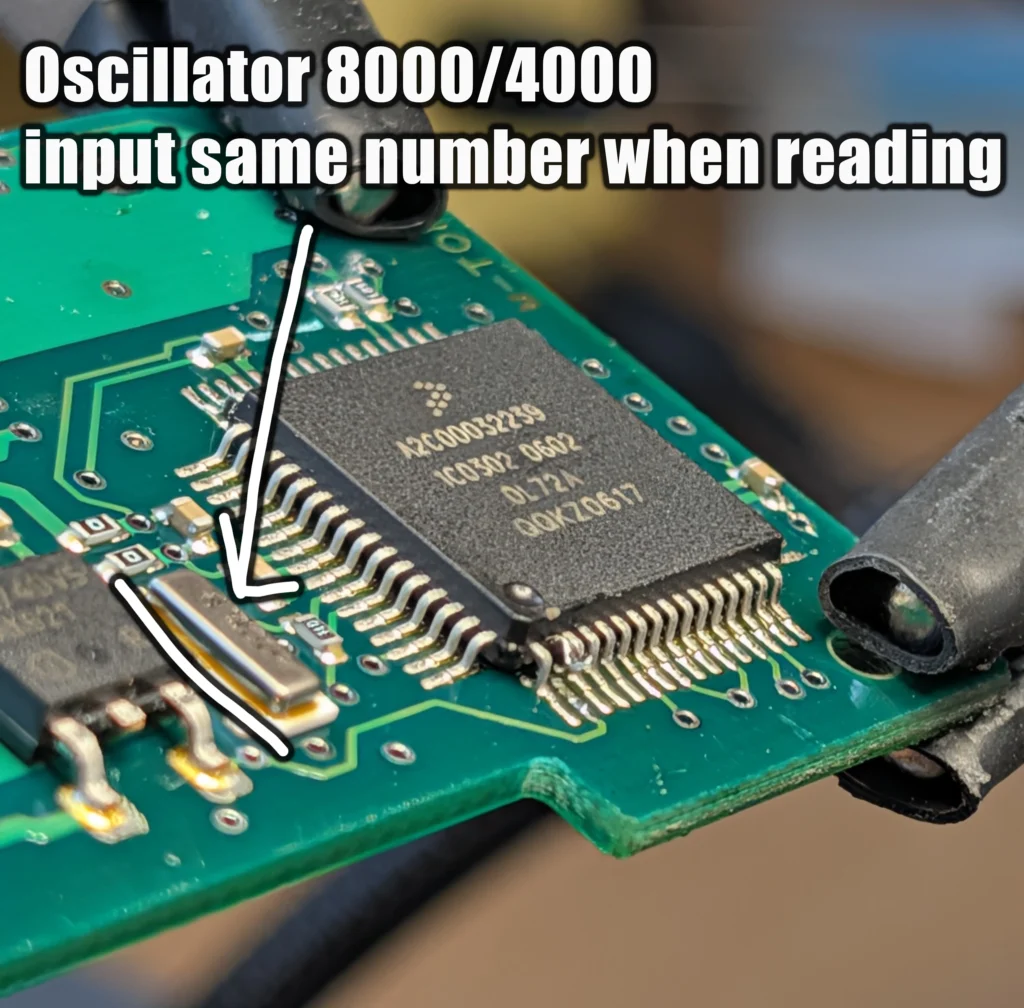
Check oscillator number - you will need to input it in Orange before reading. Mine had 8000.
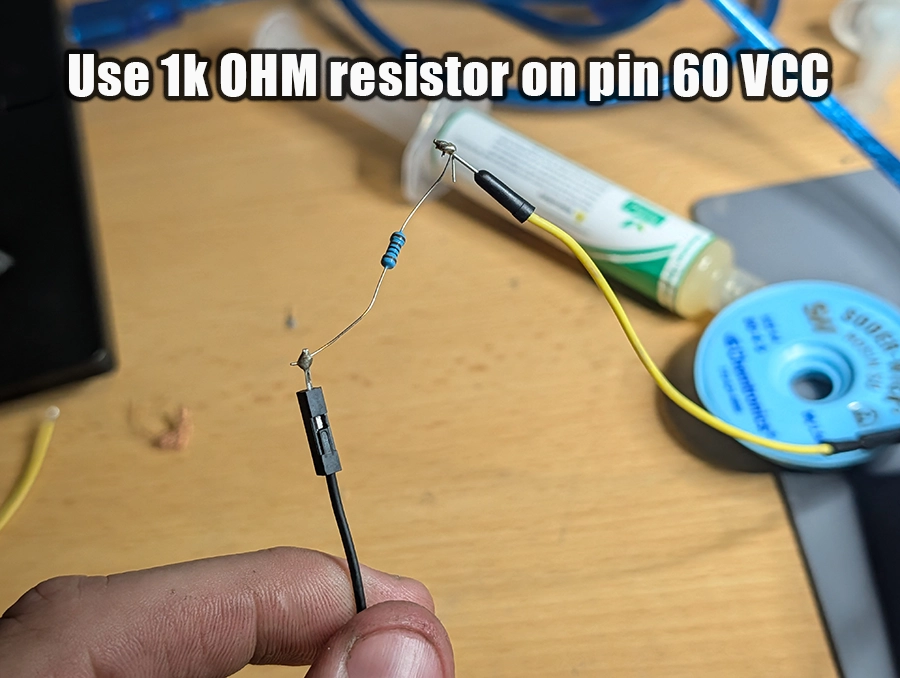
For PIN 60 connecting to VCC you need to use 1 kΩ resistor.
Connect wires from Orange 5 according to this schema.
Orange will ask for security byte code, use this one:
SS= F3 B1 F3 AB F3 A5 F3 9F
With everything connected read the chip data.
Worth knowing before you spend money: Autel documents a bench read on this MCU for Astra, Combo, Corsa, Meriva and Vectra of this era, with its own pinout. I did not test it, because my immobox was a replacement and the board did not match the illustration on screen. If you own an Autel and your box is original, try that before buying a dedicated programmer.
When the car has already been worked on
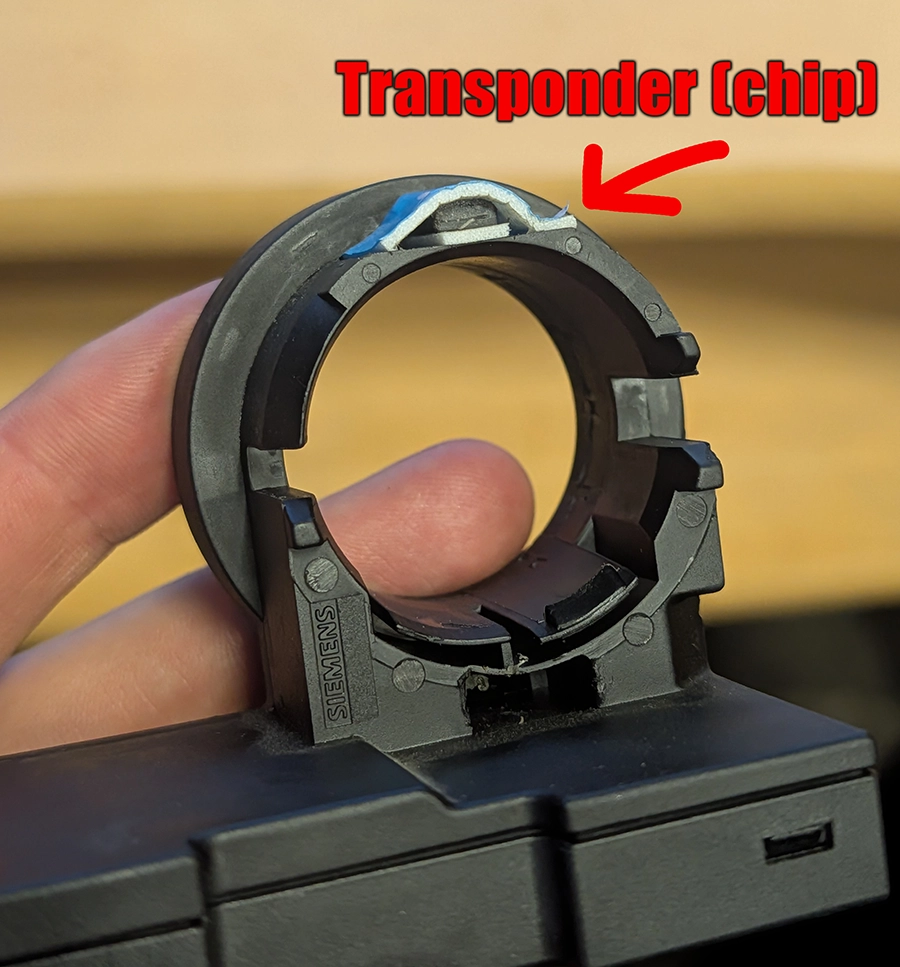
Old cars have history, and on an immobiliser system somebody else's repair becomes your problem. Car I worked on had matching password in BCM, ECU and IPC but the immobox was from different car and had own transponder glued to top of it.
That's why I keep failing trying to do resets, immo programming or key programming after I erased the keys. Password was not same in all modules.
The lesson is not "don't reset". The lesson is that before you reset anything, look at the modules physically and confirm what is actually authorising the start.
Once you have the code
The code by itself unlocks the programming functions. What you do with them is a separate job, and I have written those up as their own procedures.
If the system is already locked out
Wrong code attempts start a wait timer, and it escalates hard.
Security wait times. Ten seconds, then ten minutes, twenty, forty, one hour twenty, two hours forty, five hours twenty, ten hours forty, and finally 21 hours and 20 minutes.
The timer only advances with the ignition on. Leave the ignition on and put a charger on the battery, otherwise the wait never ends and you flatten the battery trying. On a 21 hour lockout that is not optional.
Legal & safety notice
More procedures like this
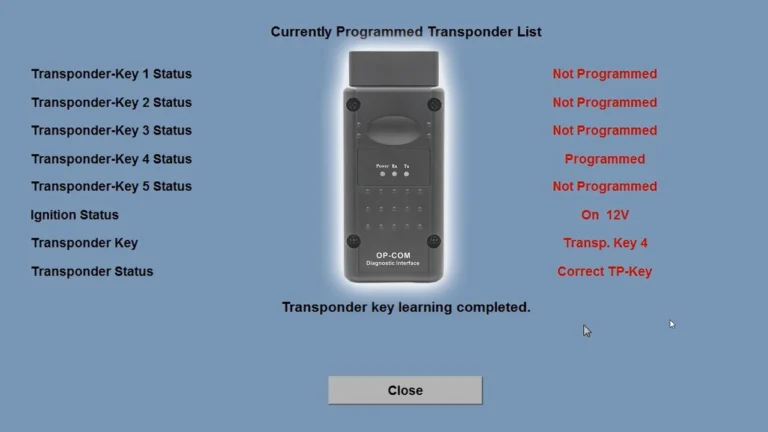
Opel Corsa C 2006 Key Programming steps with Opcom
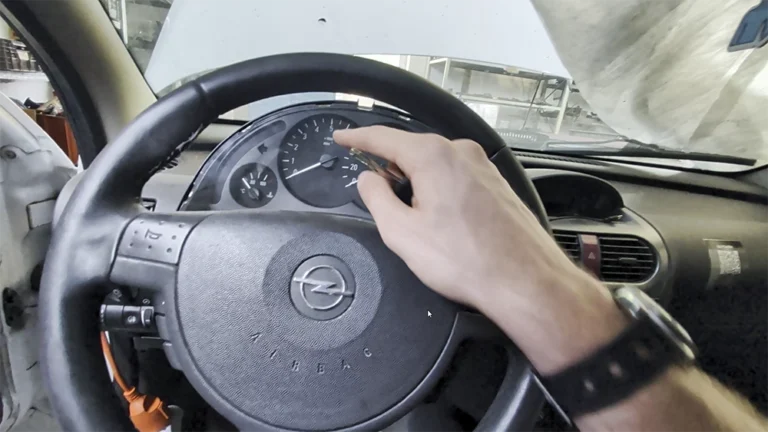
Opel Corsa C 2006 Instrument Cluster Swap and Programming
How to Add a Key / Perform AKL on BMW E46
Honda FRV 2006 Key programming / Add new key
Add / All Keys Lost – Citroën C4 Picasso 2012
Key programming (add new key / all keys lost) – Passat B6 2.0 TDI (2008)
Most popular OBD2 guides







I'm Juraj Lukacko and I work as an auto electrician. On this site I share what I learn from real work on real cars, to help you pick the right tools for diagnostics, programming and tuning and get the job done.
More about me →