 By Juraj · Last updated October 5, 2026
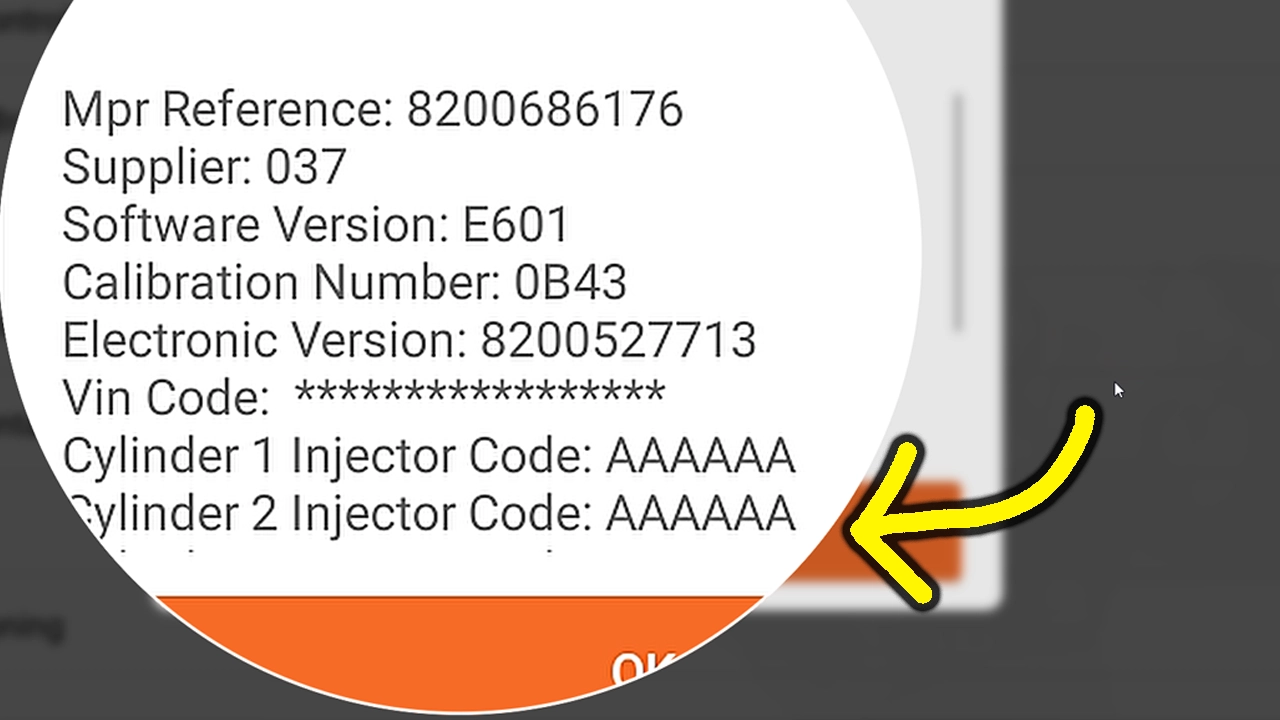
This guide shows how to write the injector codes and the VIN back into the engine ECU on a Renault Laguna II Phase 2 after ECU programming erased them. That clears DF276 and gets AutoVIN working again.
I earn from qualifying purchases and sometimes get tools for free (full disclosure). It never affects my scoring.
Used tool in this guide
Video: How to program injector codes and VIN on a Renault Laguna
This video shows how to enter the injector codes in the special function menu and write the VIN back to the engine ECU on a Renault Laguna II Phase 2.
Technical overview
| Vehicle | Renault Laguna II Phase 2 |
|---|---|
| Year | 2005 to 2007 (Phase 2) |
| System | Engine ECU (injection) |
| Procedure type | Injector code and VIN programming |
| Difficulty | Easy |
| Time required | ~10 minutes |
| Prerequisites | Injector codes (saved, or read off the injectors), the VIN of the car, a scanner with Renault special functions |
Step-by-step procedure
Check what the ECU lost
Open the engine ECU with the scanner. On my Laguna the ECU showed no injector codes and no VIN programmed, and the fault memory held DF276 for injector codes not programmed.
Open the injector code function
In the engine ECU go to Special function and open Enter injector codes.
Enter the code for each injector
Type in the injector codes and confirm. Wait until the scanner reports that the command is finished. The codes are now programmed.
Write the VIN back to the ECU
Open the VIN programming function, enter the VIN of the car and confirm. The scanner reports Configuration complete.
Clear the fault codes
After both writes the faults are stored only as memory faults. Clear them. The ECU then reports no fault.
Cycle the ignition and recheck
Turn the ignition off and on again and read the faults once more. DF276 did not come back, and AutoVIN identified the car again.
Additional information & compatibility notes
Before using or purchasing any diagnostic tool for this procedure, always verify compatibility with your exact vehicle model, year and system configuration. Supported functions may vary depending on software version, hardware revision and regional limitations.
I did this job only with the Thinkscan 689 BT.
Legal & safety notice
More procedures like this
Injector Coding / Replacement – Citroën C4 Picasso 2.0 HDi 2012
BMW E46 318d (2005, 85kW) DTC Delete: Removing P0401 EGR and Lambda Code 4298 From the ECU Firmware
How to Read the Immo Code (Car Pass) from an Opel / Vauxhall Immo 2
Opel Corsa C 2006 Key Programming steps with Opcom
Opel Corsa C 2006 Instrument Cluster Swap and Programming
Toyota Avensis 2006 Add new key/Key Cloning: Car Starts, Remote Doesn’t (Full Job)
Most popular OBD2 guides







I'm Juraj Lukacko and I work as an auto electrician. On this site I share what I learn from real work on real cars, to help you pick the right tools for diagnostics, programming and tuning and get the job done.
More about me →