 By Juraj · Last updated August 15, 2026
This guide shows how to correct the odometer reading on a Renault Megane Mk2 (X84, 2002–2009) after replacing the instrument cluster, using a Renolink interface. This is a write-down or write-up procedure typically required when fitting a used cluster from a donor vehicle so the displayed mileage matches the car's true history. The procedure writes the new value directly to the cluster's EEPROM via the OBD port - no cluster removal or soldering required.
I earn from qualifying purchases and sometimes get tools for free (full disclosure). It never affects my scoring.
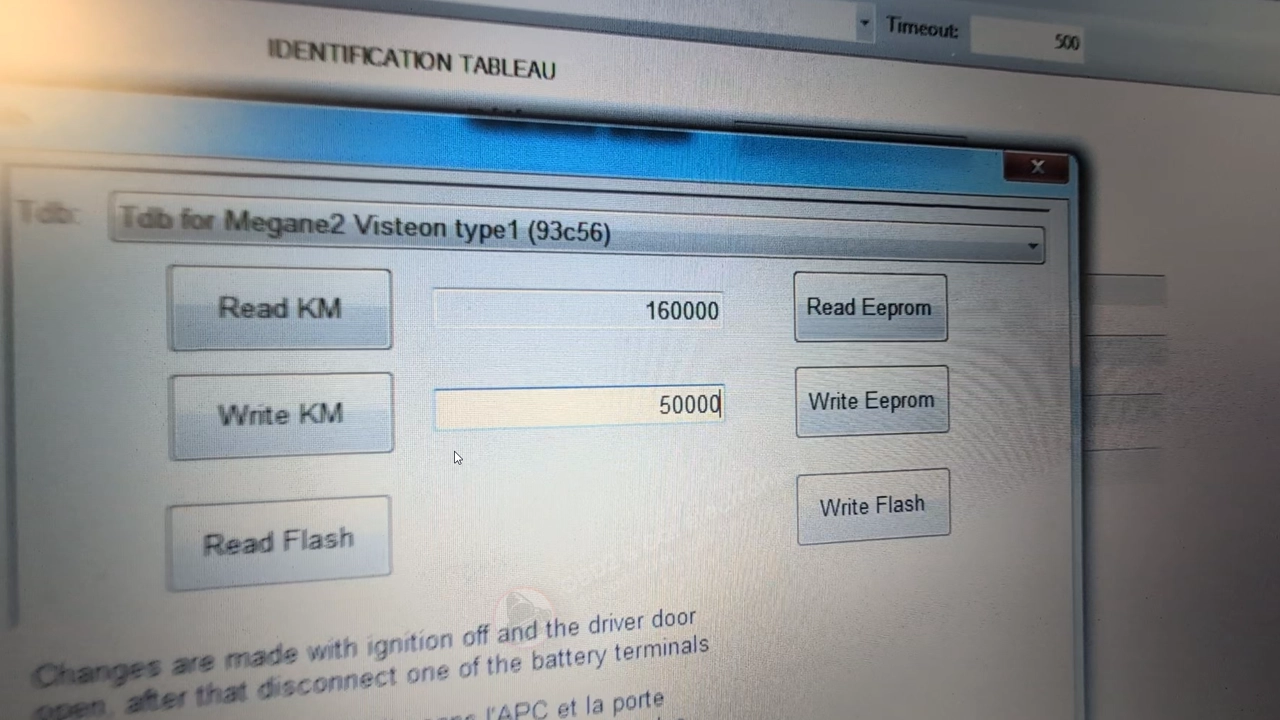
Used tool in this guide
Video: How to perform odometer correction on Renault Megane Mk2
This video shows the full odometer write procedure on a 2006 Renault Megane Mk2 — from selecting the correct vehicle profile in Renolink, through the ignition-off / door-open / battery-disconnect write sequence, to clearing the post-write service light with an oil interval reset.
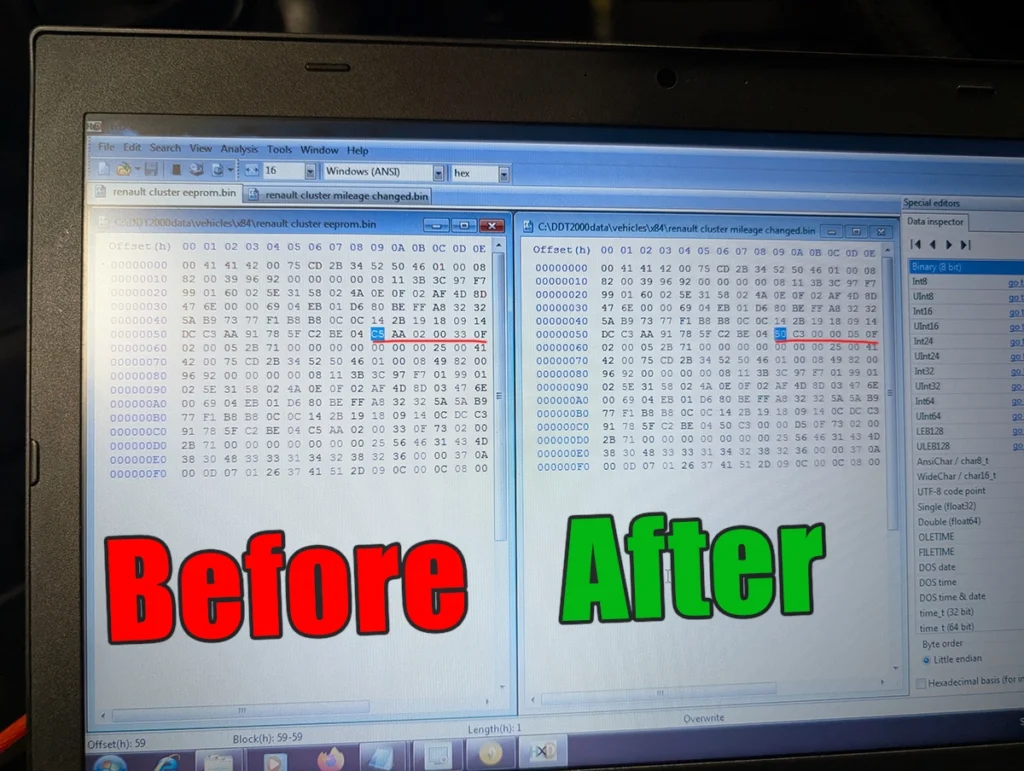
Comparison of cluster eeprom before/after
Supported vehicles
| Vehicle |
|---|
| megane-mk2 |
Technical overview
| Vehicle | Renault Megane Mk2 (X84) |
|---|---|
| Year | 2002–2009 |
| System | Instrument cluster (dashboard) |
| Procedure type | Odometer correction / mileage adjustment |
| Difficulty | Medium |
| Time required | ~10 minutes |
| Prerequisites | Renolink (or clone), good 12V battery, access to battery terminal, ignition key, target mileage value to write |
Step-by-step procedure
Connect Renolink
Connect the Renolink interface to the OBD port and launch the Renolink software on the laptop.
Open Extra → Dashboard → Km
In the top menu, navigate to Extra → Dashboard → Km.
Select Megane 2 — Km
From the vehicle list, select the first entry — Megane 2 — Km.
Turn the ignition ON
Turn the ignition ON (key position 2, engine not running). The connection will not establish without ignition.
Read the current value
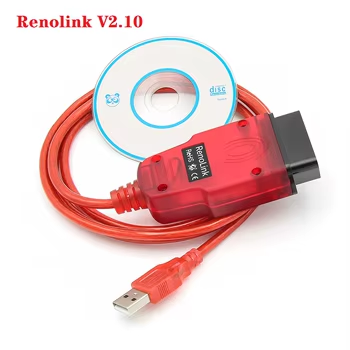
Read the current cluster value. In this example the replacement cluster showed 160,000 km.
Enter the new mileage
Enter the new target mileage in the value field (e.g. 50,000 km — set to whatever matches the car's real history).
Turn the ignition OFF
Turn the ignition OFF and remove the key.
Open the driver's door
and leave it open.
Disconnect one battery terminal
(negative is fine). This step is mandatory — writing with the battery connected will appear to succeed but the new value will not stick.
Write the kilometers
Back in the software, click Write kilometers. The tool will confirm "Done".
Reconnect and verify
Reconnect the battery terminal, close the door, turn the ignition on and verify the cluster now shows the new value.
Reset the service indicator if it flashes
If a warning light is flashing after the write (typically the service indicator), perform an oil change interval reset to clear it. This is normal post-write behavior on Megane Mk2 and not a fault.
Repeat if it does not work
If it doesn't work, repeat. For me i worked on second try.
Additional information & compatibility notes
Renolink clones vary in firmware — some require manual driver installation and only run reliably on 32-bit Windows or in a Windows XP/7 virtual machine.
The "Megane 2 — Km" profile in Renolink covers most X84 cluster variants (Magneti Marelli and Johnson Controls), but very late facelift clusters (2008–2009) may need a different profile.
Note that odometer correction is legally permitted only after a documented cluster replacement or repair, and the change must be recorded. Rolling back mileage on a vehicle intended for resale is illegal in the EU.
Alternative tools

Legal & safety notice
This procedure modifies vehicle system settings through the control module. Incorrect use may cause faults or warning lights. Always ensure the vehicle is secured and follow proper safety procedures. Odometer correction must only be performed after a legitimate cluster replacement or repair, and the change must be documented in the vehicle's service history. Misuse for fraudulent mileage rollback is a criminal offence in the EU and most other jurisdictions.
More procedures like this
How to program key card on Renault Megane MK2 (2006)
Ford fiesta 2010 Odometer correction guide
How to change mileage in Volkswagen Touareg 7L
How to change mileage in Seat Leon Mk2 (1P) after instrument cluster replacement
How to do odometer correction for Skoda Octavia MK1 with OBD2 scanner
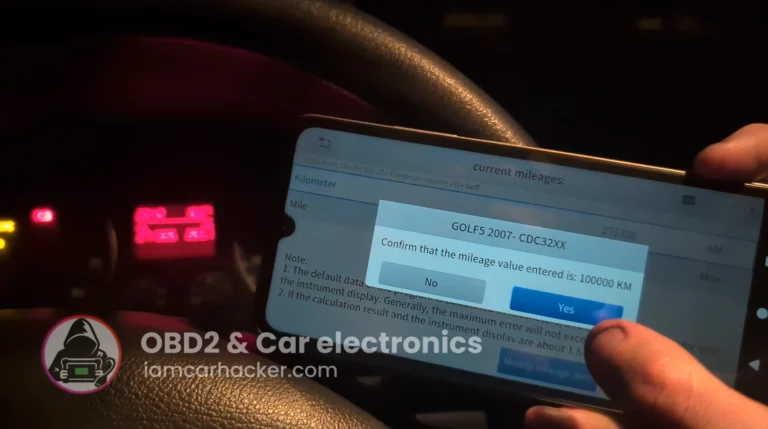
Volkswagen Golf MK5 2006 Odometer correction with OBD2 scanner
Most popular OBD2 guides







I'm Juraj Lukacko and I work as an auto electrician. On this site I share what I learn from real work on real cars, to help you pick the right tools for diagnostics, programming and tuning and get the job done.
More about me →