Konwei Kdiag | Cheapest “professional” scanner
Last Updated on April 11, 2026 by Juraj
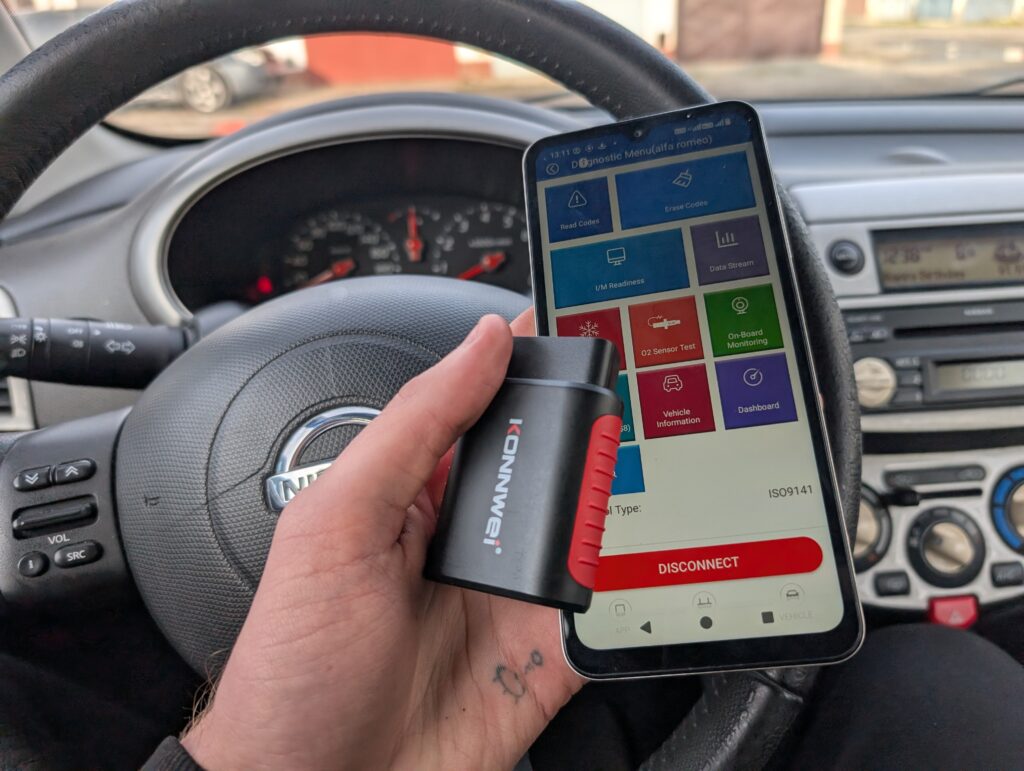
I tested the Konwei KDiag on VAG cars (Fabia, Touareg) and on Japanese cars like Mazda and Nissan Micra. On some cars it behaves like a real full-system bi-directional scanner, and on others it falls apart. For the price (around $25–40), it’s still interesting if you know the limits.
Affiliate Disclosure: iamcarhacker.com is an Amazon and other affiliate programs Associate. As an Amazon Associate, I earn from qualifying purchases. Full Affiliate disclosure. // some of tested products I got sent for free but it never affects any scoring parameter. Full sponsor policy.
What This Tool Actually Is

Konwei Kdiag
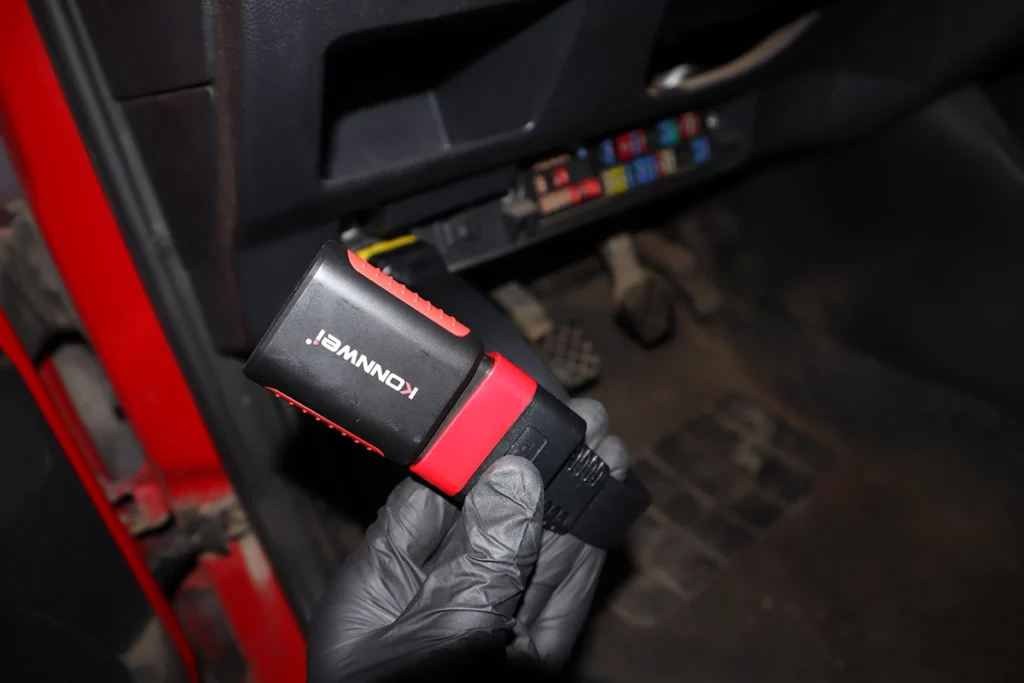
The Konwei Kdiag is ultra-budget bi-directional full-system scanner..

- Very cheap adapter that actually has bi-directional tests
- Support Global OBD (fallback if full-system diag doesn't work)
- Full-system diag/service and bi-directional tests won't work for all cars
Service functions (4+)
Scores
Specs
| Tool type | Standalone device |
| User level | Intermediate |
| Vehicle focus | All makes |
| Free updates | Lifetime |
| Subscription | Not required |
Real-world procedures tested with this tool
Konwei KDiag is a Bluetooth full-system scanner with its own app, not a generic ELM327 adapter.
It has three main parts:
- OBD Diagnostics → global engine-only OBD2 (10 modes, graphs, 4 PIDs at once)
- Professional Diag → brand-specific full-system access
- Service Functions → a small set of maintenance resets
It is basically the cheapest Bluetooth bi-directional scanner I’ve tested that still offers full-system access on many cars.
If you want more premium Bluetooth bi-di tools, check the Best Bluetooth Bi-Directional Scanners list.
If you want other cheap options, it also fits into the Best OBD2 Scanners Under $50 category.
Test Results on Real Cars
I tested KDiag on several cars.

Cars used
• VW Touareg (lots of modules)
• Škoda Fabia (older, no CAN)
• Mazda 2 (CAN)
• Nissan Micra
VAG – Touareg
This is a hard car to scan (many modules).
What happened:
- KDiag connected and started a health report.
- It did not scan all modules (transmission missing, many systems not found).
- In Central Electric, it showed around 90 fault codes that looked random, not real faults.
- Clearing and re-reading faults gave the same nonsense list.
- Bi-di tests:
- Often only one test per module (e.g. “low beam lamp” only).
- Most tests didn’t actually trigger anything (no lights, no movement).
- Data stream: some modules had empty data even though there should be values.
Conclusion:
You cannot rely on KDiag on complex VAG cars. It can read something, but you don’t know what is real.
VAG – Fabia (older, no CAN)

Older Škoda Fabia with about 8–10 modules.
- Full scan found only 2 modules.
- Trying to enter known modules (instrument cluster etc.) gave linking errors.
- Only engine module was usable.
- Engine bi-di worked (fuel pump relay, EVAP valve), but nothing else.
So again, VAG support is weak, especially on older non-CAN cars.
Mazda 2

Mazda 2 (simple CAN car) was the opposite experience.
- Auto-detect VIN, model, engine.
- Full system scan found all modules: engine, airbag, cluster, etc.
- Health report looked normal, no nonsense faults.
In engine module:
- Read codes, clear codes.
- Data stream had 50+ parameters (more than OBD-only mode).
- You can select any PIDs and build your own custom live-data page.
- No graphs in this mode, but numeric data updates fine.
Bi-di tests:
- Engine cooling fan actuation test worked: ON/OFF exactly as expected.
In other modules:
- Cluster: read codes and data, no bi-di in this old car (normal).
On Mazda, KDiag behaved like a real full-system scanner.
Nissan Micra

Micra has about 6 control modules.
- Full system diagnostics found all 6.
- Scan took some time but this is normal for Micra even with other tools.
- Health report showed which modules had faults, and you could save a report.
In Power Distribution Module:
- You can read codes, clear codes, read data stream.
- Bi-di tests worked:
- Front wiper low/high/off
- Headlamp washer (failed because car doesn’t have it)
- Engine fan (ON/OFF) – fan clearly audible
In Engine Module:
- Lots of actuation tests:
- Fuel pump activation (works, pump clearly audible)
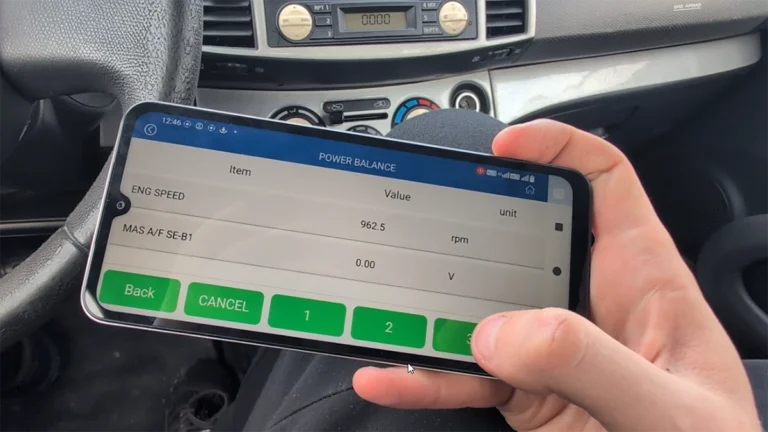
- Power balance test → you can turn off individual cylinders and see how rough the engine gets
- Other fuel/ignition-related tests
This is advanced functionality for a $25–30 adapter.
Live data:
- In brand mode: plenty of values, but no graphs.
- In global OBD mode: engine-only, but graphs with up to 4 PIDs at once are available.
Conclusion:
On Micra, KDiag worked exceptionally well as a full-system bi-di tool.
Global OBD (Fallback)
On any car with OBD2, even if brand support is poor (like some VAG), KDiag can still:
- Read engine codes
- Show live data
- Display graphs (4 at once)
- Check readiness monitors
So in the worst case, it behaves like a cheap ELM + app.
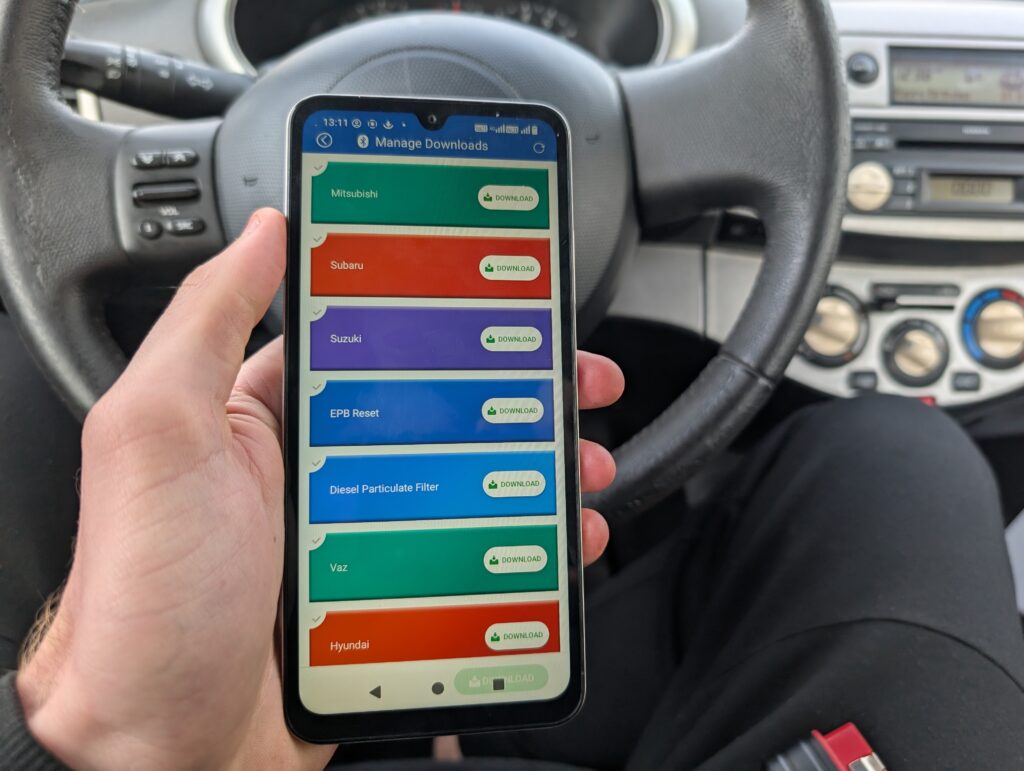
Supported Brands

VAG: Volkswagen / Audi / Seat / Skoda / Bentley / Lamborghini / Bugatti
BMW Group: BMW / MINI / Rolls-Royce
GM Group: Chevrolet / Buick / Cadillac / GMC / Pontiac / Saturn / Hummer / Holden
Nissan Group: Nissan / Infiniti
Mercedes Group: Mercedes-Benz / Maybach
Ford Group: Ford / Lincoln / Mercury
Honda Group: Honda / Acura
Mazda: Mazda
Toyota Group: Toyota / Lexus
Hyundai: Hyundai
Kia: Kia
Renault Group: Renault / Dacia / Samsung
Opel: Opel
Subaru: Subaru
Suzuki: Suzuki
Mitsubishi: Mitsubishi
VAZ: VAZ / Lada
Additional brand-specific modules available in app:
Battery Match, Maintenance Reset, EPB Reset, DPF, TPMS
Global engine-only mode:
OBD (Global OBD2) for all cars with OBD2 system – even if not supported for full-system diag in app.
Important Warning
Being listed here does not guarantee full-system support.
On some brands (especially VAG) certain modules do not respond, live data may be missing, or bidirectional tests may not work.
On most Asian cars (Mazda, Nissan, Micra, Suzuki, Hyundai/Kia) the KDiag performed surprisingly well – full system, live data in every module, and working bidirectional tests.
Warning
Even if your brand appears in this list, full-system diagnostics may not work on every model.
Older VAG cars had limited access in my testing.
Asian cars worked much better.
On main screen you see 4 service functions:
- oil reset
- battery match
- EPB reset
- DPF regen
On VAG and some other brands, inside “special functions” you may see up to 9 procedures:
- injector matching
- air suspension
- steering angle learning
- other brand-specific items
But like everything on this tool, actual availability depends on the car.
On Mazda and Micra you did not have much to test because those cars simply don’t have EPB/DPF etc.
Supported Languages
KDiag app supports about 8 common languages.
The UI is simple and readable.
For code descriptions and deeper meaning, English plus a quick Google search is still safest.
Comparison Section
Full comparison
The XTool AD20 pro is budget bluetooth ELM327 adapter for basic engine diagnostics on smartphone.
- Lifetime free updates included
The Mucar BT200 Max is bluetooth adapter that unlocks full-system diagnostics and bidirectional tests when paired with DAS+ or Car Scanner app.
- Lifetime free updates included
- Above average service functions (6/10)
- Above average diagnostics (6/10)
- Above average vehicle coverage (6/10)
The Konwei Kdiag is ultra-budget bi-directional full-system scanner..
- Lifetime free updates included
- Above average diagnostics (6/10)
- Above average build quality (9/10)
- Above average value for money (9/10)
The Vgate Vlinker MS is best compromise between budget and power to connect with multiple diagnostic/coding software.
- Lifetime free updates included
- Above average speed (10/10)
- Above average vehicle coverage (8/10)
- Above average build quality (9/10)
Feature comparison
|
Best Budget
XTool AD20 pro
|
Best Features
Mucar BT200 Max
|
Best Value
Konwei Kdiag
|
Best for Beginners
Vgate Vlinker MS
|
|
|---|---|---|---|---|
| Overall score | 6.5
|
7.2
|
7.5
|
8.3
|
| Tool type | Standalone device | Standalone device | Standalone device | Standalone device |
| User level | Beginner friendly | Intermediate | Intermediate | Beginner friendly |
| Vehicle focus | All makes | All makes | All makes | All makes |
| System focus | All systems | All systems | All systems | All systems |
| Global OBD | ✓ | ✓ | ✓ | ✓ |
| Full system codes | ✓ | ✓ | ✓ | ✗ |
| Live data (full) | ✗ | ✓ | ✓ | ✗ |
| Bidirectional | ✗ | ✓ | ✓ | ✗ |
| Coding | ✗ | ✗ | ✗ | ✗ |
| ECU programming | ✗ | ✗ | ✗ | ✗ |
| Diagnostics | 4/10 | 6/10 | 6/10 | 3/10 |
| Service score | 1/10 | 6/10 | 2/10 | — |
| Coding score | — | — | — | — |
| Ease of use | 6/10 | 7/10 | 7/10 | 7/10 |
| Price / value | 8/10 | 8/10 | 9/10 | 9/10 |
| Free updates | Lifetime free updates | Lifetime free updates | Lifetime free updates | Lifetime free updates |
| Subscription | Not required | Not required | Not required | Not required |
| Verdict | budget bluetooth ELM327 adapter for basic engine diagnostics on smartphone | bluetooth adapter that unlocks full-system diagnostics and bidirectional tests when paired with DAS+ or Car Scanner app | Ultra-budget bi-directional full-system scanner. | best compromise between budget and power to connect with multiple diagnostic/coding software |
| Official store | Check price › | Check price › | — | — |
| Amazon | Check price › | Check price › | Check price › | Check price › |
| AliExpress | Check price › | Check price › | Check price › | Check price › |
| Full review → | Full review → | Full review → | Full review → |
Final Verdict

Konwei KDiag is not a perfect full-system scanner.
It is very good on some cars (Mazda, Nissan), and pretty bad on others (VAG).
But for around $25–30, with free updates and a full-system app, it is probably the best ultra-budget bi-directional scanner you can buy right now.
Use it like this:
- ✅ as a cheap full-system + bi-di tool on Japanese and some EU cars
- ✅ as a global OBD engine scanner on everything else
- ❌ not as your main tool on VAG or complex Euro cars
If you need reliable full-system diagnostics and coding, you still want a real tablet scanner.
Reviews from the community
I had one person from the email community reach out to me with his review of Konwei KDIAG (he wants to remain anonymous):
Review from the community:
An update Yuri
YES, this is indeed a useful miniature “ädvanced” car scanner, a step up from a basic OBD scanner, looking at ECU and TCM.
I believe as more people like you and I get more involved with the care of their cars, this type of connector will become more of the standard.
Sometime ago my car sat in 1.5 ft of water for a few days. The water entered the car but not up to the gas pedal and it was below the spark plugs.
The car could start, but the electronic hand brake couldn’t release.
I also had MANY lights in my dashboard
- EyeSight off
- Collision detection and lane departure detection off
- Traction control off
- ABS error
- Handbrake sign flashing
- Electric steering wheel alignment error
- Hill take off assist off
- Vehicle occupant sensor off
There’s a procedure to release the handbrake manually, and I drove the car somewhere safe to dry out
The KDIAG helped me reset some parameters in the various other systems.
- Clear ABS error after cleaning the brakes with carb cleaner. I could see that on one of the wheels the mud was interfering with the sensor
- I reset the centre position for the electric steering
- Set new idle rpm at 680
- Also did a throttle range relearn
- Cleared all stored historical error codes.
There’s access to other systems like the car fob remote, automatic wiper function.
There’s even an option for a google search for info on error codes.
For now I’ll keep on exploring. The app is useful but CLUNKY and CRUDE.
If they redesign it this scanner could really shine.
I bought his scanner after seeing your mini review – Thanks for your work. 
Konwei KDIAG is the cheapest Bi-Directional scanner

It might not have the biggest vehicle coverage, but if it supports common brands you work with you might give it a shot.
Definitely cheaper than one of the bi-directional scan tools but also not working as good as those for same amount of cars.
Most popular OBD2 guides


Responses