
Published: July 29, 2026 · Last updated: July 29, 2026
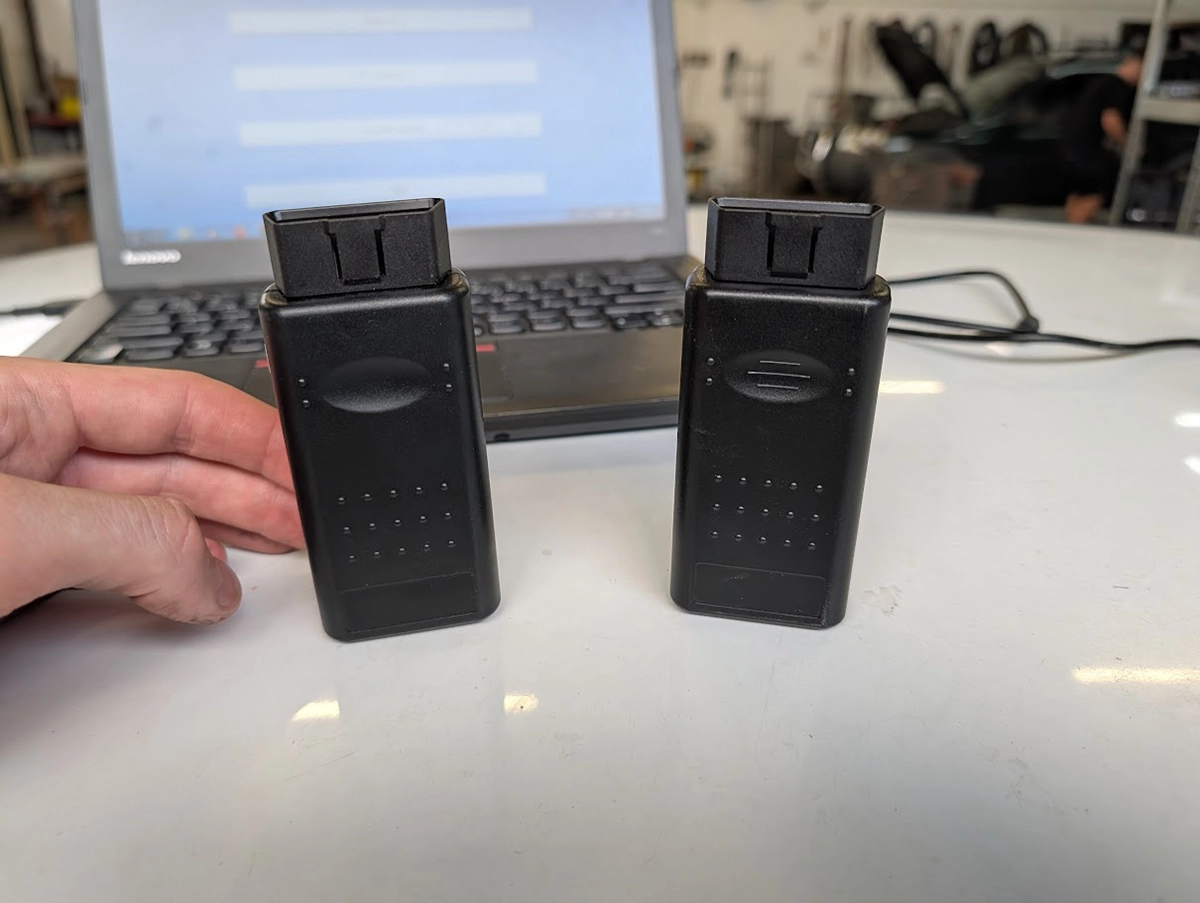
The OP-COM is a 20 year old Opel and Vauxhall interface that still does dealer level work on 1997 to 2010 cars. Immobilizer, all keys lost, cluster programming, comfort coding, for around $30. Almost nobody buys the genuine tool, so this is really a review of the clone market. And in that market the chip inside the adapter is the entire product. I bought two. One did everything I asked it to. The other died before it ever saw a car.
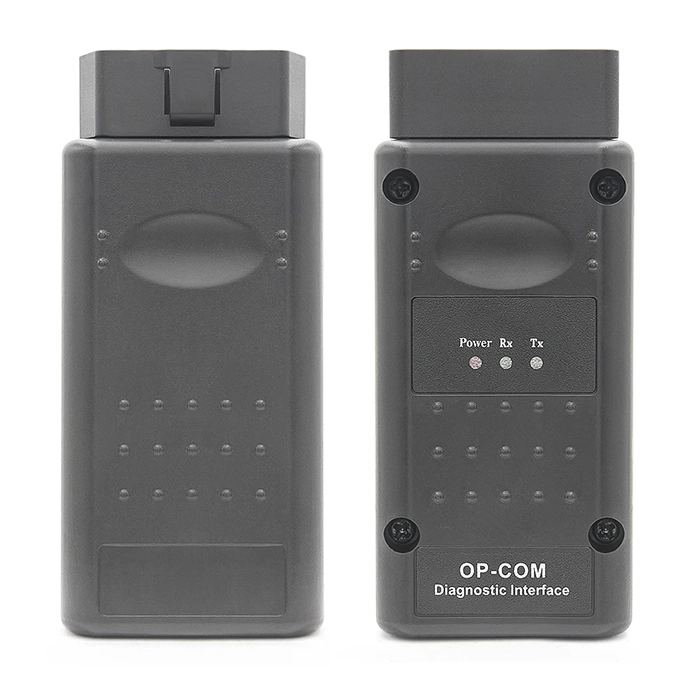
Opcom clone
The Opcom clone is tool with good features for this price for Older opel/vauxhalls.

- Good value for money
- Can do module and key programming with correct version
- Hard to navigate between software and adapter versions
- Bad adapter and software versions limit what you can do
- Especially programming
Service functions (5+)
Scores
Specs
| Tool type | Standalone device |
| User level | Professional |
| Vehicle focus | opel,vauxhall |
| Free updates | Not included |
| Subscription | Not required |
Support & resources
| Supported languages |  |
Real-world procedures tested with this tool
What it’s actually good at
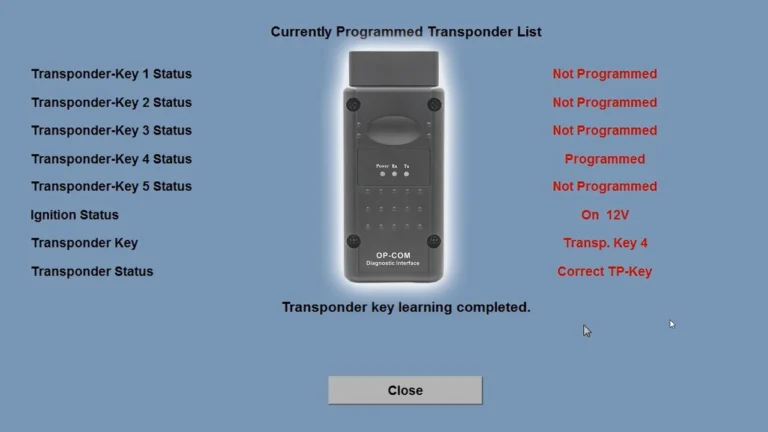
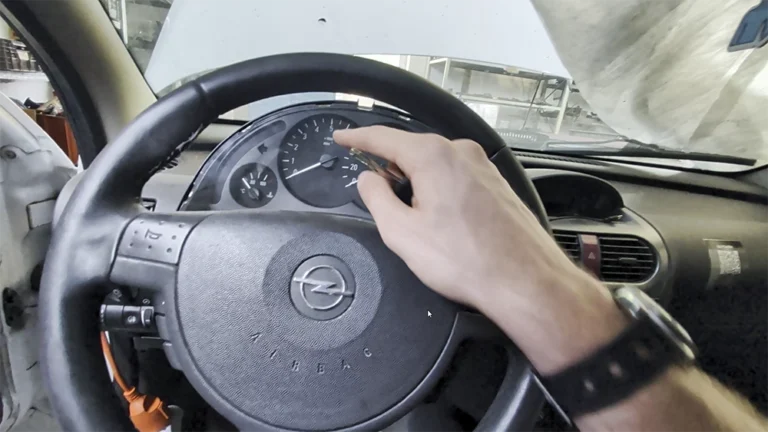
The second adapter, the one with a genuine PIC18F458, did the whole immobilizer job on the firmware it shipped with. Immobilizer reset, immobilizer programming, all keys lost, then a cluster that came out of a different car reset and programmed into mine. No flashing, no version chasing. The sticker said V1.95, a firmware number that officially never existed, and it made no difference.
That is why a tool this old still sells. A $50 adapter doing all keys lost on an Astra H is not something you replicate under four figures anywhere else.
The other function I keep going back to is recording in measuring blocks. Export gives you one snapshot. Record gives you a rolling CSV you can drive with. You chase the fault on the road, then read the log at the bench instead of squinting at gauges at 60 km/h. It is the least talked about feature in the whole tool.
Where it falls short
The first adapter never reached a car. Forums said immobilizer work needs firmware 1.39 or 1.45, mine was labelled 1.99, so I flashed it. It turned out to be an 18F45K80 board, not a real PIC, and flashing overwrites a bootloader it cannot come back from. Permanent.
Worse, it still lies to you. It now reports firmware 1.45 and passes Settings, Test Interface, cleanly. A passing self test only proves the PC can talk to the chip. The only honest test is reaching an ECU on an actual car.
Coverage stops harder than sellers admit. On 2010 to 2015 Global A cars (Astra J, Insignia, Mokka) you get codes read and cleared, then measuring blocks, output tests and coding sit greyed out or show dashes. Astra K, Corsa E and the Stellantis era Opels are code readers at best. There is no ECU EEPROM work and no online programming, by design.
Read EEPROM on the instrument cluster also crashed the software on my working unit.
The chip decides everything
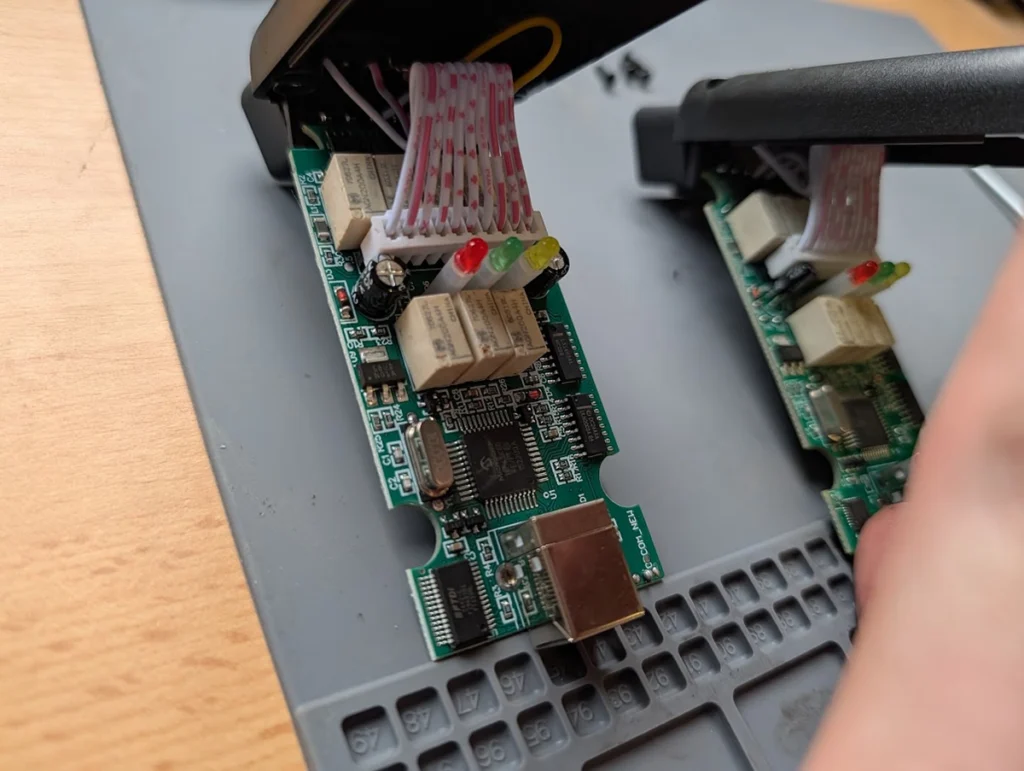
Two board generations circulate and they look nearly identical in listing photos.
| Good board | Bad board | |
|---|---|---|
| PCB silkscreen | OPCOM | OPCOM_NEW |
| MCU | Genuine PIC18F458 -I/PT | 18F45K80 E/PT, sometimes relabelled 18F458 |
| Relays | F.T. JAPAN B4CA4.5Z | AGN200A4H CHINA |
| D5 diode and C22 cap next to MCU | Absent | Populated |
| Flashing | Up and down freely with OCFlash | Any flash overwrites the bootloader, permanently |
✅ Key Takeaway. The chip inside decides whether you own a workshop tool or a fault code reader. The number on the sticker decides nothing.
The 45K80 board runs a custom firmware written for that chip. The original .hex is not published anywhere, and dropping in a real 18F458 is not a swap, because the board is designed around different silicon. My dead unit almost certainly worked on arrival. These boards do communicate as long as you leave them on the firmware they shipped with. The moment you flash, it is over.
Three other parts nobody mentions. Good clones use MCP2551 transceivers on HS-CAN and MS-CAN and an L9637D on K-line. Bad ones substitute A1040 and “3399” parts, which gives flaky communication and in bad cases floods the dash with faults when you plug in. Stuck relays on MS-CAN leave you with only the cluster and infotainment responding. And every clone uses a fake FT232, which matters once Windows gets involved.
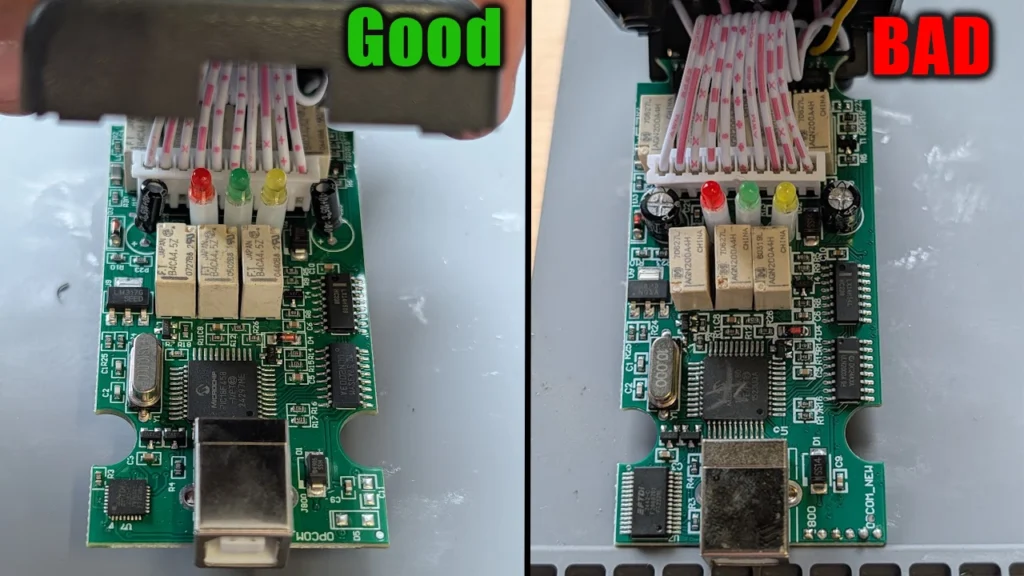
💡 Pro Tip. Silkscreen printing is an indication, not proof. Relabelled 45K80 chips marked 18F458 do exist. The only definitive test is reading the chip ID over ICSP with a PICkit. What made me confident about the good board was the combination: board name, Japanese relays, missing D5 and C22, and the fact that it actually reached an ECU.
Buying checklist
- The listing states PIC18F458. Everything else is secondary.
- Prefer a green board silkscreened
OPCOM, notOPCOM_NEW. - Check the PCB date on the back. Dates like 2007.12.10 correlate with real chips, 2013 and later correlate with fakes.
- Wording like “supports firmware upgrade and downgrade” is a good sign. Sellers themselves write “V1.70/V1.95 can support flash firmware update, but V1.99 can’t”, which tells you exactly what is inside a 1.99.
- If the listing only promises read and clear fault codes and never mentions immobilizer or programming, it is a code reader.
- Buy returnable and check the board before you use it.
Between a “V1.70 Flash” and a “V1.95 Flash” with the same real chip there is basically no difference. Take whichever is cheaper or arrives faster.
⚠️ Don’t Do This. Do not buy a board advertised as 1.99 that mimics the older green layout. That is the exact combination that cost me an adapter.
Software version and firmware version are two different things
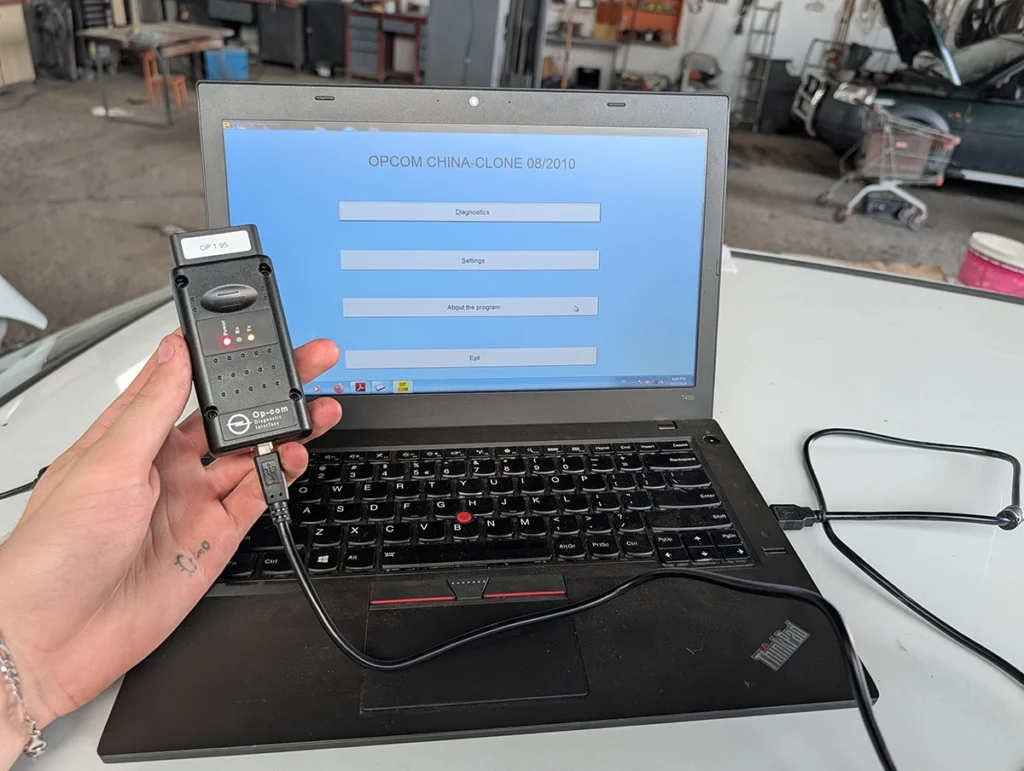
This is the single most confused thing in the OP-COM world.
Firmware lives in the PIC microcontroller inside the adapter. You change it by flashing. Software is the PC application, named by build date such as 120309a or 170823c. You change it by running a different one.
They have to match. Each build expects a particular firmware, and a healthy tool auto-upgrades its firmware when you open newer software.
| Software build | Firmware |
|---|---|
| 100219a | 1.39 |
| 120309a | 1.45 |
| 131223c | 1.59 |
| 131223e | 1.60 |
| 141204d | 1.63 |
| 150406d | 1.64 |
| 170330a | 1.65 |
| 170823c | 1.66 |
| 181022a | 1.67 |
Genuine firmware never went above 1.67. So 1.70, 1.78, 1.85, 1.95 and 1.99 printed on eBay and AliExpress listings are invented numbers.
The trap is that the software confirms the fake number back to you. My working adapter, sold as V1.95, reports V01.95 in Settings, Test Interface. That looks like verification. It is not. Fake firmware declares a fake version string and the software has no way to check it.
Which combination to actually run:
- 120309a with firmware 1.45 for general work. Last widely available free build, stable, covers roughly 1992 to 2012.
- 100219a with firmware 1.39 if you need security code reading and the widest immobilizer and key access on older cars. This is the only build that reads the four digit PIN on-tool.
- Later builds need genuine activation and a real flashable chip. Meaningful coverage expansion stopped around 2020.
Adding the “+131223d” database to 120309a does not improve Astra J or Insignia coverage. It is still the 120309a engine underneath.
Getting it running
There is not much of an installation to speak of. Most builds ship as a folder you run straight from disk, no setup wizard, no install path. The 2014 build on my CD was the exception and even that installer was really about the USB driver.
The driver is the whole fight. Everything else is running an exe as Administrator.
Windows 7
OP-COM was written for Windows XP and it runs best on XP or Windows 7 32-bit. If you have an old laptop in a drawer, put Windows 7 on it and skip most of what follows.
- Install
dotnetfx35_SP1first. The application needs it. - Install the USB driver that ships with the software package.
- Plug in the adapter and check Device Manager.
- Run the application as Administrator, always. It will not communicate otherwise.
- Settings, Test Interface. You should get a firmware version and “Interface test ended successfully”.
If F8 does not bring up Advanced Boot Options on a modern laptop because Fast Boot swallows the window, enable the boot menu from an admin command prompt with bcdedit /set {bootmgr} displaybootmenu yes, then shut down fully and power on again.
Windows 10 and 11
The blocker is that the OP-COM USB driver is unsigned. Windows refuses it with a message about the hash for the file not being present in the catalog, and the file likely being corrupt or tampered with.
That looks like a bad download. It is not. It means unsigned driver, blocked by Driver Signature Enforcement.
One boot only:
- Start, Power, hold Shift and click Restart
- Troubleshoot, Advanced options, Startup Settings, Restart
- Press 7 (or F7) for “Disable driver signature enforcement”
- Device Manager, find the OP-COM device, Update Driver, Browse, point at the driver folder inside the software package (usually
DriverorUSB Driverunder the 120309a or 110530a folder) - The driver installs and the warning triangle disappears
Enforcement comes back at the next reboot but the installed driver normally keeps working.
Permanent test mode, from an admin command prompt:
bcdedit /set testsigning on
bcdedit /set nointegritychecks on
Reboot, accept the Test Mode watermark on the desktop, reverse it later with the same commands and off. On Windows 11 with Secure Boot enabled, testsigning on is rejected until Secure Boot is turned off in BIOS.
Budget an evening for Windows 10 or 11. Twenty minutes for Windows 7.
The trap nobody warns you about
Even after the driver installs, Windows Update will silently replace it with a generic FTDI driver.
The symptom is confusing. The adapter shows up in Device Manager as USB Serial Converter with no warning triangle, the hardware looks perfectly healthy, and the software still says “Please connect your interface to the USB port, or install the USB driver!”
Fix it by uninstalling the device with “Delete the driver software for this device” ticked, unplugging and replugging, reinstalling from the OP-COM package folder, then disabling automatic driver updates.
⚠️ Don’t Do This. Do not let a clone adapter meet a modern FTDI driver. FTDI’s October 2014 driver and its January 2016 update detected fake FT232 chips and rewrote their PID from 0x6001 to 0x0000, which stops the device enumerating at all. It killed OpCom units in the field. Recovery means reprogramming the PID back with FT_Prog or MProg on an old driver or on Linux. Keep the diagnostic laptop offline and the problem never starts.
Keep every software build you get
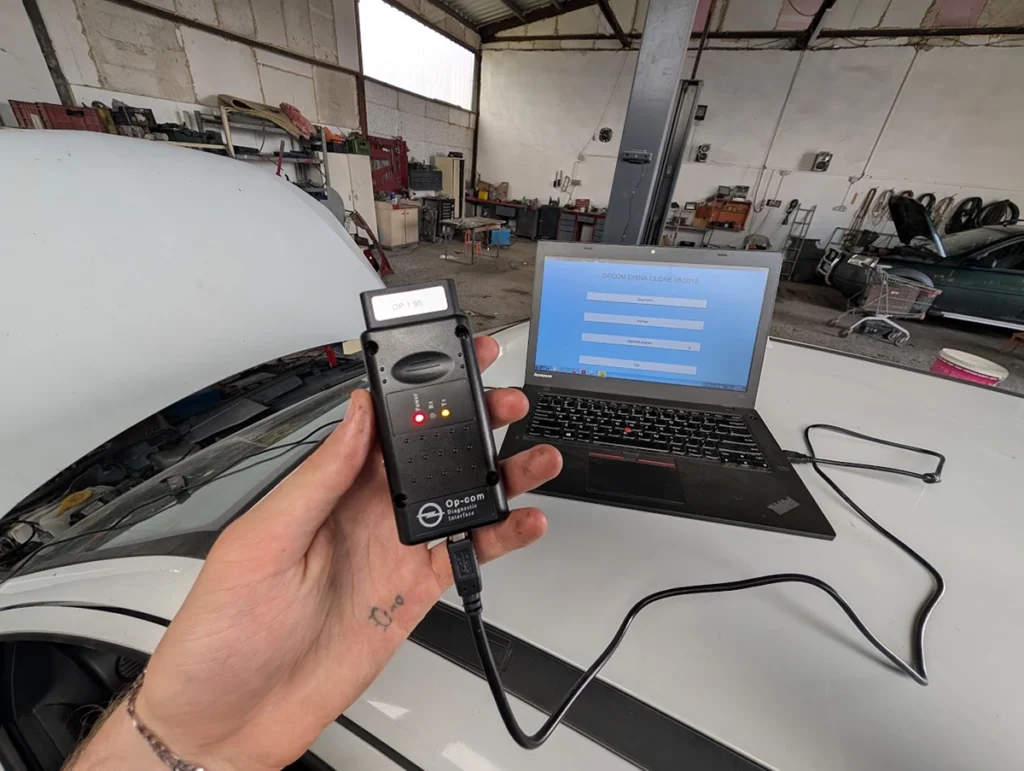
My adapter came on a CD with three builds, 2010, 2012 and 2014. That looked like padding. It turned out to be the most useful thing in the box.
🔧 Real Field Case. On the 2010 build the instrument cluster kept cycling in and out of communication and measuring blocks showed nothing. Switched to the 2012 build and communication was stable with live values appearing. Then cluster programming failed on 2012, so I switched to the 2014 build and programming went through on the first attempt. Same adapter, same car, same module, same firmware. Only the software build changed.
So when a module will not talk or a function fails, run another build before you assume the adapter is bad or that you need to flash. Switching software is free and reversible. Flashing firmware is neither.
One gotcha: some builds carry a different USB driver. The 2014 build did not see my interface until I ran its driver installer, then it worked immediately.
Using the software, screen by screen
Run as Administrator, every time.
Settings, Test Interface. First thing you do. Reports the firmware version and pass or fail.
⚠️ Don’t Do This. Do not treat a passing self test as proof the adapter works. My bricked unit went in labelled 1.99, I flashed toward 1.39, and it now sits reporting 1.45 with a clean self test. It does absolutely nothing on a car. A pass only proves the PC can talk to the chip.
Diagnostics. With the right driver and a healthy adapter you land on car model selection. If something is wrong you get an activation prompt instead, which is a misleading error. The real problem is usually that the interface is not being seen.
Car identification and module selection. Turn the ignition on before selecting a module. Most modules will not respond otherwise.
Module screen. Part number, production date on some modules, then fault codes. “Not present” next to a code means the fault is stored but no longer active, which is how you confirm a repair worked.
Measuring blocks. Live data with block switching at the bottom. Export to file gives you a single snapshot, Record gives you the rolling CSV.
Output tests. Actuator activation, fuel pump and similar. Be careful mid repair, do not fire random commands at a car you are still working on.
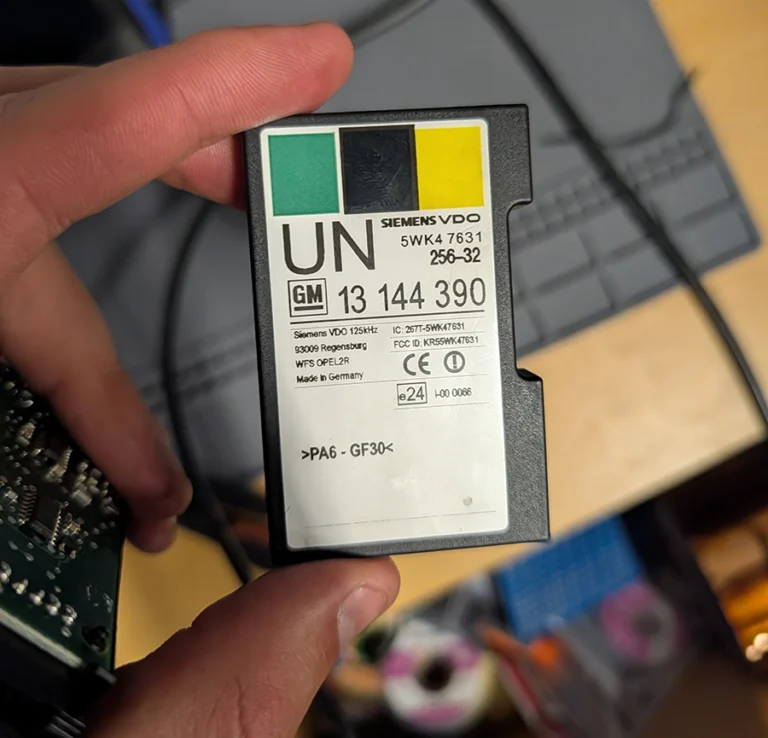
Programming menu. Where the value and the danger both live. ECU reset returns a module to virgin state so it can move to another car, or so a donor module can be adopted into yours. Every reset and programming operation needs the four digit security code, normally stored in the instrument cluster, immobilizer module, engine ECU and comfort module.
💡 Pro Tip. When a module comes from a donor car, reset it with the donor’s code first, then program it with your car’s code. Getting that order backwards is where most people get stuck.
Don’t flash unless a car forces you to
The widespread forum claim that a newer labelled clone cannot do immobilizer or cluster work did not hold up on my bench. A fake 1.95 firmware on a genuine PIC18F458 did immobilizer programming, all keys lost and cluster programming without ever being touched. The chip decides, not the number on the sticker.
If you still have to flash:
- Never use “online update”. It bricks fake-chip and fake-FTDI units.
- Use OCFlash locally, offline.
- Stick to the known pairings: 100219a with 1.39, 120309a with 1.45.
- Know what your Flashmode option means. Going from above 1.41 down to below 1.41 crosses a bootloader boundary and needs the right mode, not a guess.
- Have the correct .hex files ready first. A typical Firmwarefiles folder holds 1.33, 1.39, 1.41, 1.43, 1.44 and 1.45 bootloader files.
- Confirm you have a real PIC18F458 before you start. If you cannot confirm it, do not flash.
Who should buy this
Yes, buy it if:
- Your Opel or Vauxhall sits in the 1997 to 2010 window and you want coding, immobilizer, key or cluster work at a price nothing else comes close to
- You already own a general scanner and want a brand specialist sitting next to it, not instead of it
- You are willing to buy on the chip rather than the sticker, and to keep an old laptop around for it
No, look elsewhere if:
- Your car is 2015 or newer, or anything from the Stellantis era
- You need online SPS programming or ECU EEPROM work
- You want plug in and go
Final word
For $30 the OP-COM is the cheapest dealer level access to old Opel and Vauxhall that exists. It is also the easiest tool to kill. Buy the listing that shows a PIC18F458, run every software build that comes with it, and leave the firmware alone unless a car forces your hand. Mine has paid for itself twice over.
Most popular OBD2 guides







I'm Juraj Lukacko and I work as an auto electrician. On this site I share what I learn from real work on real cars, to help you pick the right tools for diagnostics, programming and tuning and get the job done.
More about me →