
Nissan Micra K12 Power Balance Test with OBD2 Scanner
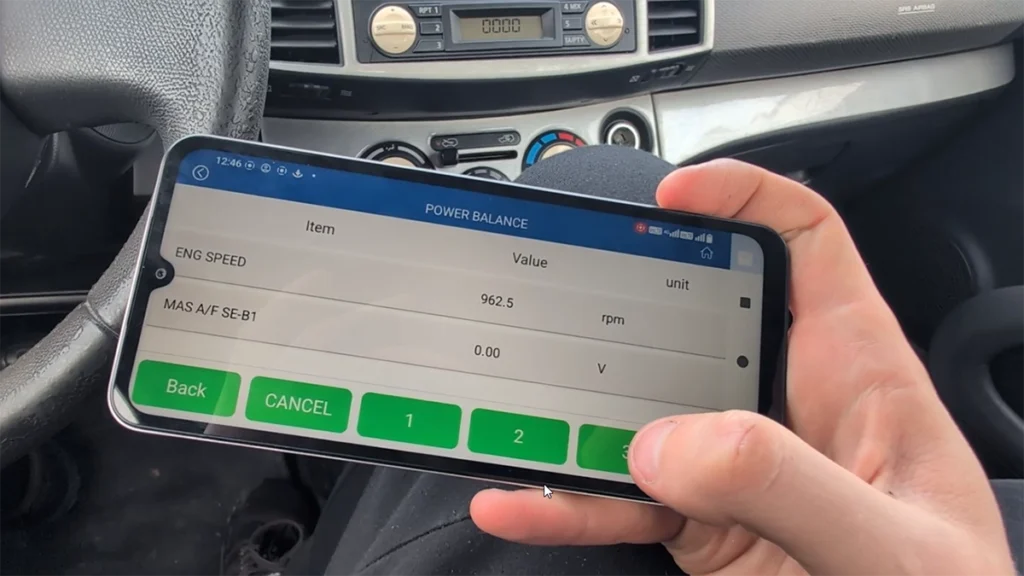

This guide shows how to perform a power balance test on Nissan Micra K12 using a budget OBD2 scanner. This test allows you to disable individual cylinders and monitor RPM drop to identify weak or non-functioning cylinders.
I earn from qualifying purchases and sometimes get tools for free (full disclosure). It never affects my scoring.
Used tool in this guide

Video: How to perform power balance test on Micra K12
This video shows how to access actuation tests and run a power balance test using KONWEI KDIAG on Nissan Micra.
Supported vehicles
| Vehicle |
|---|
| micra-k12 |
Technical overview
| Item | Details |
|---|---|
| Vehicle | Nissan Micra K12 |
| Year | ~2002–2010 |
| System | Engine control module |
| Procedure type | Actuation test |
| Difficulty | Easy |
| Time required | ~2–5 minutes |
| Prerequisites | Engine running |
Step-by-step procedure
- Connect OBD2 scanner to the vehicle
- Turn ignition ON and start the engine
- Open diagnostic app (KDIAG)
- Go to Professional Diagnostics
- Select Nissan
- Choose:
- Auto search or
- Manual model selection (Micra K12)
- Enter Engine control module
- Open Actuation Tests
- Select Power Balance Test
- Monitor engine RPM (baseline idle)
- Use buttons for each cylinder:
- Disable cylinder 1 / 2 / 3 / 4
- Observe RPM drop after each deactivation
How to interpret results
- Normal cylinder → noticeable RPM drop when disabled
- Weak cylinder → small RPM drop
- Dead cylinder → almost no RPM change
👉 This helps quickly identify:
- misfires
- injector issues
- ignition coil problems
Additional Information & Compatibility Notes
Before using or purchasing any diagnostic tool for this procedure, always verify compatibility with your exact vehicle model, year and system configuration. Supported functions may vary depending on software version, hardware revision and regional limitations.
Alternative tools
Legal & safety notice
This procedure modifies vehicle system settings through the control module. Incorrect use may cause faults or warning lights. Always ensure the vehicle is secured and follow proper safety procedures.
Most popular OBD2 guides








Hi, I am Juraj Lukacko. I got frustrated by unhelpful and scammy mechanics, so I decided to learn everything about car diagnostics myself. I test dozens of new car diagnostic tools every month along with learning new strategies to fix and customize cars.

Responses