Car Scanner ELM OBD2 TESTED | Best OBD App I Use
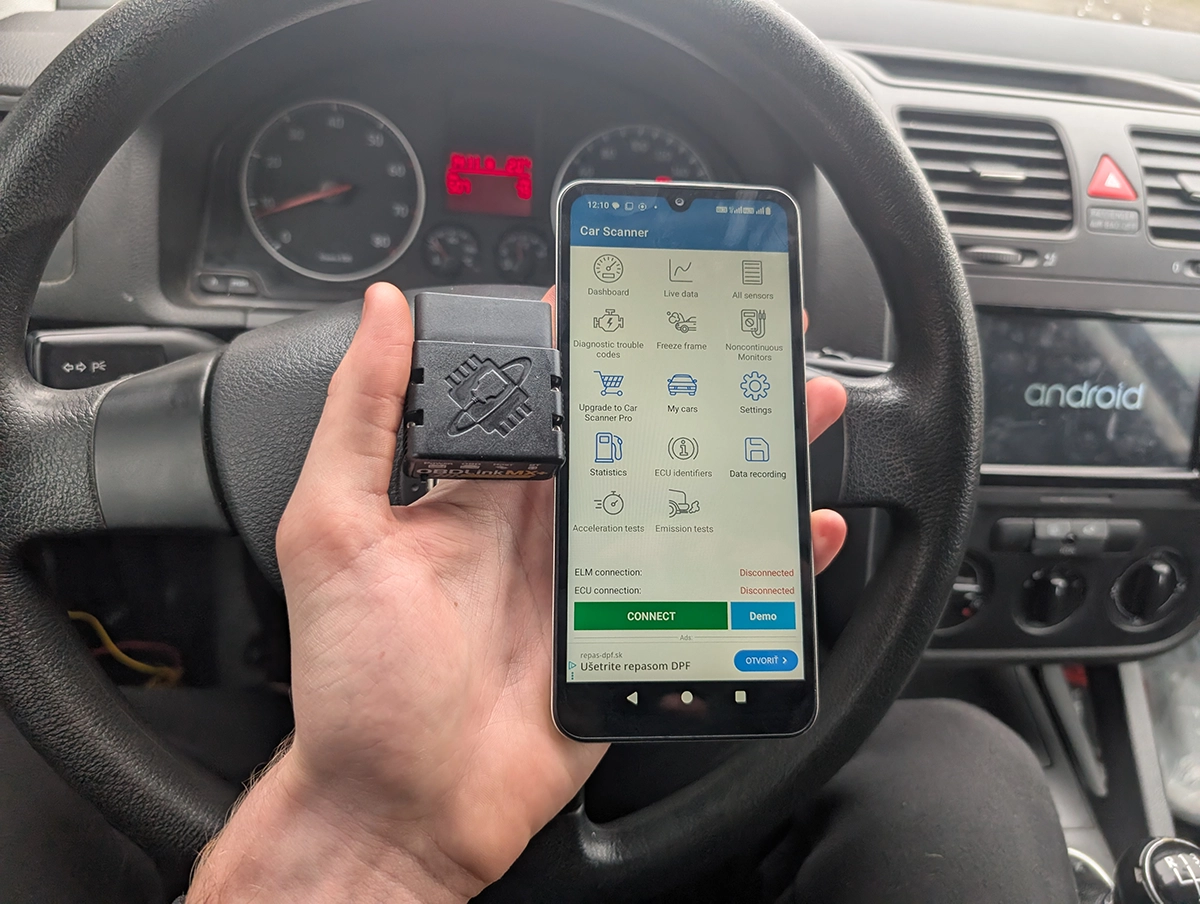
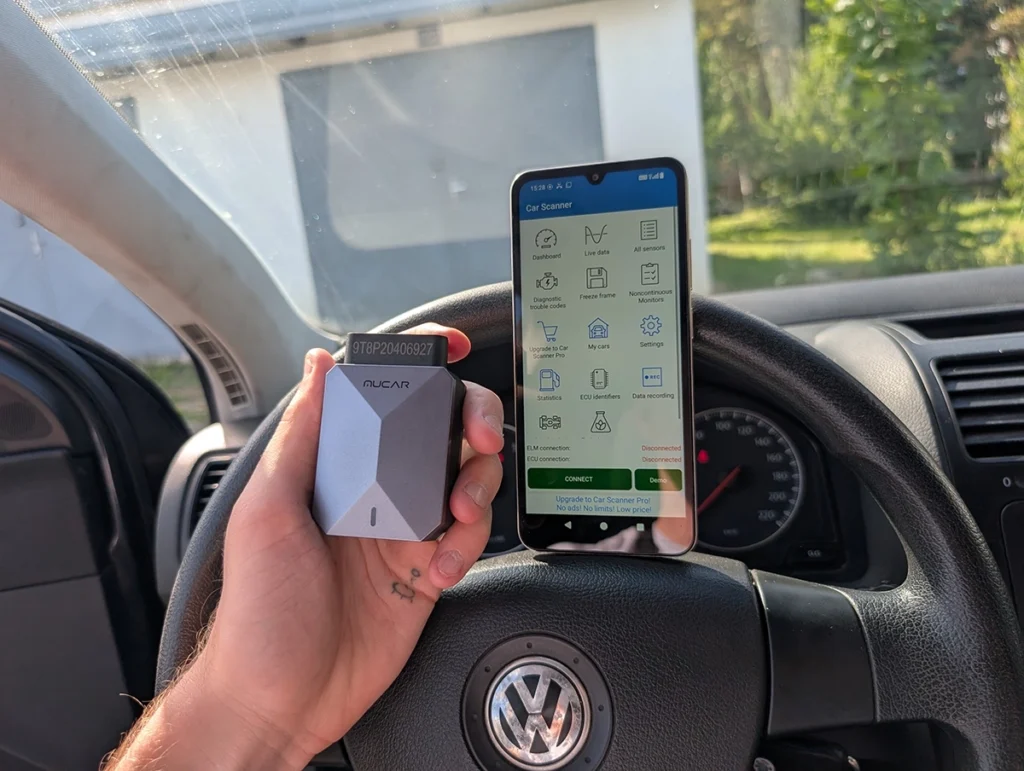
I tested Car Scanner ELM OBD2 on multiple real cars (VW Golf, Nissan Micra, Toyota Corolla, Alfa test setup) and compared it to pro scanners, Torque, and other OBD apps. It became my go-to OBD app, but it still has limits and won’t replace a real full-system scan tool.
Car Scanner ELM OBD2
Car Scanner ELM OBD2 is a smartphone app (Android / iOS) for reading fault codes, viewing live data, logging runs, and on some cars doing coding/service functions. The app itself is very cheap (or free with ads). Most of the cost is your OBD adapter
.
On simple OBD level it’s excellent: engine codes, freeze frame, live data, readiness monitors, logs, dashboards, acceleration tests.
On some cars with the right connection profile it can even scan all modules (not only engine) and show the same faults as a professional scanner.
Who tested product & wrote this review?

Tester & Editor for this review: Juraj Lukacko
Hello, I am Juraj (Yuri) and I tested this product to help you decide if it is something you would want to buy, and if yes, show you how to use it.
I make honest reviews based on personal testing in my own garage and If I see the product is bad, I will make it very clear in review.
Read more about how I do reviews on Iamcarhacker.com in my review policy.
What This App Actually Is?
Car Scanner ELM OBD2 is a diagnostic app that talks to your car through an ELM327-type adapter (Bluetooth or Wi-Fi).
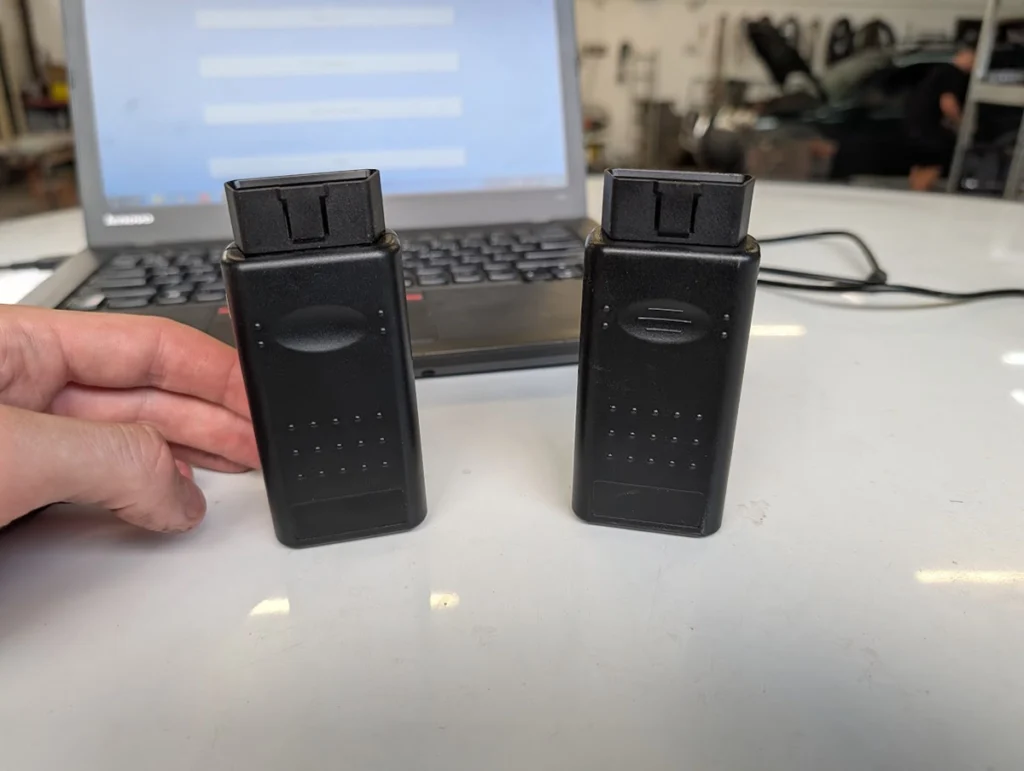
It is not tied to one adapter brand. I used it with:
- OBDLink MX+ (my main adapter, fastest and safest for coding)
- Veepeak/Veepeak BLE (cheap but solid option I also recommend)
The app gives you:
- Engine diagnostics on any OBD2-compliant car
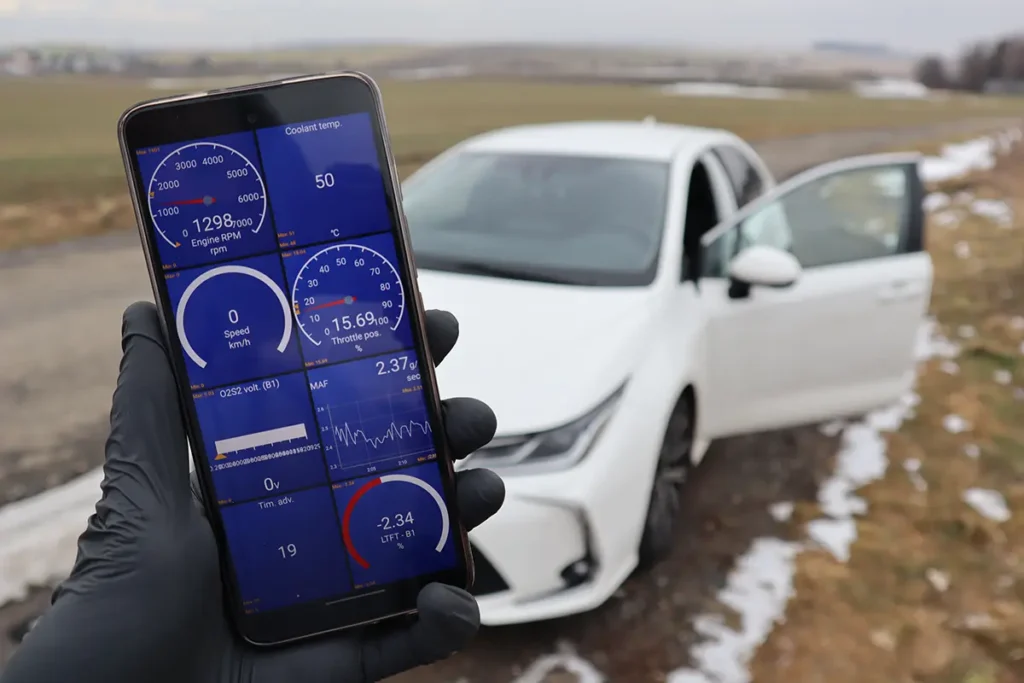
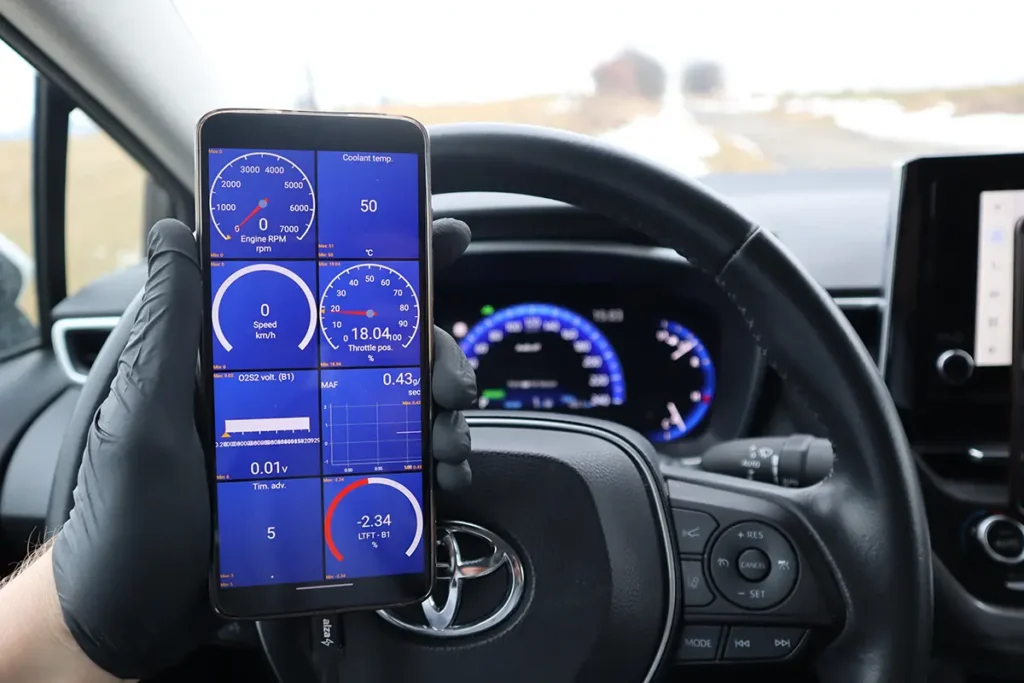
- Live data with graphs and combined charts
- Readiness / emissions monitors
- Data logging with map replay
- Custom dashboards
- On some cars: full-system scanning, coding, and simple service functions
Think of it like this:
- Car Scanner = brain and UI
- Adapter = cable between your phone and ECU
- Your car + protocol = decides how deep it can go
It is the best “general OBD app” I’ve used, but it will never be a full replacement for a serious tablet scanner.
Test Results on Real Cars

I tested it on real cars, using both free and Pro version.
Cars used
- VW Golf (VAG, older platform)
- Nissan Micra
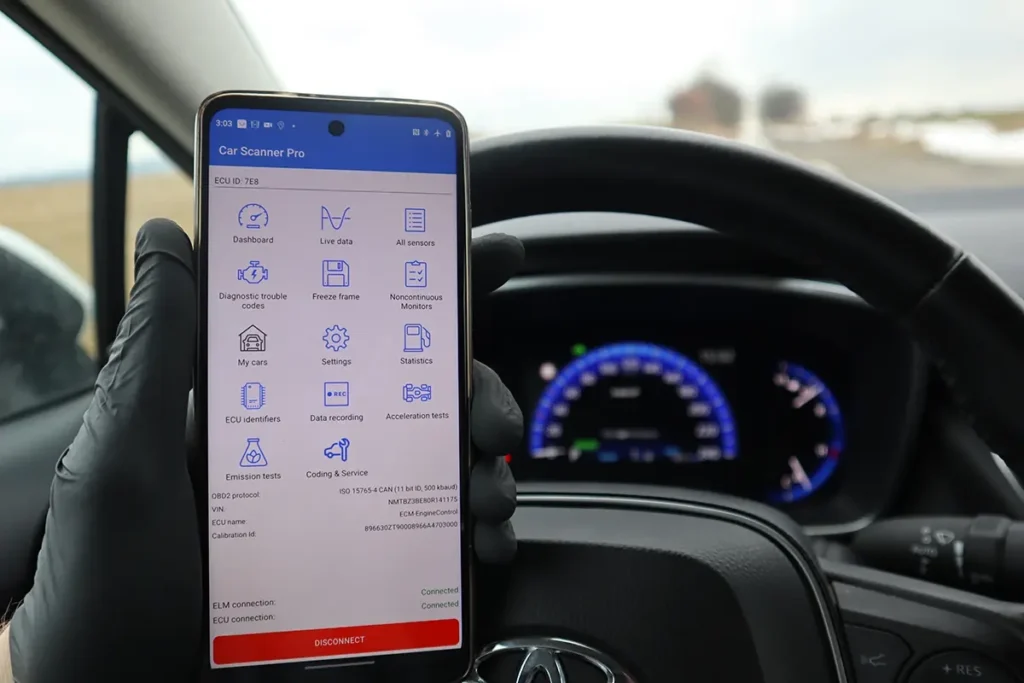
- Toyota Corolla
- Alfa test setup
- Plus some demo-mode playing without adapter
VW Golf – full system scan success

- I first scanned the Golf with a professional scanner and saved the report.
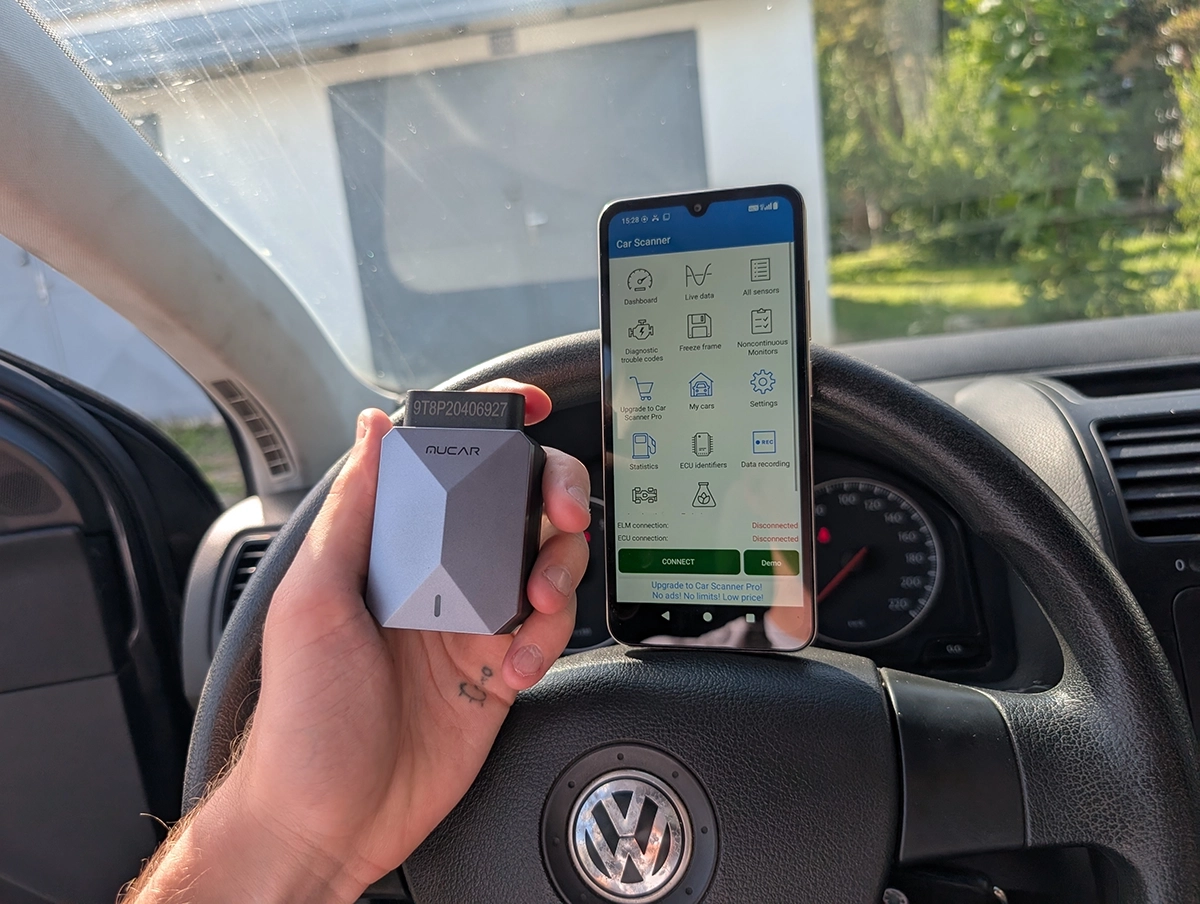
- Then I used Car Scanner with a correct VAG connection profile (module numbers 01, 03, 08, 09, 15, 16, 19, 25, 42, 44, 46, 52, 62, 72, etc.).
- It scanned all selected modules and found exactly the same 3 fault codes as my pro scanner (climate control + gateway codes).
- Scan speed was very decent and even felt faster than the pro tablet in that test.
So on this Golf, with correct profile, Car Scanner did a real full-system scan, not just engine.
Nissan Micra – limited to engine / basic OBD
- I tried multiple connection profiles (Nissan Consult, Micra profiles, standard OBD).
- I couldn’t get it to read all systems the way it did on the Golf.
- Engine communication worked, but full-system scan over brand-specific profiles failed.
So here, Car Scanner behaved like a typical engine-only app.
Toyota Corolla – coding & service

- On my Corolla, Car Scanner could access brand-specific functions.
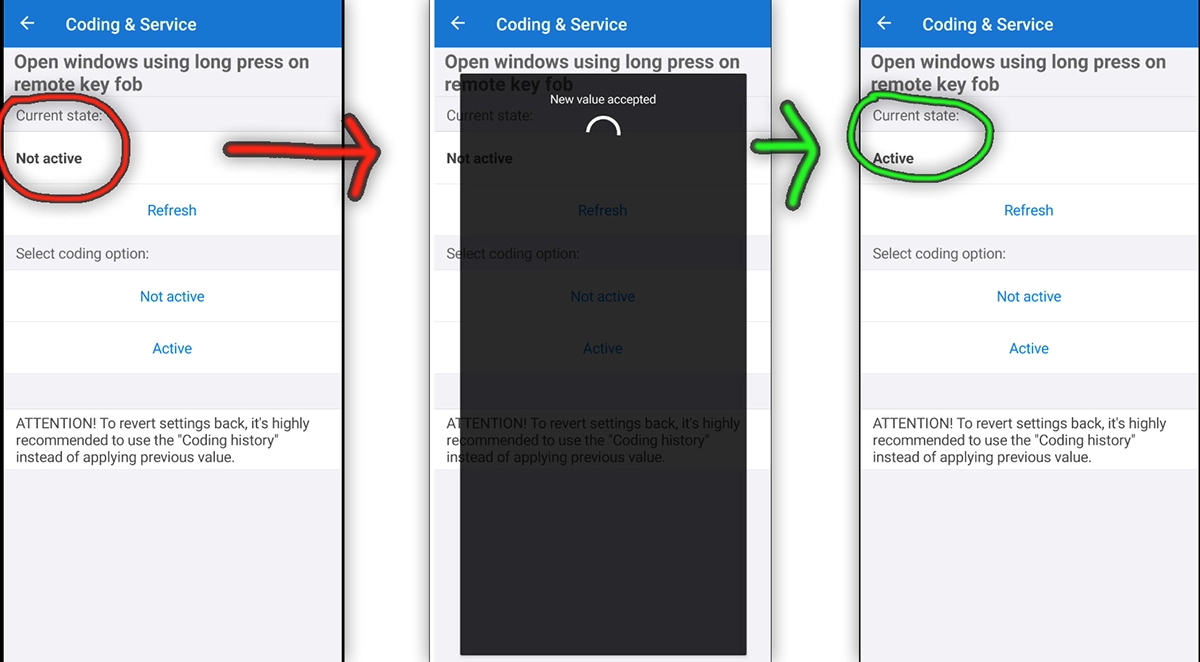
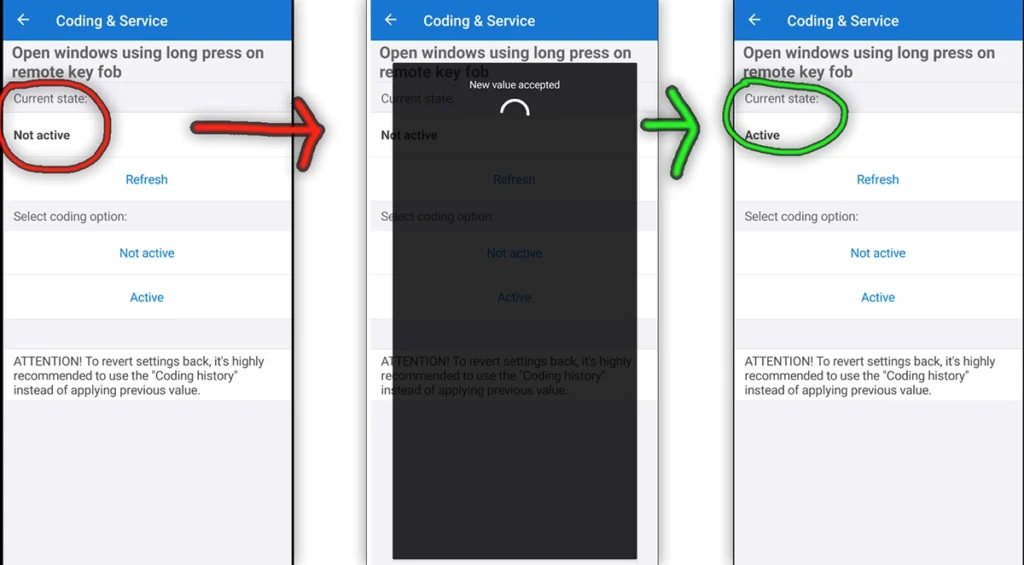
- I used it to code opening windows from key fob – huge win for such a cheap app.
- There were several coding categories (power windows, lights, warnings, etc.).
- It also had simple service-related options (oil reset-type things), but not a full service menu like a tablet scanner.

This is where Car Scanner surprised me: real coding on a Toyota, without buying a Toyota/BMW/VAG-specific app.
Data logs & live data
On all cars that supported standard OBD PIDs:
- Live data worked well.
- Combined graph mode and separate graph mode both usable.
- You can record logs with GPS, then replay them with map + graphs synced.
- I could zoom sections, switch between “all in one chart” vs “separate charts”, and choose which PIDs to show.
Some professional tablet tools are actually worse than Car Scanner when it comes to data logging and graph replay.
Dashboard & alerts

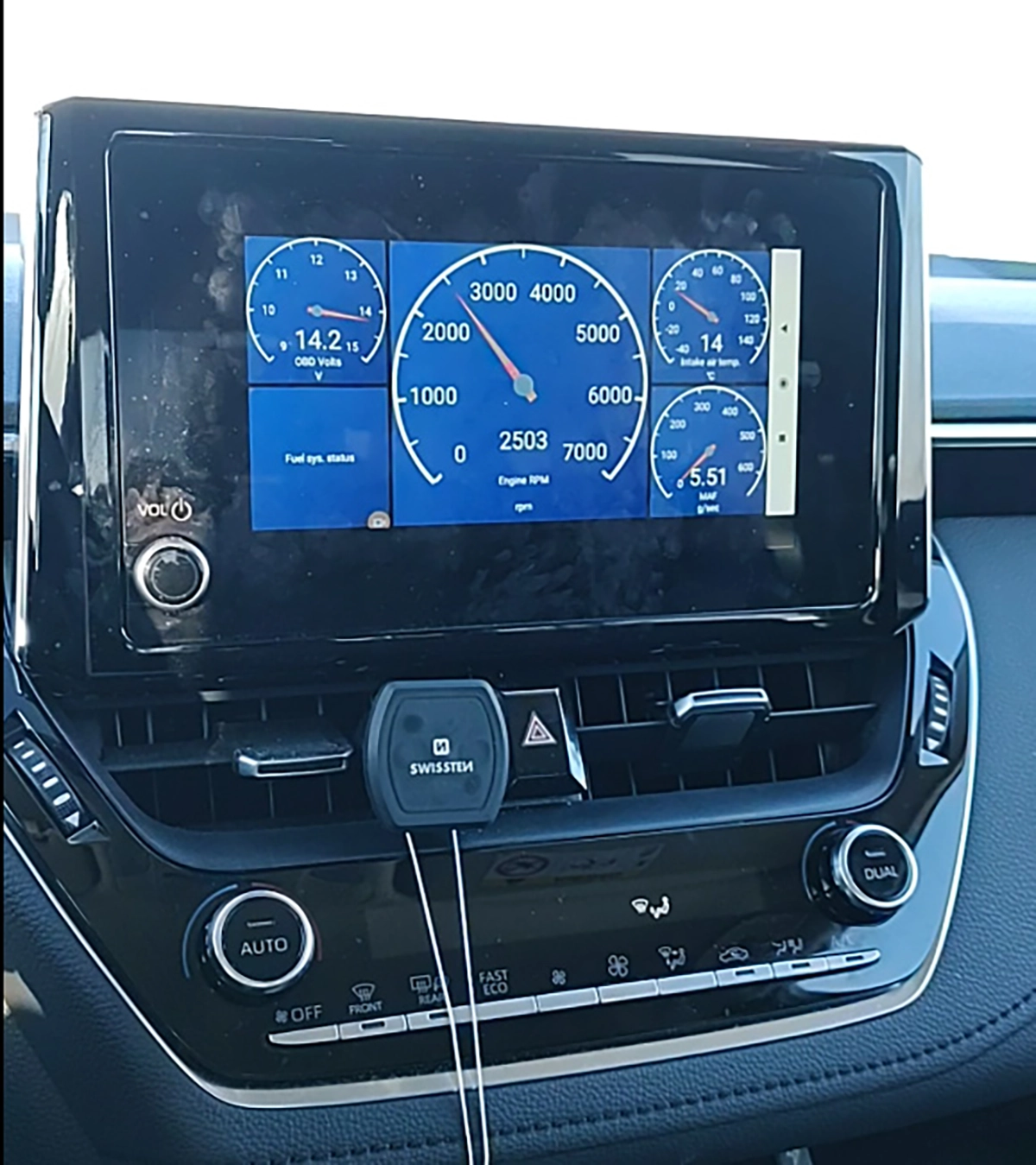
- I built custom dashboards with gauges, text blocks, thresholds, and sound alerts.
- Example: RPM gauge with red background and buzzer over 2000 RPM.
- You can change colors, fonts, borders, rounding, and choose gauge / line / text.
- There is a HUD/mirror mode to project onto the windscreen at night.
For daily “live gauges” and simple monitoring, this works great.
App Features vs Real Testing

Free vs Pro
In my testing:
- Free version shows ads and has some limits:
- Only 2 live data graphs at the same time
- No coding/service menu
- Pro version (one-time ~6 € in my region):
- Removes ads
- Allows more graphs
- Unlocks coding/service and some extra features on supported cars
- Purchase can be restored when changing phones (linked to app store account)
For the price, Pro is absolutely worth it if you use the app more than a few times.
Feature table (from my tests)
| Area | App Promise / Design | What I Saw in Testing |
|---|---|---|
| Engine diagnostics | Standard OBD2 on any car | Worked on all OBD2 cars I tried |
| Full-system scan | Possible via brand profiles | Worked on my Golf, failed on my Micra |
| Live data graphs | Multiple graphs + combined chart | Very strong, better than many pro tools |
| Data logging | Record + replay + map | Works great, good for diagnostics |
| Coding / Service | Experimental features, some brands | Worked on my Toyota; limited and brand-based |
| Dashboards | Customizable layouts and alerts | Fully usable, lots of customization |
| Offline use | Most functions work offline after pairing | Live data & codes worked in airplane mode |
If the app site mentions more modules/coding sets than this, I didn’t test them, so for me they are not available in my testing.
Adapters, Connection Profiles & Plans
Adapters I recommend
For this app, adapter quality is everything.
From my own use:
- OBDLink MX+
- Fastest, most stable.
- Best choice for coding and long-term use.
- Safe to leave plugged in (sleep mode).
- Veepeak / Veepeak BLE / Veepeak for iPhone
- Much cheaper.
- Still stable enough for normal diagnostics and basic coding.
- Good budget option.
Random 3 € ELM clones: some work, some don’t. For serious work I avoid them, especially for coding.
Connection profiles
Car Scanner lets you choose connection profiles per car:
- For my Golf, picking the right VW profile unlocked all-system scan.
- For Micra, wrong profile = engine only, correct one still missing full access.
- The app has many brand-specific options (VW, Nissan, etc.), but you must experiment.
If you don’t know which to pick, your trick with asking ChatGPT using screenshots is a good workaround. Once it works, save that profile.
Pricing and plans
- The app itself:
- Free with ads + basic limits
- One-time Pro upgrade (no subscription in my tests)
- No credits, no yearly plan.
This is a big reason I like it: pay once, use for years.
Service & Coding Support
Service functions
Car Scanner is not a full service tablet, but you can still do some things:
- Simple oil/service reset on some models
- Readiness / emissions checks before inspection
- Monitoring parameters and data logs during repairs
It does not replace tools like Thinkcar/Mucar tablets for:
- EPB/parking brake service
- ABS bleed
- Advanced DPF procedures
- Deep brand-specific maintenance menus
So I treat service in Car Scanner as bonus, not as main value.
Coding
Coding in Car Scanner is marked as experimental and is hidden under settings / experimental features and supported brand lists.
From my testing:
- On Toyota Corolla, I could:
- Enable open/close windows from key fob
- Change some comfort functions and warning settings
On VAG and other brands:
- Coding and service is technically supported on some platforms (MQB/PQ etc. in official docs), but outside my Toyota test, deeper coding is not available in my testing yet.
⚠️ Important warning:
With any coding tool (Car Scanner, OBDeleven, Carista, tablets) wrong coding can damage or brick control modules. This risk is higher if your adapter disconnects mid-write.
If you do coding with this app:
- Use a stable adapter (prefer OBDLink MX+, Veepeak at minimum).
- Don’t touch coding you don’t understand.
- Make changes one by one and test.
Supported Languages
From what I saw:
- The app supports multiple languages (English, Russian and others in the official menu).
- I used English, and that is what I recommend for diagnostics.
Translations into other languages may exist but language quality outside English is not available in my testing.
Serious fault descriptions I’d always double-check with Google or forums anyway.
Comparison Section
Car Scanner vs Torque (and other simple OBD apps)
Torque and similar apps:
- Engine-only on most cars
- Pretty dashboards, some logging
- No full-system scan, no coding/service
Car Scanner:
- Can still be just a nice live-data dashboard
- But with the right profile it can also scan multiple modules
- Has better logging (map + replay) and more flexible layouts
- Offers coding/service on some cars
If you just want pretty gauges, Torque is fine.
If you want real diagnostics + logging + occasional coding, Car Scanner ELM OBD2 is the better app.
Car Scanner + Mucar BT200 Max synergy

This is one of my favorite budget combos:
- Mucar BT200 Max
- Full-system diagnostics with free lifetime updates
- Bi-directional tests and service functions (depending on model)
- Works as a normal scanner by itself
- Car Scanner App
- Engine-level diagnostics and logs
- Custom dashboards, acceleration tests, stats
- On some cars, extras like coding/service
You plug in Mucar BT200 Max, use the Mucar app for deep scanning and service, and use Car Scanner on the same adapter for:
- Better live data graphs
- Data logging with map
- HUD/dashboards
- Simple coding on supported cars
Because BT200 Max still has free lifetime updates, you avoid paying any subscription like with Thinkdiag2 or Carly, and still get a strong combination.
Car Scanner vs Thinkdiag2 / tablet tools
Thinkdiag2 and tablet tools (Mucar VO7, Kingbolen K7, Thinkcar tablets):
- Real workshop-style tools
- Proper full-system access on most cars
- Bi-directional tests, service resets, ECU coding
- Usually paid subscription, but massive feature set
Car Scanner:
- Cheap or free
- Strong at OBD-level diagnostics and logging
- Sometimes full-system on certain cars, but not guaranteed
- Coding/service only on selected platforms
So if you:
- Need to work on many brands
- Do brake work, DPF work, key coding, etc.
- Work on cars for money
then a Thinkcar/Mucar tablet with free lifetime updates or a clear update plan is better long-term. Paying for an app subscription over years makes no sense when the same money could buy a serious tablet once.
Car Scanner vs OBDeleven / Carista
OBDeleven / Carista:
- Focus on brand-specific coding (mainly VAG, some BMW/Toyota, etc.)
- Have dedicated “one-click app” style menus
- Deeper access to modules on supported brands
Car Scanner:
- More general, works with many brands via OBD2
- Coding is more limited and experimental
- Better as a universal OBD app than a “coding specialist”
If your main goal is VAG coding, I’d still send people to OBDeleven.
If you want one app that works with any ELM adapter for diagnostics and logs, Car Scanner is my first choice.
Final Verdict
Car Scanner ELM OBD2 is the best general OBD app I’ve used so far.
Free version already helps, Pro is so cheap that it’s an easy yes.
On some cars it even matches pro tools for full-system scans and beats them for data logging.
But it is still an app, not a magic workshop tool.
Full-system access depends on your car and profile, coding is limited and experimental, and you must use a good adapter.
Who should use it:
- DIY owners who want a smart, cheap way to read codes and see live data
- People who already own OBDLink or Veepeak and want a serious app
- Anyone pairing it with Mucar BT200 Max or similar free-lifetime-update scanner for a strong budget combo
Who should skip relying on it alone:
- Workshops and heavy DIY who need deep multi-brand coverage
- People who plan to do EPB, DPF, key programming, and advanced service on many cars
To save money:
- Get a solid adapter once (OBDLink MX+ or Veepeak).
- Buy Car Scanner Pro once (lifetime).
- For heavy work, invest upfront in a tablet from Thinkcar/Mucar with free or long updates instead of throwing money into yearly subscriptions for weak app+dongle systems like Carly.
Official download: search “Car Scanner ELM OBD2” on the Apple App Store, Google Play, or Huawei AppGallery, or use the official Car Scanner website download buttons.
Popular OBD2 guides
See all guidesBest OBD2 scanners in 2025
I constantly test new OBD-II scanners to give you the best options possible. Here is a full list of the best tools in all categories currently.


I have an ELM327 OBD-II scanner, but need iOS app that works for a Range Rover L322 3.6tdv8 (2008 model)
Car scanner doesn’t work on it?
Does Car Scanner app read ABS and other codes?
You can choose to scan all modules in app but in my experience is not always accurate for other modules either it will not show some codes or display some wierd codes that are not shown when I scan with professional device.
Car scanner works great except I can’t understand why the smog test comes up with errors but doesn’t explain why and all the sensors seem to be working