
Published: February 29, 2024 · Last updated: June 4, 2026
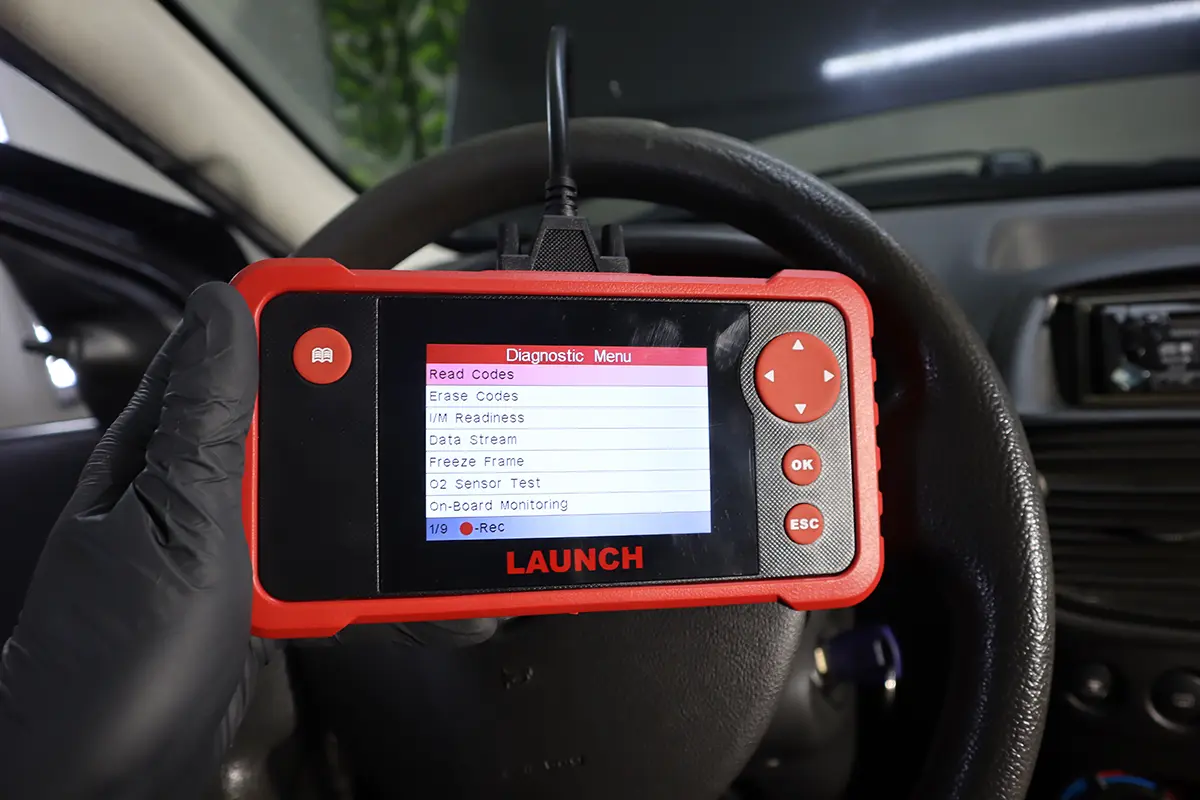
The Launch CRP123 V2.0 is a standalone multi-system handheld: it works like an engine code reader but also scans ABS, airbag and a few other modules, no phone or app needed. I tested it on several European cars. It’s a decent no-frills multi-system reader with a genuinely good learning library, but it’s slow, has no bidirectional or service resets, and newer 4-system scanners give far more value. Read on for what it does and why it’s hard to recommend in 2026.
I earn from qualifying purchases and sometimes get tools for free (full disclosure). It never affects my scoring.
Launch CRP123 overview
Launch CRP 123 2.0
The Launch CRP 123 2.0 is enhanced code reader that scans multiple modules beyond just engine without needing a phone or app.

- Standalone no-phone-needed
- Multi-system scanning
- Easy to use
- Powers directly from OBD port
- Needed software update before working properly
- No bidirectional
- No service resets
Service functions (3+)
Scores
Specs
| Tool type | Standalone device |
| User level | Intermediate |
| Vehicle focus | All makes |
| System focus | 4-system |
| Free updates | Lifetime |
| Subscription | Not required |
What it’s actually good at
It reads beyond the engine, which is the point of a multi-system tool. Global OBD works reliably on every car (read/clear engine codes, readiness, freeze frame, live data with working graphs). The value is the Scan tab, where it reaches ABS, airbag and sometimes body or cluster modules. On the test Skoda Fabia, ABS worked correctly: it read codes, cleared them and showed wheel-speed live data. Each module also gives its own longer live-data list (the engine alone jumped from ~18 parameters in basic OBD to 51 in scan mode), so you see more than a plain code reader shows.
The help library is the standout, and it’s great for a beginner. It includes OBD-port locations, a DTC library with explanations, and clear live-data (PID) glossaries, select P0300 and you get the meaning plus how the system works. For someone learning OBD2, that built-in teaching is genuinely valuable. It’s also simple, solidly built, and powers straight off the OBD port with nothing to charge or pair.
Where it falls short
It’s slow, and you feel it constantly. Menu navigation lags, button presses react slowly, and scrolling long live-data lists takes time, on a module with 100+ parameters, finding the one you want is a chore. The slow response makes the tool feel older than it is.
It needed a software update before it even worked properly. Out of the box it threw communication errors on other modules; updating fixed it, but that’s a hurdle, and module scanning still failed on some cars depending on brand and year. Airbag and body worked on some, not others.
And the big gaps: no bidirectional and no service resets. No oil reset, no EPB, no SAS, no DPF, no injector coding, no active tests at all. This is the core of my low verdict: it’s read-only multi-system, and modern 4-system scanners at similar money add real bidirectional and resets.
Who should buy this
Honestly, very few people, and here’s the straight version:
Maybe consider it if:
- You’re a beginner who values the built-in learning library and only wants to read codes from engine plus ABS/airbag, no phone needed
Look elsewhere if:
- You want bidirectional tests or service resets, it has none, and similar-priced 4-system tools do
- You want speed, this lags badly on menus and long data lists
- You want reliable multi-module coverage, scanning failed on some cars even after updating
Launch CRP 123 2.0
 Thinkcar Thinkscan 662
Launch CRP 123 2.0
Thinkcar Thinkscan 662
Launch CRP 123 2.0
 Kingbolen S608
Launch CRP 123 2.0
Kingbolen S608
Launch CRP 123 2.0
 Mucar 682
Final word
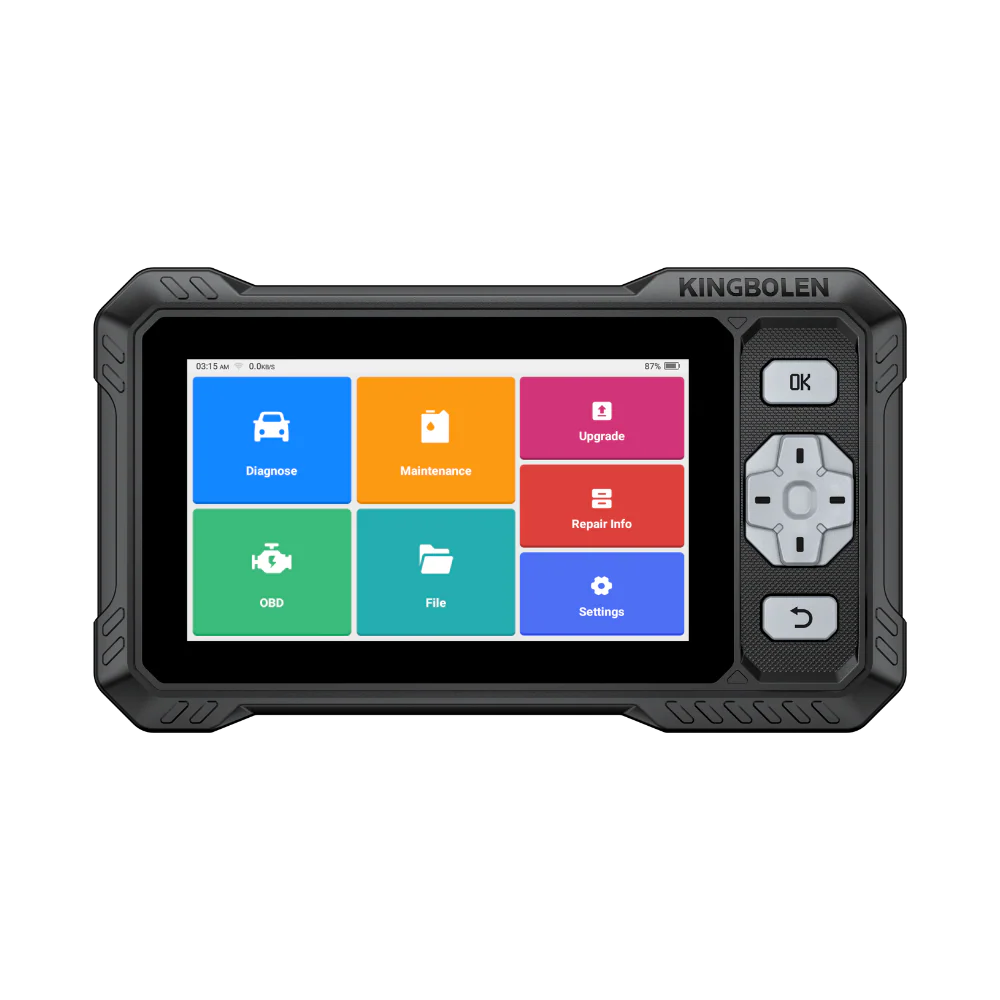
The Launch CRP123 V2.0 is a simple standalone multi-system reader with an excellent help library, reliable global OBD and access to a few modules beyond the engine. But it’s slow, needed an update to work properly, scanning fails on some cars, and it has no bidirectional tests or service resets, while similar-priced 4-system scanners offer much more. For a beginner who mainly wants the learning library and basic ABS/airbag reading, it’s okay. For anyone who wants to actually service cars, a Thinkscan 662, Kingbolen S608 or Mucar 682 is the better buy.
How to update Launch CR123
In case you run into any troubles with Launch CRP software, your first step should be to get the latest software, which you can do easily by following this guide:
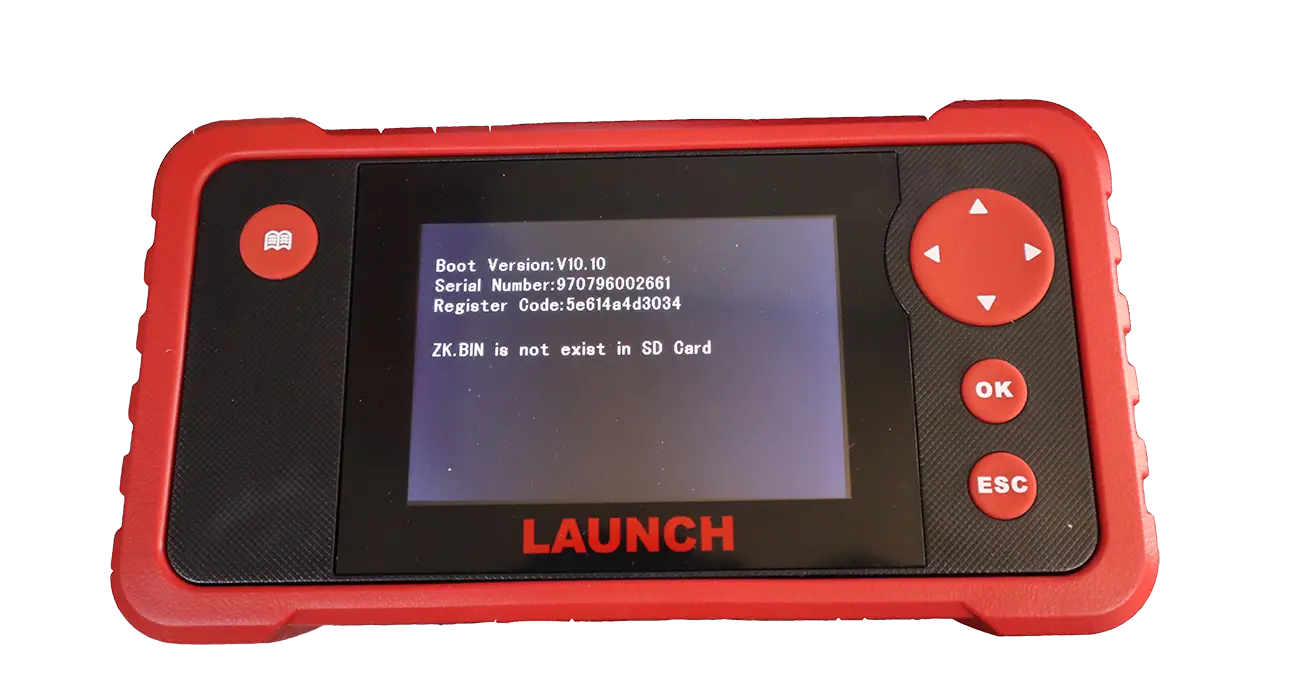
When I first started the scanner It gave me a communication error when I tried communicating with different control modules in my car. Updating the tool helped me resolve the issue.
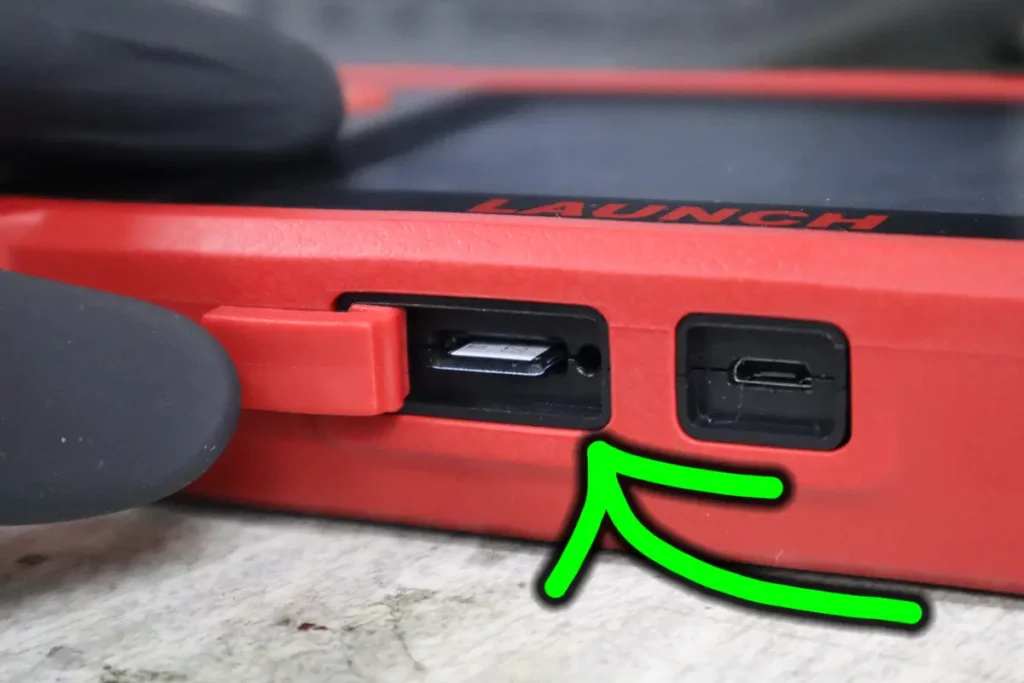
1. Find a Memory card
The memory card will be either in a box or in a memory card slot.
2. Download the update tool
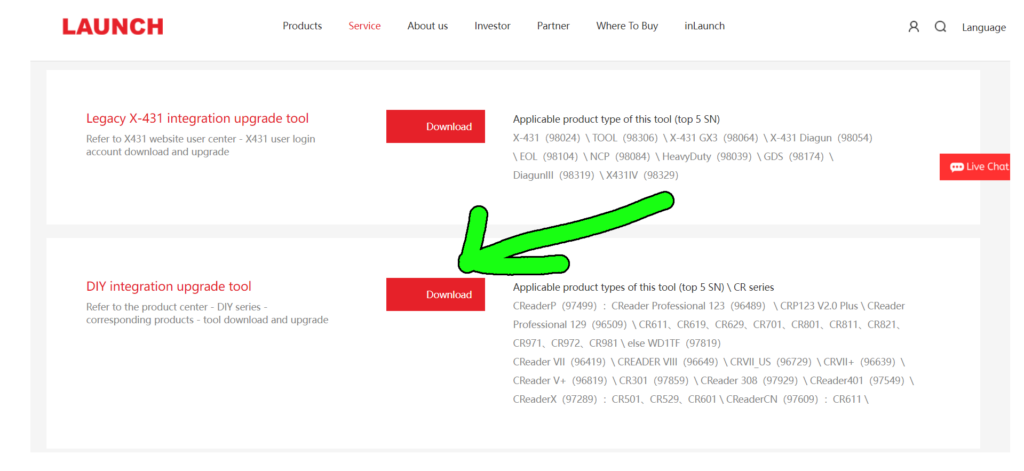
Go to https://en.cnlaunch.com/download/ and scroll to the bottom of the page. Download DIY integration upgrade tool.
3. Start the app and insert a memory card
Insert the memory card into the computer (there is a USB adapter inside the box) and launch the downloaded update app.
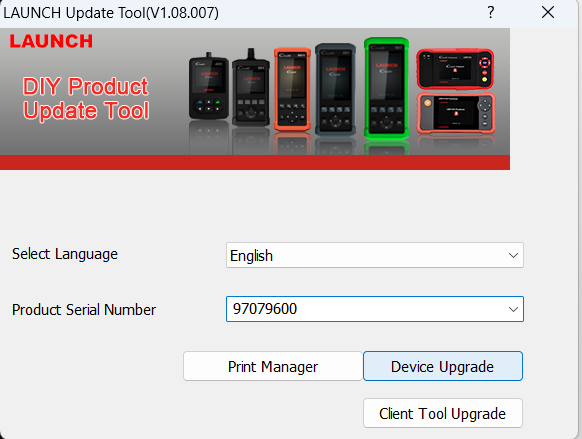
It will ask you for serial and registration numbers which you can find on the tool (power it with an included USB cable from a computer you don’t have to connect it to the car), and go to the HELP tab and select tool information.
4. Download new software
Click on download to get your updated software on your memory card.
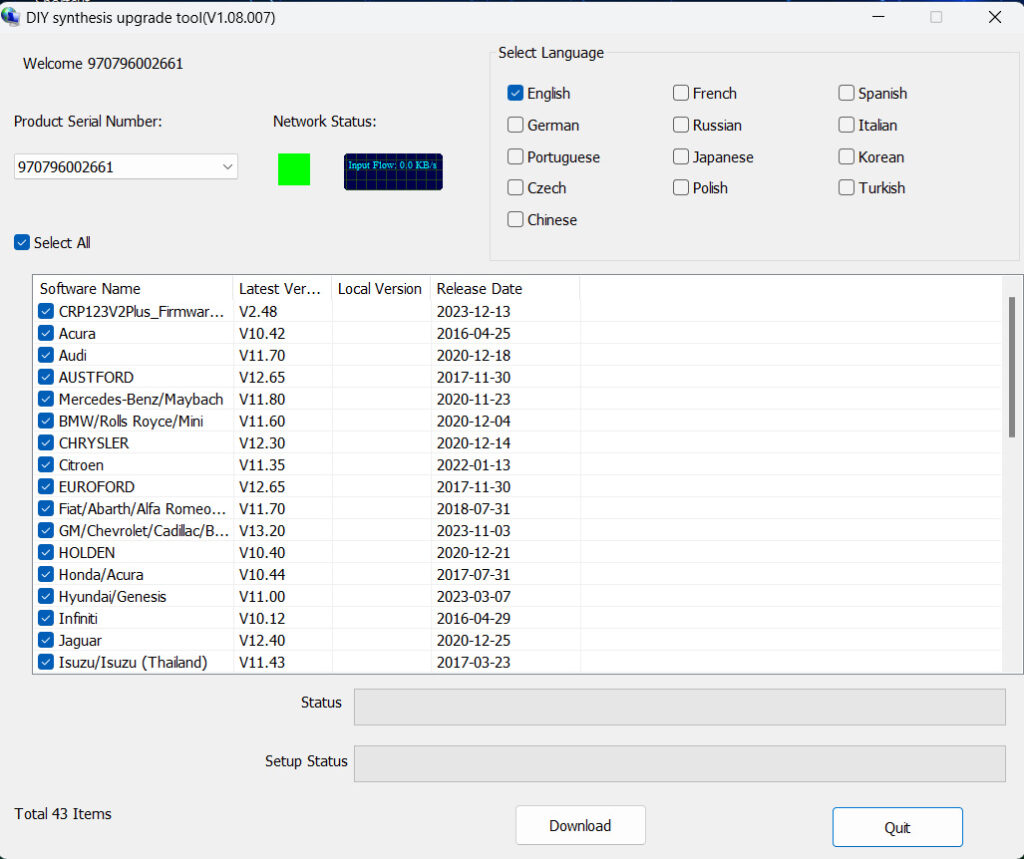
Once you are finished press quit and insert a memory card in the Launch Scanner. Now you can connect it to the vehicle and after it updates, you can use the tool with the newest software.
Most popular OBD2 guides







I'm Juraj Lukacko and I work as an auto electrician. On this site I share what I learn from real work on real cars, to help you pick the right tools for diagnostics, programming and tuning and get the job done.
More about me →