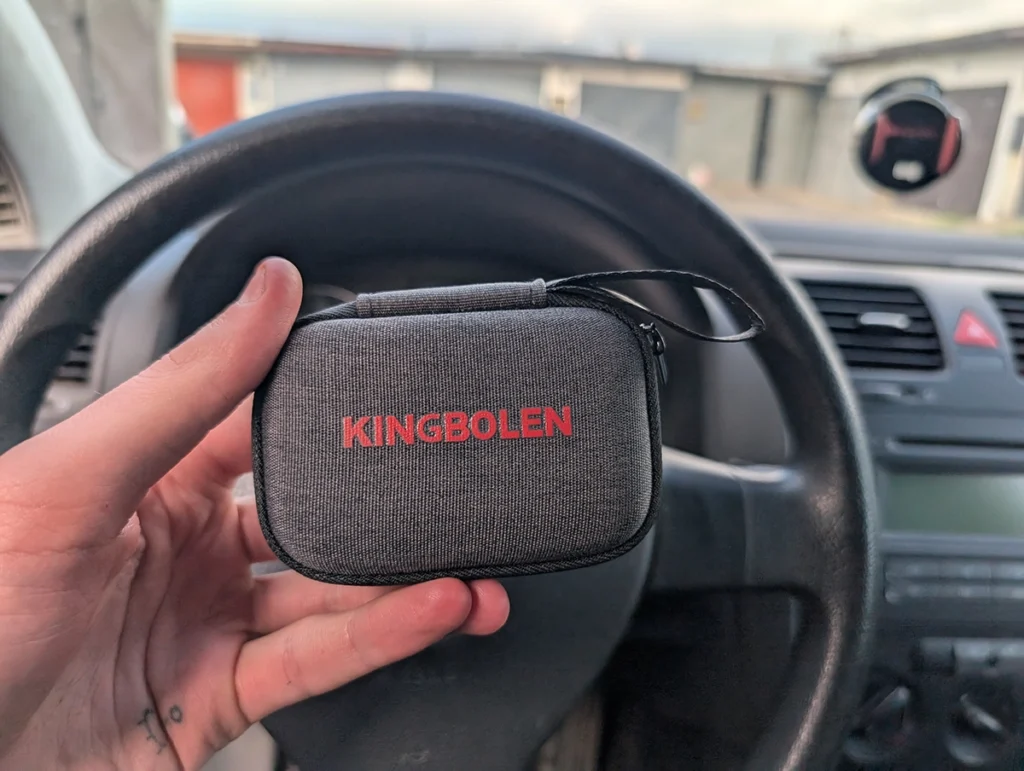
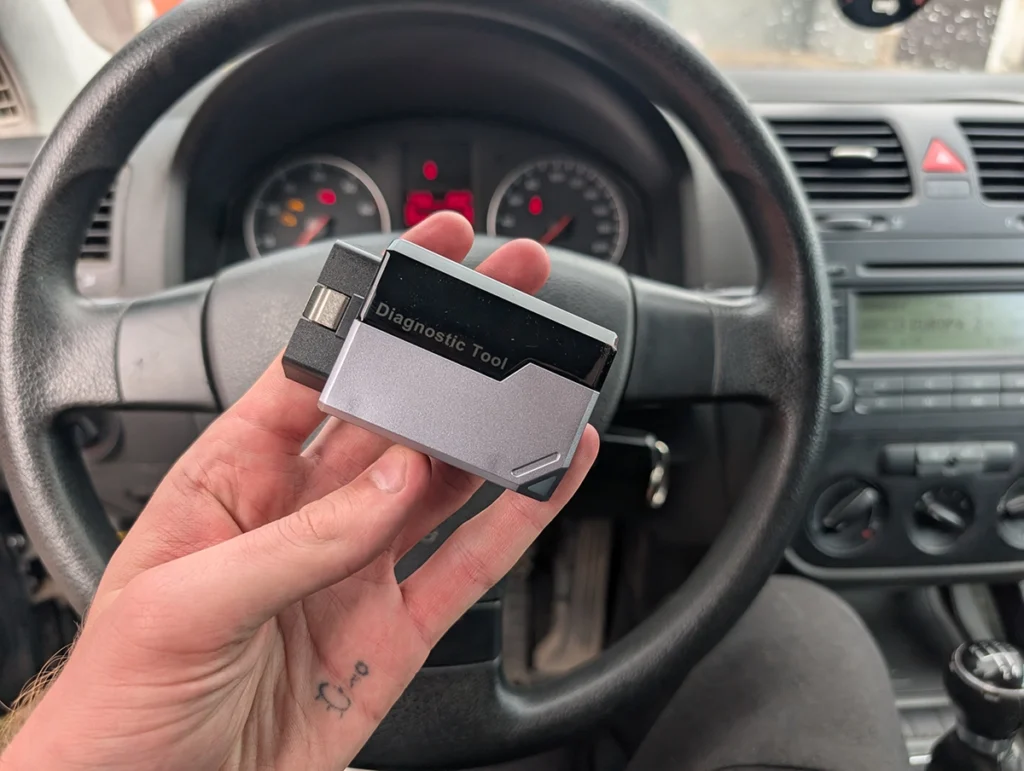
Kingbolen EDIAG Elite TESTED | Owner’s Review

kingbolen ediag elite

I tested the Kingbolen EDIAG Elite again, this time on an old VW Touareg with a lot of control modules. It’s a hard car for any scanner, so this showed very clearly what this cheap Bluetooth adapter can and cannot do.

Affiliate Disclosure: iamcarhacker.com is an Amazon and other affiliate programs Associate. As an Amazon Associate, I earn from qualifying purchases. Full Affiliate disclosure.

Sponsored Warning: I got this product for free to make a review. Despite that, I provide an honest review based on personal testing and share my truthful opinion of the product. Read more in sponsor policy.

@iamcarhacker recommends

Kingbolen Ediag Elite

Kingbolen EDIAG Elite is a cheap Bluetooth full-system scanner for your phone. It scans all modules, reads full live data, does bidirectional tests, and includes around 15 service procedures. No subscription. Free lifetime updates are included in the adapter price.

On the Touareg, it was not fast. The full scan took longer than tablet tools (5–7 minutes is normal, this took more). But it did finish and it found all modules and faults.

I could enter modules, read data, run actuation tests, and generate reports. For the price, that is impressive.

Limitations are still there. No ECU coding. Some advanced diagnostics don’t work on every car. One bidirectional test clearly did “something”, but not what I expected.

iPhone support is not great. And the account binding system means you must contact support if you want to unbind and sell it.

Pros (What I liked)

  • Full-system scan on supported cars
  • Live data in all modules
  • Bidirectional tests (actuation sequences)
  • About 15 service reset functions
  • Built-in AI fault explanation (ThinkGBT-style help)
  • Global OBD mode with graphs and readiness
  • Fair even low price for what it does

Cons (What to know)

  • No ECU coding
  • Scans are slow, especially on complex cars
  • Advanced diagnostics don’t work on every car
  • iPhone compatibility is weak
  • Adapter is account-bound, needs support to unbind

Find the best price

Who tested product & wrote this review?

Juraj Lukacko

Tester & Editor for this review: Juraj Lukacko

Hello, I am Juraj (Yuri) and I tested this product to help you decide if it is something you would want to buy, and if yes, show you how to use it.

I make honest reviews based on personal testing in my own garage and If I see the product is bad, I will make it very clear in review.

Read more about how I do reviews on Iamcarhacker.com in my review policy.

I tested ediag app with adapter – check video

What This Tool Actually Is

EDIAG Elite is a Bluetooth bi-directional adapter that works with the Kingbolen app on your phone.

Main jobs:

  • Full-system diagnostics
  • Live data in all modules
  • Bidirectional tests
  • About 15 service procedures
  • Global OBD for engine-only work

It fits into my “Bluetooth bi-directional scanners” category and also belongs in the free lifetime update group of tools.

It is not a coding tool. If you need ECU coding, this is not the right adapter.

Test Results on Real Cars

I tested it on real cars.

Main hard test:

  • VW Touareg (old, many modules, diesel)

This Touareg is a nightmare for many scanners. A lot of modules, older protocols, slow responses. Good test for cheap adapters.

Full-System Scan

  • VIN Auto-detect worked on the Touareg this time
  • Scanner downloaded VW software and started full scan
  • Scan took a long time (definitely slower than tablet tools)
  • But it found all modules and finished without crashing

Result:

  • 22 fault codes found
  • You can open a global fault list for the whole car
  • You can also generate a PDF report and send it

For $80-ish, full-system scan on such a complex car is already good.

Fault Code Help (AI / ThinkGBT)

For a selected DTC you can open a ThinkGBT-style help page:

  • Full code description
  • Basic explanation
  • Suggested diagnostic steps

One code on the Touareg clearly came from the battery charger (power with ignition off). The AI help described this correctly and gave starting steps. For DIY users this is very useful.

If ThinkGBT is not present in a module, you still get Google search shortcut for the fault code.

Per-Module Diagnostics

You can enter each module and do:

  • Module information (ID, part, etc.)
  • Read/clear codes
  • Live data (select all or pick PIDs)
  • Bidirectional tests if supported
  • Freeze frame when available

Example:

  • Wiper electronics: live data + some actuation, but one test clearly did “something else”, not wipers. So bidirectional coverage isn’t perfect.
  • Instrument cluster: full actuation sequence worked very well (gauges sweep, warning lights, buzzers).

Bidirectional Tests (Actuation)

Instrument cluster sequence on Touareg:

  • Oil gauge
  • Tachometer (RPM)
  • Temperature
  • Fuel
  • Speedometer
  • Battery voltage display
  • Seat belt, glow plug, parking brake warnings
  • Gong / buzzer tests (some didn’t activate, likely car side)

So yes, real bidirectional tests are there. Vehicle decides what’s available.

Global OBD Mode

There is a separate OBD tab:

  • Quick connect to engine only
  • Reads codes, clears codes
  • Shows readiness monitors
  • Up to 12 live data parameters (fuel trims, O2, etc. on gasoline cars)
  • Graphs are supported even in this basic mode

This is useful when:

  • Full-system is slow or struggles
  • You just want to check engine faults or emissions data
    Matches my general advice: use Global OBD for quick checks, full-system for deeper work.

Speed and Stability

  • Scan on Touareg took a long time
  • But it finished and scanned everything
  • No random app crashes during this test
  • I’d rather wait longer and get full modules than fast half-scan

Overall, for this price, EDIAG Elite passed a very hard test.

Manufacturer Specs vs Real Testing

AreaManufacturer ClaimWhat I Saw in Testing
Full-system scanAll systems, 100+ brandsConfirmed full scan on Touareg, including many modules
Live dataAll-system live dataLive data worked in every tested module
BidirectionalBi-directional testsActuation sequences worked, though not always exactly as expected in every module
Service procedures15 service procedures15 maintenance functions visible in menu, not all tested
ECU codingNo ECU codingConfirmed: no coding menu, no coding in any module
UpdatesFree lifetime updatesApp updated brand software at no extra charge
iPhone supportOfficially supported but weakerYou saw reports and experience that iPhone support is not great
SpeedNormal for budget toolOn Touareg scan was slow but stable

Hardware / Software / Plans / Internet Dependency

Hardware:

  • Small Bluetooth adapter
  • Plugs into OBD port
  • No cables to phone

Software (app):

  • Same Kingbolen app family used by Soloscan
  • Clean home screen: Diagnostics, OBD, Maintenance, etc.
  • Needs internet to download brand software and updates

Plans / updates:

  • No subscription in my testing
  • Free lifetime updates included
  • Updates downloaded automatically for VW and others

Internet:

  • Required for activation and updates
  • Basic scanning and service resets work offline after download

Account binding:

  • Adapter is bound to an account
  • You cannot unbind it yourself in the app
  • To sell it, you must contact customer support to unbind the device from your account
  • I tried deleting the account and got a message: device is bound, must contact support

This is important if you plan to resell it later.

Supported Service Resets

EDIAG Elite shows around 15 maintenance functions.

From the menu and your notes:

  • Oil reset
  • Basic injector coding
  • Gearbox reset / adaptation
  • Battery functions
  • EGR-related reset
  • Other common maintenance tasks

This covers the most typical DIY jobs.

Reality check:

  • Not every reset will work on every car
  • Touareg test had no good chance to run many resets, but menu is there
  • As always, service functions require car + scanner support, not scanner alone

For the price and free updates, 15 solid functions is good.

Supported Languages

App supports multiple languages.

From experience with this platform:

  • English is safest
  • Other languages are usable but some explanations are short or weird

For serious diagnostics, I recommend English and then check extra info on Google/forums when needed.

Comparison Section

vs ELM327 Adapters

ELM adapters

ELM327 adapters are engine-only. They read and clear check engine codes, show basic live data and readiness. No full-system, no bi-di, almost never service resets.

EDIAG Elite:

  • Full-system
  • Bi-di
  • Service procedures
  • AI fault help
  • Costs more, but still budget level
ToolSummary
EDIAG EliteFull-system, live data in all modules, bidirectional tests, 15 service resets, AI help.
ELM327Engine-only, cheap, no bi-di, no service resets.

If you only need to read check engine light, ELM327 is enough.
If you want real diagnostics on the whole car, EDIAG Elite is the better choice.

vs Multi-brand Coding Tablets (Kingbolen K7 / Mucar VO7 / Thinkcar tablets)

Tools like Kingbolen K7, Mucar VO7 and other tablet scanners are a different class:

  • Full-size screen
  • Much faster scanning
  • Stronger bi-di
  • ECU coding on some brands (especially VAG on K7)

EDIAG Elite is more like a “mini version” of a tablet:

  • Same idea (full-system, bi-di, resets)
  • But slower, with no coding, and you use your phone instead of a built-in screen
ToolSummary
EDIAG EliteCheap Bluetooth adapter, full-system, bi-di, 15 resets, no coding, phone-based.
K7 / VO7 / othersBigger tablet tools, faster scans, deeper bi-di and coding, higher price.

If you are a DIY user on a tight budget, EDIAG Elite is fine.
If you run a shop or want coding, go straight to K7/Mucar VO7 or other tablet scanners.

vs Carista

Carista is an app + dongle focused on simple coding and customizations for a few brands (VAG, Toyota, BMW, etc.). You pay a subscription for the good stuff.

EDIAG Elite brings:

  • No subscription
  • Full-system access on many brands
  • 15 service resets
  • But no coding and a bit slower
ToolSummary
EDIAG EliteFull-system + resets + bi-di for many brands, no coding, no subscription.
CaristaSimple coding and customizations on limited brands, subscription model, weaker full-system.

If you only want easy coding and are okay paying yearly, Carista can work.
If you want cheap full-system diagnostics without subscriptions, EDIAG Elite is better.

Is the ediag elite worth buying?

kingbolen ediag elite adapter 4

Sure, it can be a bit slow sometimes, and on one of my test cars, the advanced diagnostics didn’t fully work. I’ve also seen comments about iffy iPhone compatibility. But honestly, I still think it’s worth buying.

Here’s why: the price and free lifetime updates. For this cost, you could grab a basic engine code reader that only does global OBD functions for the engine. But with the Ediag Elite, you get that global OBD tab plus full-system access, live data, bi-directional tests, and even service procedures.

Will the advanced features work on every car? No. But they’ll work on a good number of models — and with free lifetime updates, you might see coverage expand over time.

Kingbolen soloscan vs Kingbolen ediag elite

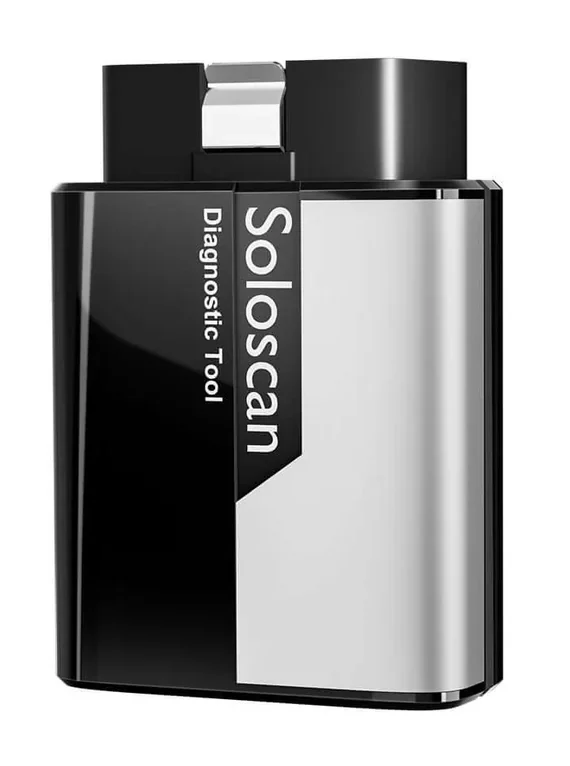
kingbolen soloscan 3

Main difference of Kingbolen soloscan vs Kingbolen ediag elite is ECU coding. Soloscan supports ECU coding but it works only for one brand (e.g. soloscan for Toyota/Lexus). The ediag elite cannot do ECU coding but all-system diagnostics works for 100+ brands.

SoloscanEdiag elite
Full-system scanFull-system scan
All system live dataAll system live data
Bi-directionalBi-directional
Free lifetime updatesFree lifetime updates
Service proceduresService procedures
Basic OBD functions for all brandsBasic OBD functions for all brands
ECU coding
OEM coding/service features
Support only one brand (one group)Supports 100+ brands

If you want a solid budget option, I recommend this adapter. But if you want something more reliable and can spend a bit more, check out the scan tools I recommend on my site.

Final Verdict

Kingbolen EDIAG Elite is a very solid budget bi-directional Bluetooth scanner. It’s slow, but it does the job: full-system scan, live data in every module, real actuation tests, 15 service resets and even AI fault help – all for around the price of a basic engine-only reader.

Buy it if you want maximum functions for minimum money, don’t care about coding, and are okay with slower scans.
Skip it if you need fast work, ECU coding, heavy service resets on modern cars, or perfect iPhone support. In that case, look at tablet tools like Kingbolen K7, Mucar VO7, and others in my tablet/best scanner roundups.

How to save money:

  • Best deals are usually on major marketplaces or official store
  • Updates are free for life, so you don’t pay yearly
  • If you ever want to sell it, remember to contact Kingbolen support to unbind the adapter from your account first ✅
carhacker top obd2 scanners

Best OBD2 scanners in 2025

I constantly test new OBD-II scanners to give you the best options possible. Here is a full list of the best tools in all categories currently.

Related Articles

Responses

Your email address will not be published. Required fields are marked *

  1. I want to add regarding Ediag elite.
    It’s work great only with android devices.
    If you will try it with IPhone it will detect only half of installed modules. Have the same results on a different cars.
    Check this.
    And support service not working with iPhone, no one will answer to your request.