XTOOL IP900BT TESTED | Honest Owner Review
I tested the XTOOL IP900BT on my Passat B5.5, Alfa 147, a Toyota with TPMS issues, a Skoda Octavia 2019 and a cheap Golf with questionable catalyst and mileage. I used it for full scans, airbag repair, TPMS reset, live data diagnostics and real odometer correction.
Affiliate Disclosure: iamcarhacker.com is an Amazon and other affiliate programs Associate. As an Amazon Associate, I earn from qualifying purchases. Full Affiliate disclosure.
Sponsored Warning: I got this product for free to make a review. Despite that, I provide an honest review based on personal testing and share my truthful opinion of the product. Read more in sponsor policy.
XTool IP900BT
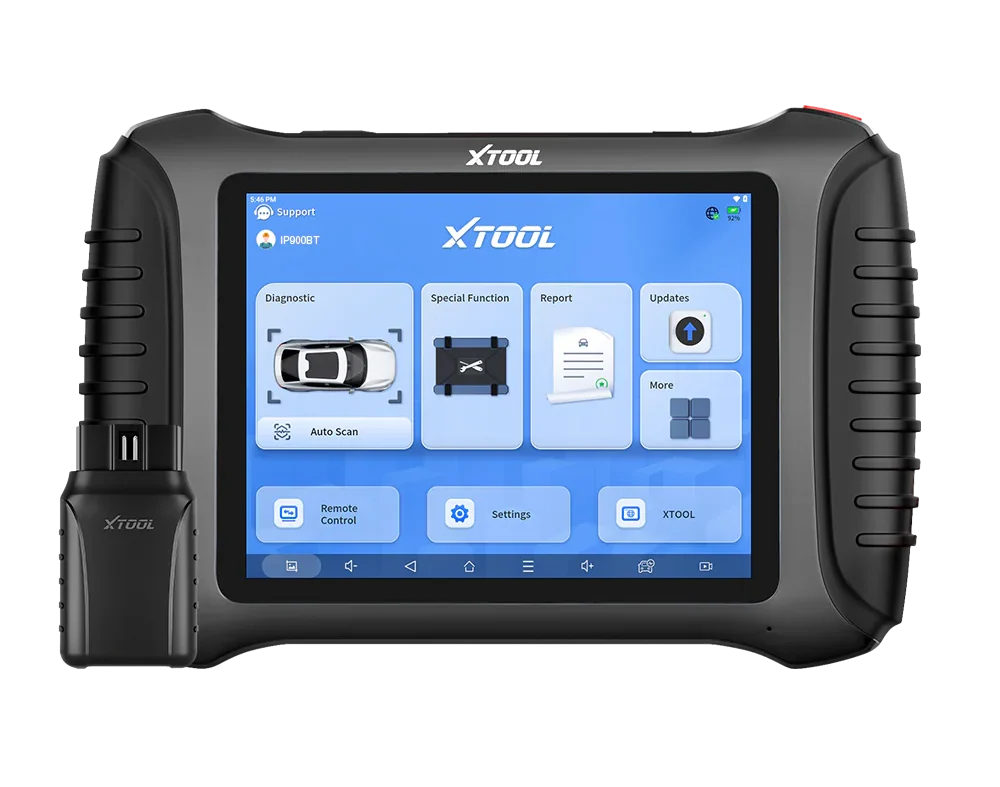
XTOOL IP900BT is a Bluetooth tablet-style scan tool. It uses a wireless VCI and a dedicated XTOOL tablet, not a phone. It does full-system diagnostics, bi-directional tests and a big list of special functions.
Official specs claim 41 special functions, online/offline ECU coding, PMI (Programmable Module Installation), VAG guided functions and OEM-level all-systems diagnostics.
In my testing it was especially strong for service work: TPMS reset with manual ID entry, airbag repair on a permanent airbag fault, and odometer correction on VW instrument clusters.
Full-system scan is not the fastest, but for advanced procedures and special functions this tool is one of the best I’ve had in this price range.
Find the best price
It is ideal for DIY users and small workshops that need serious service procedures and coding, not just reading codes. For fast used-car scanning I would still pick a quicker scanner, but IP900BT is what I grab when I expect a more complex job.
Who tested product & wrote this review?

Tester & Editor for this review: Juraj Lukacko
Hello, I am Juraj (Yuri) and I tested this product to help you decide if it is something you would want to buy, and if yes, show you how to use it.
I make honest reviews based on personal testing in my own garage and If I see the product is bad, I will make it very clear in review.
Read more about how I do reviews on Iamcarhacker.com in my review policy.
What This Tool Actually Is
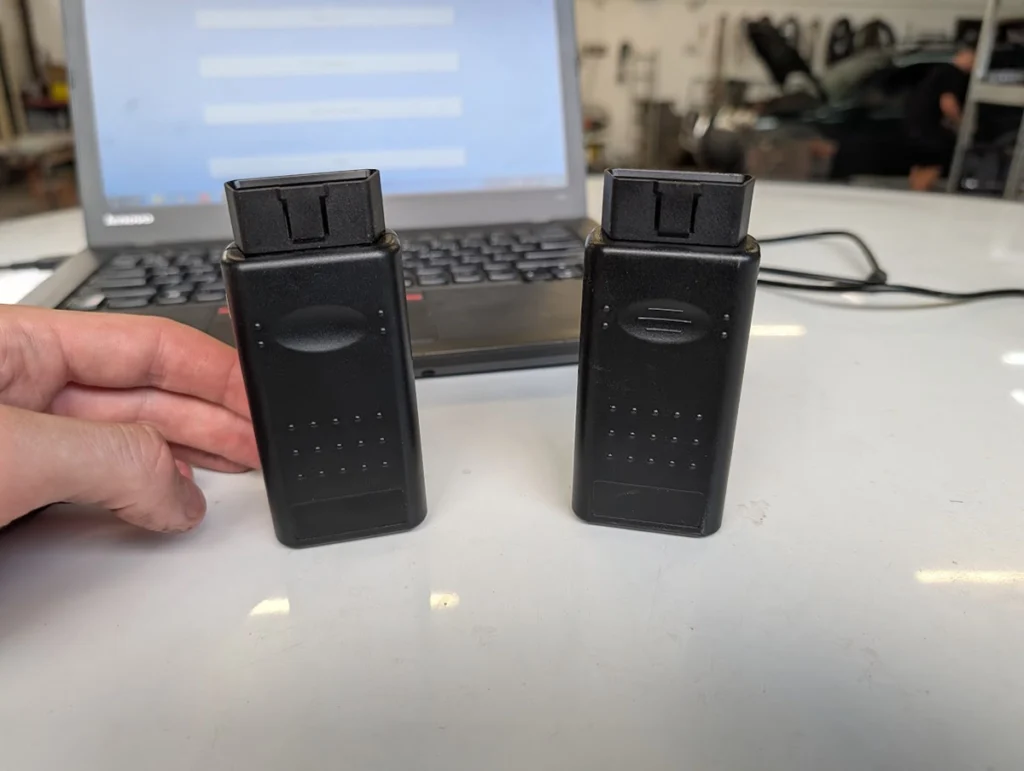
XTOOL IP900BT is a pro-style Bluetooth tablet scanner. You plug in the IP900BT VCI into the OBD port, and use the supplied XTOOL tablet over Bluetooth. Official spec highlights:
- OE all-systems diagnostics (ECM, TCM, ABS, SRS, EPB, BMS, TPMS, etc.)
- 41 special functions
- Pre/post scan with reports
- Online + offline ECU coding
- VAG guided functions
- PMI (Programmable Module Installation)
- Live data with up to 8 PIDs per graph / screen
- 3 years free updates, FCA security gateway support
It sits in the same “tablet scan tools” group as XTOOL D8S, Kingbolen K7, Mucar VO7 and similar devices, and fits well into my scan tools (tablet style) category on the website.
Test Results on Real Cars

Update this tool for the first time somewhere with good internet. I did it with my slow hotspot in garage and waited over 1 hour.
I tested it on real cars.
Cars used:
- VW Passat B5.5 (1999)
- Alfa Romeo 147 (1.9 JTD, 2002)
- Toyota with TPMS light after wheel change
- Skoda Octavia 2.0 TDI 2019
- VW Golf with cheap price and suspect catalyst
Full-system scan
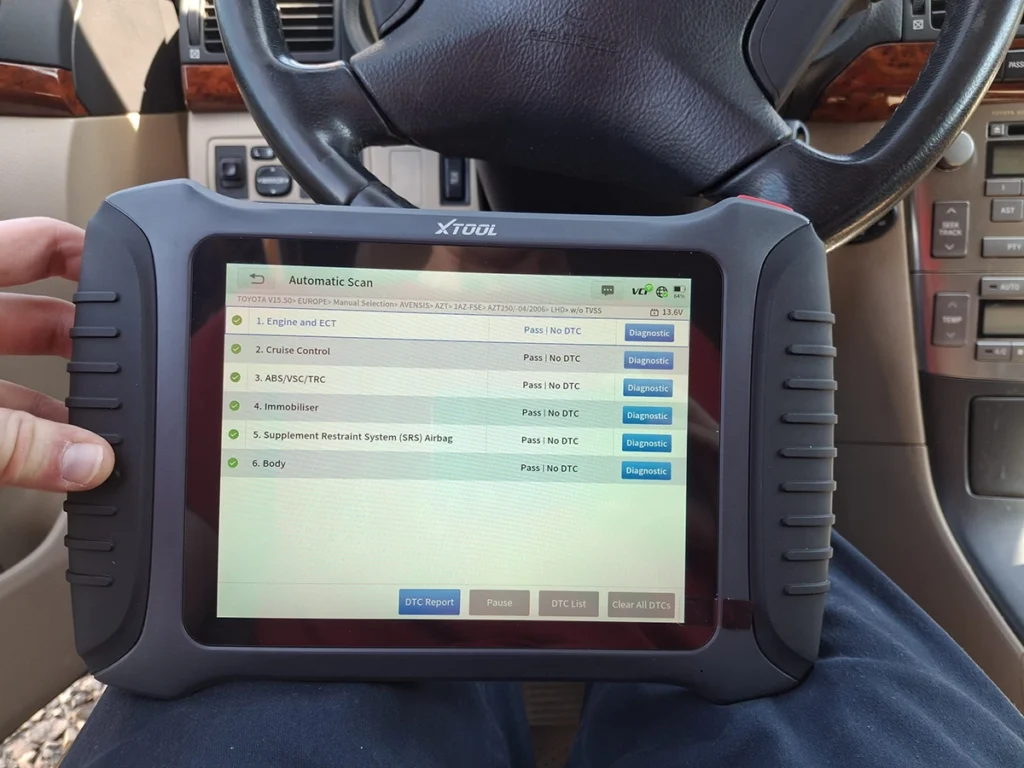
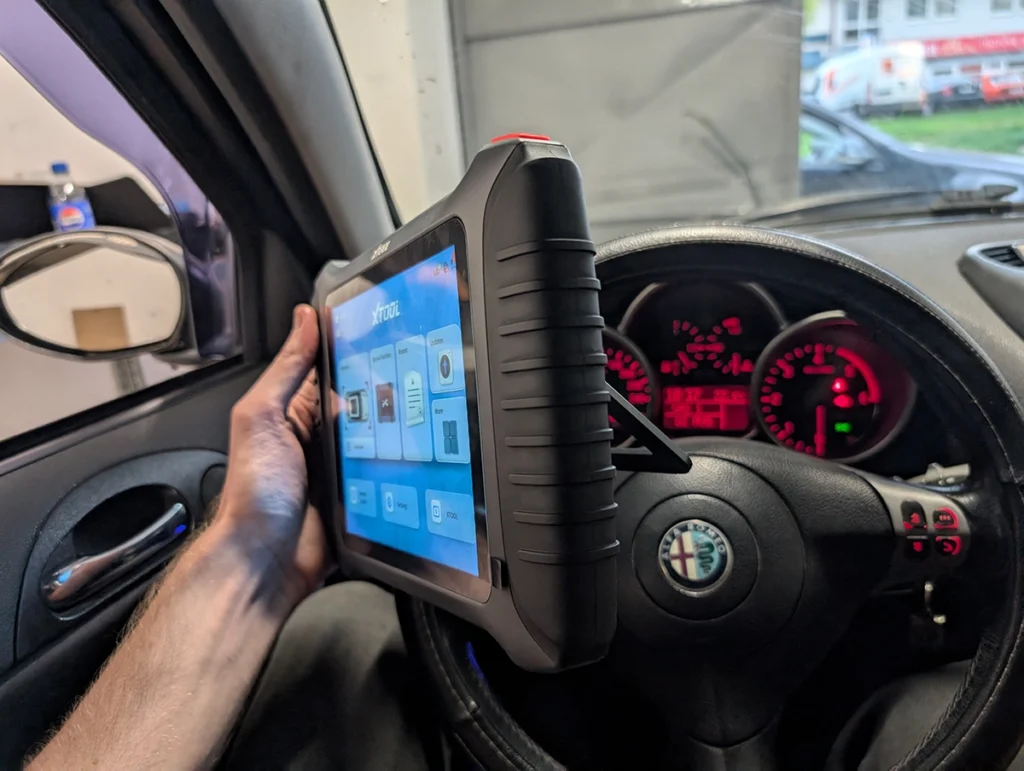
On older cars like Passat B5.5 and Alfa 147, auto-scan did not work, so I used manual brand/model selection. Full-system scan on these cars took a few minutes, but it correctly pulled out a lot of modules and faults.
On the 2019 Octavia, full scan took quite long because there are ~40 modules. This is where I noticed IP900BT is not a “fast used-car scanner”. It works, but it is not the quickest tool for pre-purchase inspections when you are under time pressure.
Diagnostic reports are very good. You can:
- Save pre-scan and post-scan reports
- Include shop name, address, phone, website
- Print or send professional PDF-style reports for customers
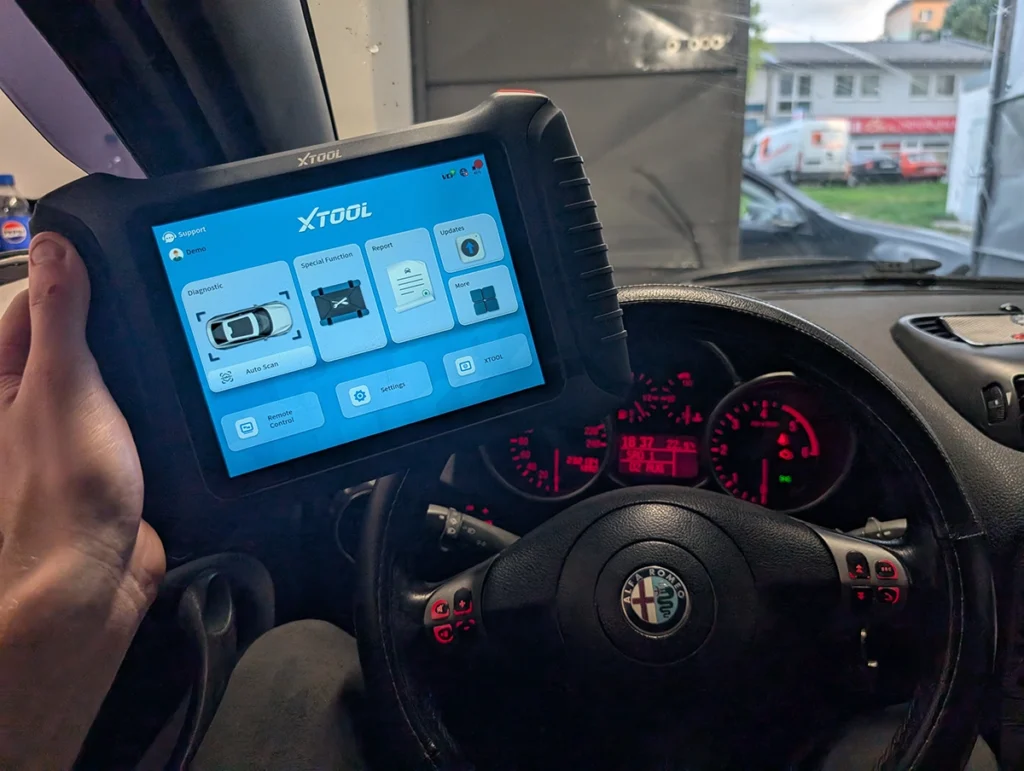
Clearing fault codes from all systems (Alfa Romeo 147)
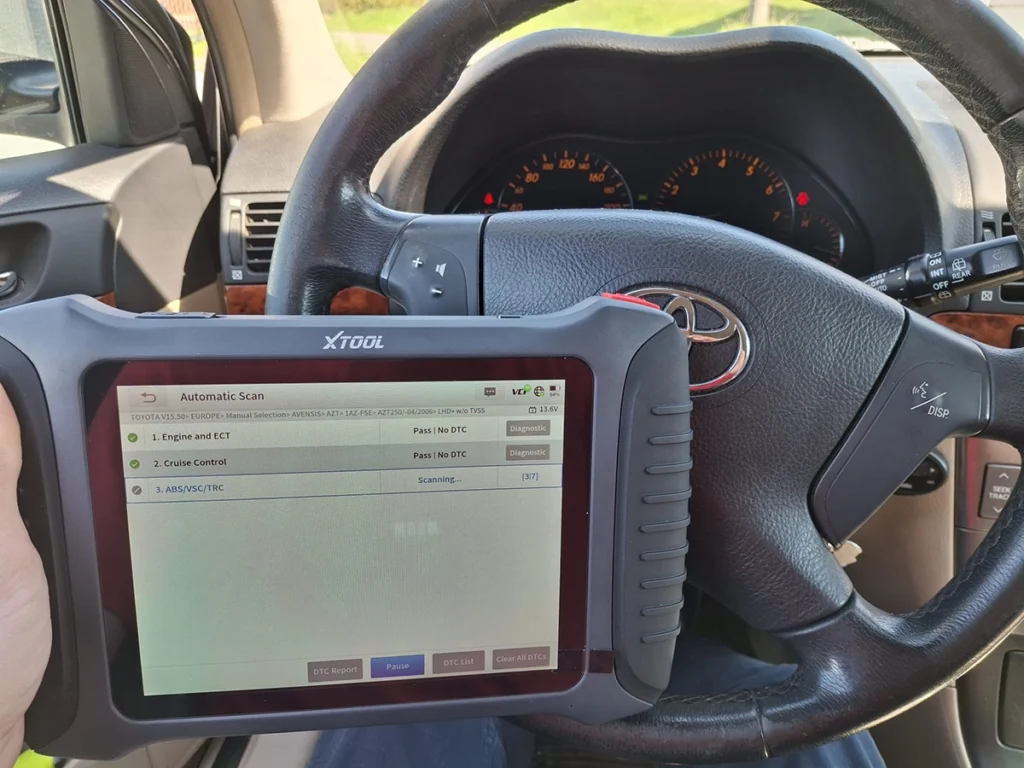
TPMS reset and ID coding (Toyota)
Toyota case: friend had TPMS light after wheel change and new sensors.
Steps I did:
- Opened TPMS reset function
- Entered new sensor IDs manually (from a TPMS reader tool)
- Cleared TPMS fault codes
- Cycled ignition
Result: TPMS light stayed off. The system accepted the new IDs and worked normally.
Airbag repair on Passat B5.5
Passat had permanent airbag fault: module reported as faulty and the light would not clear with normal “erase codes”.
With IP900BT I used:
- Airbag repair → OBD repair → VW option (VW5)
After the procedure finished, the airbag light went off and stayed off. Next day scan showed no airbag codes. So this was not just DTC clearing; the module was repaired/reset by a proper special function.
Used-car inspection (Skoda Octavia 2019)
For the Octavia I used IP900BT to help a friend decide if he should buy the car.
Workflow:
- Full scan of all modules (took time, 48 modules)
- Checked DPF soot loading (~60% capacity)
- Checked injector correction values
- Checked turbo behavior by comparing specified boost vs actual boost under load
- Did another scan after the test drive to see if any faults came back
Results were good: all modules clean, only DPF at 60%. Based on live data and codes I told him the car looked healthy apart from expected DPF load.
Catalyst test (Golf MK5 1.4 55 kw)
On the cheap Golf, I used live data to verify catalyst health before emissions. I graphed upstream and downstream O2 sensors on a drive.
What I wanted to see:
- Upstream O2 switching normally
- Downstream sensor (sensor 2) staying more stable when accelerating
During test drive, I floored the car and watched the graph. Sensor 2 stayed quite steady, not mirroring sensor 1, which indicates the catalytic converter is still doing its job.
Result: catalyst OK, which matters because a new catalyst would cost more than the car.
Odometer correction (Golf and Passat)
This is where IP900BT really surprised me.
On the Golf:
- Started with 258 777 km on cluster
- Went to special functions → instrument cluster (Europe → VW)
- Tool identified meter type (CDC 32XX)
- Displayed current mileage
- I entered 270 000 km
- Confirmed write
Cluster updated to new value. Same on Passat: started at 255k, wrote new value (150k in test) and cluster changed.
Important:
- This can be illegal if used to roll back mileage for fraud.
- My use case is cluster replacement / testing.
- If your country restricts this, do it only within the law and keep records.
Manufacturer Specs vs Real Testing
| Area | Manufacturer Claim | What I Saw in Testing |
|---|---|---|
| All-systems diagnostics | OE-level diagnostics on all systems | Confirmed on Passat, Alfa, Octavia. Many modules found, including airbag, TPMS, DPF, etc. |
| 41 special functions | Large special-function list | Tested TPMS reset, airbag repair, odometer correction. All worked as expected. Many functions not tested yet – not available in my testing. |
| Pre/post scan | Pre/post scan quick diagnostics | Used it to make professional reports before and after repairs. Works well. |
| Live data (8 PIDs) | Graph 8 live data PIDs per chart or screen | Confirmed. Used for turbo test (specified vs actual boost) and catalytic converter checks. Data logging was smooth. |
| Online/offline coding | ECU configuration & hidden functions, online and offline coding | Coding menus are present. I mainly tested cluster/odometer and airbag repair-related functions. Full coding depth per brand is not fully mapped yet in my testing. |
| PMI & guided functions | PMI and VAG guided functions | The airbag repair and instrument cluster functions behaved like guided procedures. I did not test full PMI on replaced ECUs, so real PMI across brands is not available in my testing. |
| Updates & warranty | 3 years free updates, 2-year warranty | Matches what I saw on the official product page. After 3 years, future update policy is not available in my testing. |
Hardware / Software / Plans / Internet Dependency
Hardware
- Bluetooth VCI plugs into OBD port
- XTOOL tablet sits on steering wheel (holder on back)
- No USB cable to car while working
Connection on older cars: manual brand/model selection.
Newer cars: auto-scan for brand/model can be used.
Software behavior
- Menus: full scan, automatic scan, CAN bus fast scan (VAG), full-system diagnosis (per-module)
- Special functions: TPMS, airbag repair, instrument cluster (odometer), many more
- Actuation tests: bi-directional tests under “actuation test” in each module
- Reporting: pre/post scan, shop info fields, saves history
Plans / cost
- 3 years free updates (official)
- No subscription mentioned in your info
- After 3 years, cost of updates is not available in my testing
Internet dependency
- Basic scan, live data, actuation, most special functions work with normal local communication
- Online coding, cloud functions and updates will need internet
- Always use a stable power supply during coding, odometer work and module-related special functions – low voltage can damage modules.
Supported Service Resets
From the tool and official data, IP900BT has a big list of service functions (41+).
Tested and confirmed by me:
- TPMS reset + manual ID writing (Toyota)
- Airbag repair for VW module with permanent fault
- Odometer adjustment on VW Golf and Passat instrument clusters
Likely supported but not fully mapped in my testing:
- Oil service reset
- EPB / brake pad changes
- Battery registration
- DPF-related procedures
- Steering angle calibration
- Other brand-specific resets
Real behavior always depends on two things: the car’s software and the scanner. If the car doesn’t support a special function, no tool can force it.
For heavy multi-brand work (coding + resets + bi-di), IP900BT stands in the same “pro tablet” category as D8S, K7, VO7, Thinkcar tablets. It is especially strong when you need service functions that actually work, not just show up in menu.
Supported Languages
In the Alfa menu you can see a long list of languages. The tablet clearly supports multiple languages, but I mainly used English, so:
- English: tested and works fine
- Other languages: available in menu, but translation quality is not available in my testing
For serious work I still recommend English. For deeper explanations people usually go to Google, forums, YouTube anyway.
Comparison Section

XTOOL IP900BT vs XTOOL D8S
Both are XTOOL tablets with full-system diagnostics and bi-directional tests. D8S is more of a classic large tablet scanner, IP900BT is a newer Bluetooth tablet platform with focus on quick pre/post scan, PMI and richer special functions.
From the data:
- D8S: full-system, bi-di, partial coding, 30+ service functions, lifetime updates.
- IP900BT: full-system, bi-di, 41 special functions, online/offline coding, PMI, VAG guided functions, 3 years free updates.
In practice:
- IP900BT felt more “special-function focused”: TPMS, airbag repair, odometer correction.
- D8S is proven as a general pro tablet, but I have not done odometer tests on D8S, so mileage correction is not available in my testing for D8S.
- Scan speed: both are not the fastest for used-car hunting; IP900BT in particular can be slow on big module-count cars like the Octavia 2019.
| Area | XTOOL IP900BT | XTOOL D8S |
|---|---|---|
| Form factor | Bluetooth tablet scanner | Wired/Bluetooth tablet scanner |
| Full-system + bi-di | Yes | Yes |
| Special functions | 41+ (tested TPMS, airbag repair, odometer) | 30+ (typical resets, strong but fewer confirmed in my odometer testing) |
| Coding | Online + offline ECU coding (brand-dependent) | Partial coding, depth varies by car |
| Odometer correction | Worked on tested VW clusters | Not available in my testing |
| Updates | 3 years free updates | Lifetime updates (per spec) |
If you want extra-long update life and a more standard pro tablet, D8S is attractive.
If you value service functions like airbag repair and odometer correction that I actually tested, IP900BT is the more interesting choice.
XTOOL IP900BT vs iCarsoft CR Max+

CR Max is a wired tablet with full-system diagnostics and a decent list of resets, but limited bi-di and no ECU coding. It is aimed at DIY users who want a simple interface and basic service work.
Compared to that, IP900BT:
- Has stronger special functions (airbag repair, odometer correction)
- Offers ECU coding (online/offline) where supported
- Feels more like a workshop-capable tool, not just an advanced code reader
- Uses Bluetooth VCI, so you are not tied to the OBD cable while working
CR Max+ is easier if you just want a wired full-system tool and basic resets. But if you need advanced service functions and any coding at all, CR Max+ hits the ceiling quickly.
| Area | XTOOL IP900BT | iCarsoft CR Max+ |
|---|---|---|
| Connection | Bluetooth VCI + tablet | Wired tablet |
| Full-system | Yes | Yes |
| Bi-di tests | Yes | Limited |
| ECU coding | Online/offline, OEM-style where supported | No coding |
| Odometer correction | Worked on tested VW clusters | Not available in my testing |
| Special functions | 41+ | Multiple basic resets, no advanced odometer confirmed |
If you only need a simple wired full-system scanner, CR Max+ is still fine.
If you want airbag repair, odometer work, TPMS ID coding and coding, IP900BT is on a different level.
Final Verdict
XTOOL IP900BT is a strong service and special-function tablet. It did TPMS reset with manual IDs, repaired an airbag module with a permanent fault and adjusted mileage on two VW clusters. Live data is solid and good enough to test turbo and catalyst health on used cars.
Scan speed is its main weakness. It works on used cars but I wouldn’t pick it as my number one “fast inspection” tool. I’d use it when I expect heavier work: airbag, odometer, TPMS, coding.
You should buy IP900BT if:
- You want serious service functions that actually work
- You need odometer adjustment after cluster replacement (and you’ll use it legally)
- You want TPMS, airbag repair and coding in one tablet
- You run a small workshop or do advanced DIY jobs
You should skip it if:
- Your main job is quick used-car checks all day – look at faster scanners in that category
- You only need basic full-system scan and a few resets – CR Max+ or cheaper tools will be enough
How to save money:
- Best deals are usually on the official XTOOL website or official resellers.
- Check if any discount codes or bundles are active before buying.
- Register the tool and activate your 3 years of free updates in your XTOOL account, not just inside the app.
And as always: wrong coding or odometer changes can damage modules or get you into legal trouble. Double-check what you are doing before you press OK.

If you are wondering about specific functionality for certain car models, contact XTool live chat.
Popular OBD2 guides
See all guidesBest OBD2 scanners in 2025
I constantly test new OBD-II scanners to give you the best options possible. Here is a full list of the best tools in all categories currently.


Responses