
Mucar 892BT vs Mucar 892BT PRO: same tablet, one feature most people won’t use

Published: July 8, 2026 · Last updated: July 8, 2026
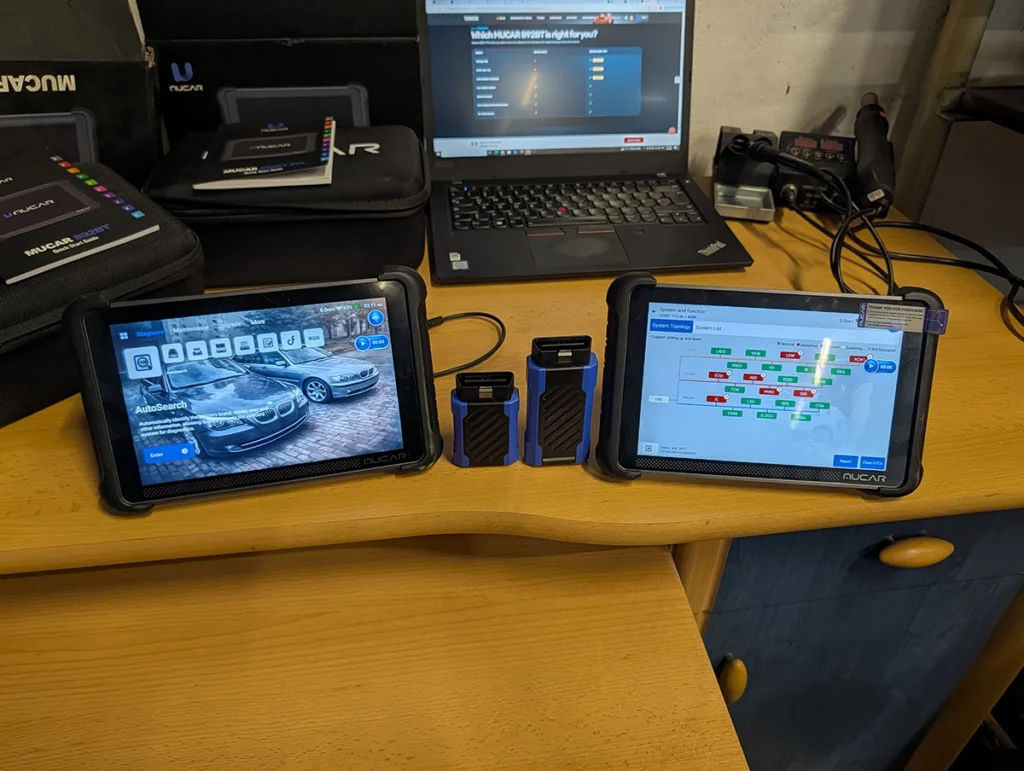
Two Mucar tablets at different prices, and on the surface the Pro looks like the obvious upgrade. It isn’t that simple. These are the same 8-inch tablet, running the same software, with the same diagnostic depth, the same coding, the same 35 service functions, the same AI and the same lifetime free updates with no subscription.
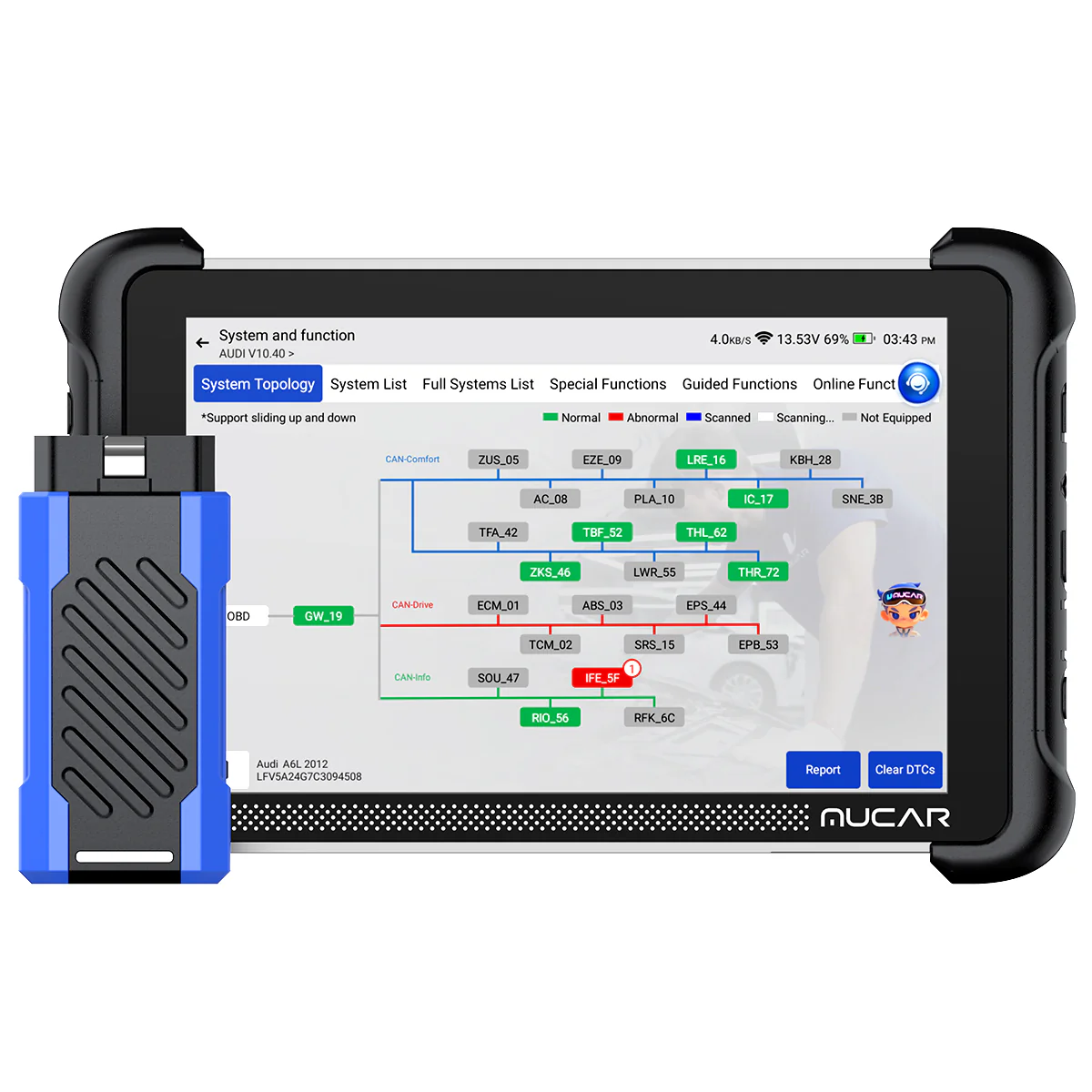
The Pro adds exactly two things the standard doesn’t have. OE-style topology mapping, and a J2534-capable VCI for OEM pass-thru programming. That’s the whole difference. Everything else is identical hardware and identical software.
So the real decision isn’t which one diagnoses better. It’s whether topology and J2534 are worth roughly $270 to you, because on daily work these two tablets do exactly the same job.
I earn from qualifying purchases and sometimes get tools for free (full disclosure). It never affects my scoring.

The diagnostics are identical
This isn’t a case of one tool edging the other. It’s the same tablet. I use the standard 892BT as my daily go-to and I’ve had the Pro in the shop across a stack of cars, and on the core work there is nothing to separate them.
Both pull full-system codes, stream live data in every module, and run bidirectional tests. Both do the choose-to-scan trick I rely on for used-car checks, where you tick only the modules you care about instead of waiting five minutes for the tool to poll every module the car might have.
Coding is the same too. On a Passat I ran full VAG long coding, adaptations and guided functions, the stuff people pay €450 for in VCDS. That runs identically on both tablets. The service reset list is byte-for-byte the same, 35 functions on each.
What the Pro actually adds
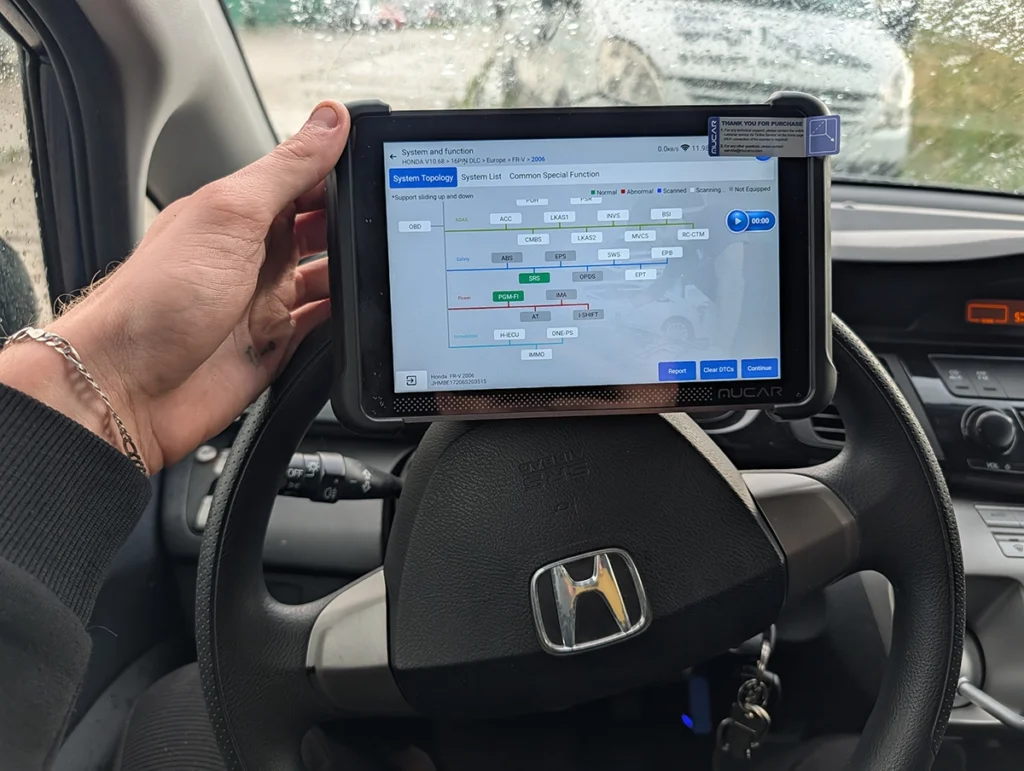
Topology is the headline. It draws a colour-coded tree of the car’s module network and updates in real time. On my BMW E61 I cleared every fault straight from the topology view and watched all modules flip to green. It looks great and on a communication fault, seeing which module dropped off the bus can save real time.
But topology isn’t everywhere. On an Opel I was working it had no tree at all and just scanned flat, so don’t assume the map appears on every car.
The second addition is the J2534 VCI for OEM pass-thru. It lets you run the manufacturer’s own software from a laptop for dealer-level programming. Useful if you flash modules, but the interface alone isn’t enough, you still pay the carmaker’s subscription to actually reflash anything.
Why the standard is enough for most people
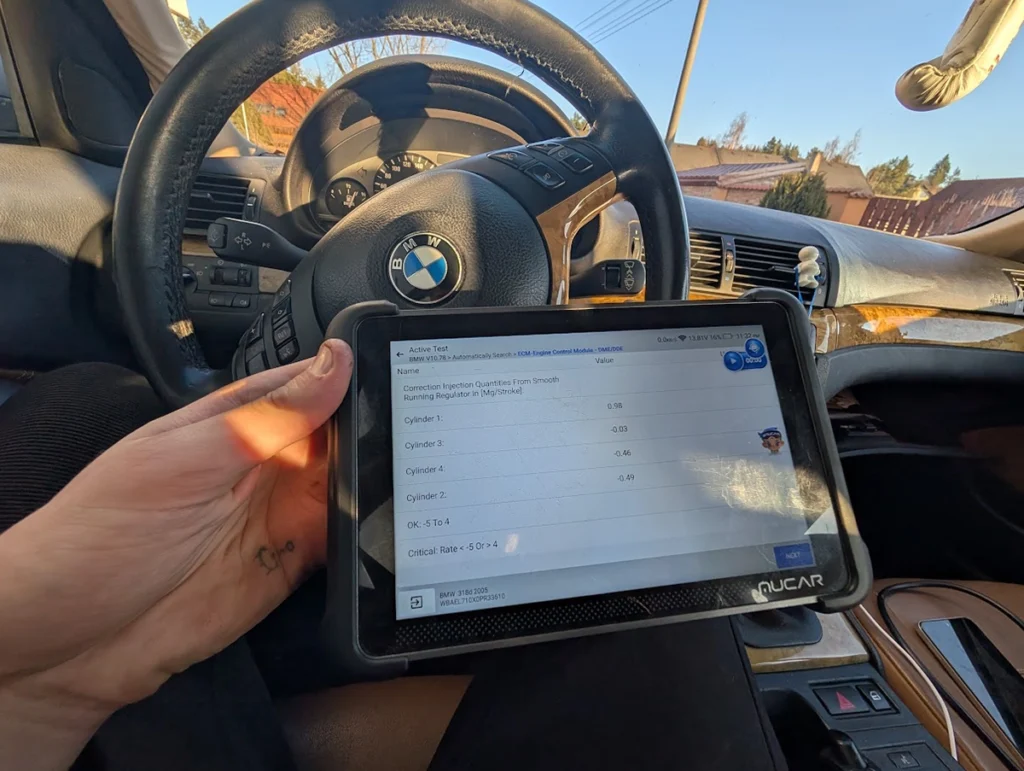
Here’s the honest part. If you strip away topology and J2534, the standard 892BT and the Pro are the same tablet. Same diagnostics, same coding, same resets, same lifetime updates.
Most kutilstvo work never touches network mapping. You read codes, clear them, code a feature, run a reset, check a used car. The standard 892BT does every one of those exactly as well as the Pro, for around $270 less.
Topology is a luxury, not a necessity. It’s genuinely nice to have, but unless you regularly chase communication faults across modern European CAN networks, you’ll admire the tree far more often than you’ll actually need it. And J2534 only matters if you’re doing OEM flashing, which most people never do.
Which one to buy
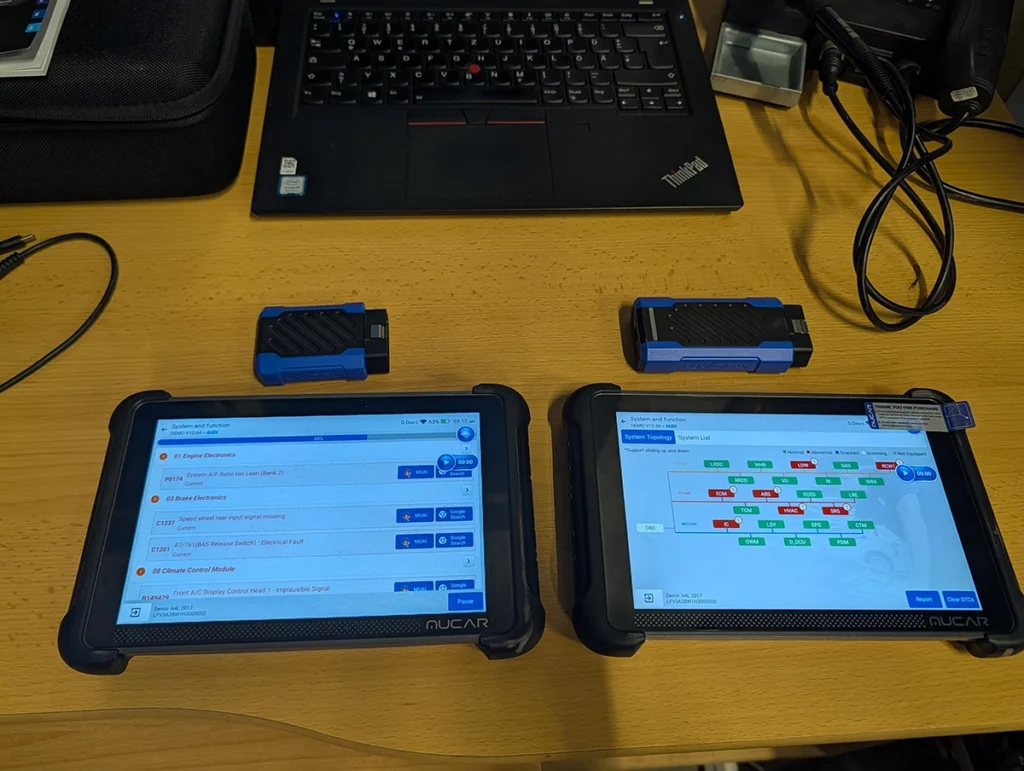
Get the standard 892BT if you want the daily workhorse. Full diagnostics, strong coding, all 35 service functions, lifetime updates, no subscription. For diagnostics, coding and used-car checks, it’s the tablet I reach for first and the smarter spend for most people.
Get the 892BT Pro if you specifically want topology for network diagnostics, or the J2534 VCI to run OEM software for programming. Both are real features and both work. Just be honest with yourself about how often you’ll use them before paying the premium.
My straight advice: if you already own the standard, don’t buy the Pro just for topology. And if you’re buying fresh and you’re not sure you need network mapping or OEM flashing, save the money and get the standard. You can always add a dedicated tool later if the work demands it.
Check more in individual reviews
→ Read full review of Mucar 892BT, if you lean toward the standard and want the full breakdown of the coding and where it does and doesn’t reach.
→ Read full review of Mucar 892BT Pro, if you lean toward the Pro and want the detail on topology and the J2534 side.
Final word
The 892BT and the 892BT Pro share a tablet, so this was never about which one reads faults better. The Pro wins on topology and J2534, two features the standard doesn’t have. The standard wins on price while doing the identical daily job.
Topology and OEM programming against the same diagnostics for less money, that’s the whole decision. For most people, the standard is the one to buy.
Most popular OBD2 guides







Responses