

Published: August 28, 2025 · Last updated: August 13, 2026
The Kingbolen Soloscan solves a specific problem: cheap smartphone scanners almost never include ECU coding. The Soloscan does, for under $100, along with full-system diagnostics, bidirectional tests, OEM features and free lifetime updates. The catch, and it’s the whole concept: each Soloscan is locked to one brand group, so you pick the version for the cars you work on (VAG, Toyota, Honda, etc.). If you live on one brand, it’s a lot of capability for the money. Read on for what it does and who it’s for.
I earn from qualifying purchases and sometimes get tools for free (full disclosure). It never affects my scoring.
Kingbolen soloscan tested
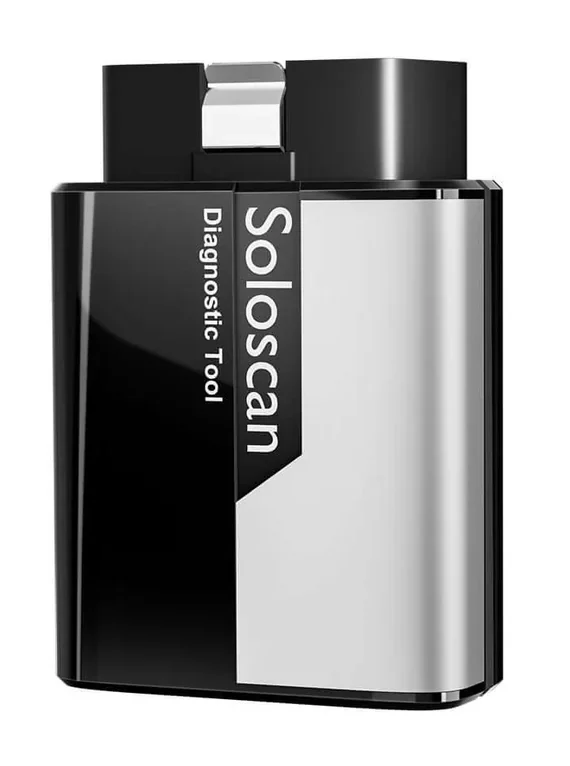
Kingbolen soloscan
The Kingbolen soloscan is budget kingbolen handheld scanner for basic diagnostics beyond simple code readers.

- Extremely good value for money if you work with one brand only
- Not great to use on all cars (only global OBD for other brands)
Service functions (15+)
Scores
Specs
| Tool type | Standalone device |
| User level | Advanced |
| Vehicle focus | All makes |
| Free updates | Lifetime |
| Subscription | Not required |
What it’s actually good at
Getting real ECU coding this cheap is the whole point, and it works. On a VAG car I went into long coding (same as you’d do in VCDS), enabled US-style permanent turn signals by changing the turn-signal bit, then set it back. I also showed adaptation, like switching off the seatbelt warning chime. That’s dealer-level customisation on a sub-$100 tool, which normally means spending several times more.
It’s a genuine full-system bidirectional scanner, not a code reader with a coding sticker. It reaches every module: I ran the instrument-cluster test sequence (tacho, fuel gauge, speedo, all the warning lights), and in the body module fired individual tests like high beams and turn signals. Each module gives its own active tests, exactly like pricier tablets.
The diagnostics are quick. A full scan on a Golf 5 took about 30 to 35 seconds, faster than several more expensive scanners I’ve run on that car. You also get around 20 service resets, online coding for replaced modules, plus built-in coding guides and channel-number references, the kind of help that saves you digging through forums.
And it’s all with free lifetime updates and no subscription, which is rare at this price.

Where it falls short
The one-brand lock is the defining limit, so buy the right version. Your Soloscan does full coding, bidirectional and service work only for its chosen brand group. For every other make you drop to basic global OBD, engine codes, live data, readiness monitors, and nothing deeper. It’s not a do-everything tool, and it’s not pretending to be.
So this is the wrong choice if you work on lots of different brands. The value is entirely in committing to one.
A couple of smaller notes from testing: auto VIN scan didn’t work on my Golf, so I selected the brand manually, and the build is budget-grade. Neither is a dealbreaker at this price, but set expectations.
Who should buy this
Yes, buy it if:
- You work almost entirely on one brand group and want full-system, bidirectional and coding without paying tablet money
- You want real ECU coding and OEM features under $100 with no subscription
- You’re happy buying the Soloscan that matches your cars and using basic OBD for everything else
No, look elsewhere if:
- You work on many different brands, the single-brand lock will frustrate you fast
- You want deep functions across every make, you need a full multi-brand tablet instead
- You expect premium build and flawless auto VIN
Kingbolen soloscan vs Kingbolen ediag elite
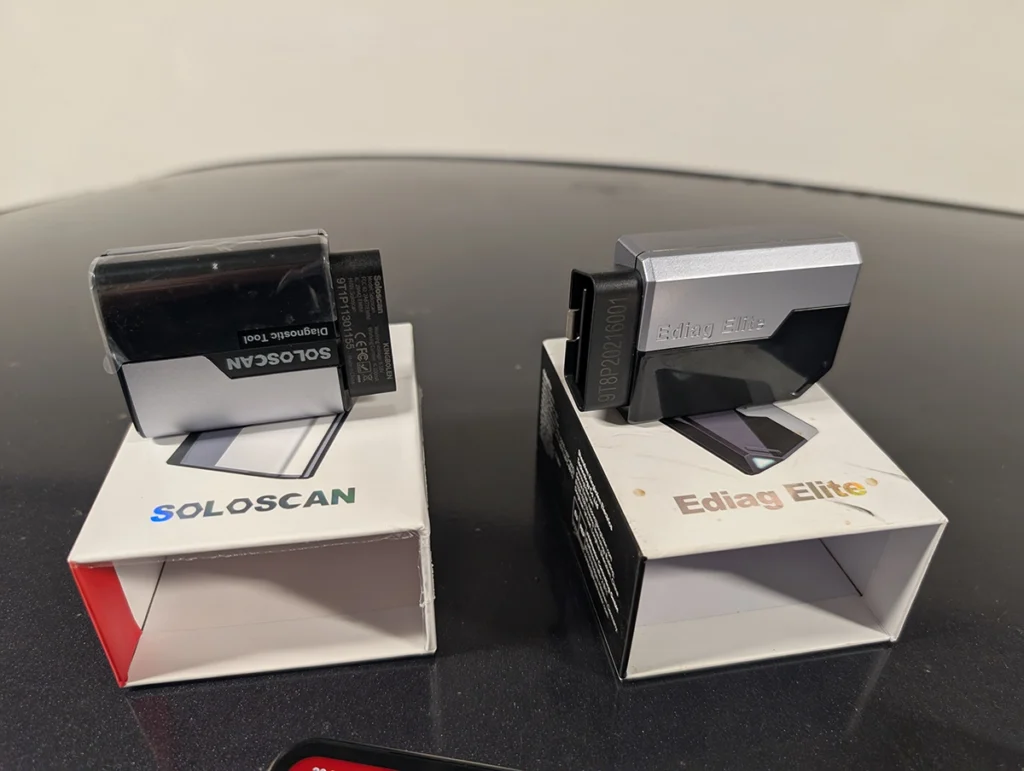
Main difference of Kingbolen soloscan vs Kingbolen ediag elite is ECU coding. Soloscan supports ECU coding but it works only for one brand (e.g. soloscan for Toyota/Lexus). The ediag elite cannot do ECU coding but all-system diagnostics works for 100+ brands.
| Soloscan | Ediag elite |
|---|---|
| Full-system scan | Full-system scan |
| All system live data | All system live data |
| Bi-directional | Bi-directional |
| Free lifetime updates | Free lifetime updates |
| Service procedures | Service procedures |
| Basic OBD functions for all brands | Basic OBD functions for all brands |
| ECU coding | |
| OEM coding/service features | |
| Support only one brand (one group) | Supports 100+ brands |
Final word
The Kingbolen Soloscan is the cheapest way I know to get full-system diagnostics, bidirectional tests and real ECU coding in one tool, under $100 with free lifetime updates and no subscription. The trade is simple: that coding and OEM depth is locked to one brand group, so it only makes sense if you commit to the version for your cars. If you live on one make, it’s outstanding value. If you jump between brands, look at the Ediag Elite or a full multi-brand tablet instead.
Most popular OBD2 guides







I'm Juraj Lukacko and I work as an auto electrician. On this site I share what I learn from real work on real cars, to help you pick the right tools for diagnostics, programming and tuning and get the job done.
More about me →