

Published: February 11, 2026 · Last updated: March 29, 2026
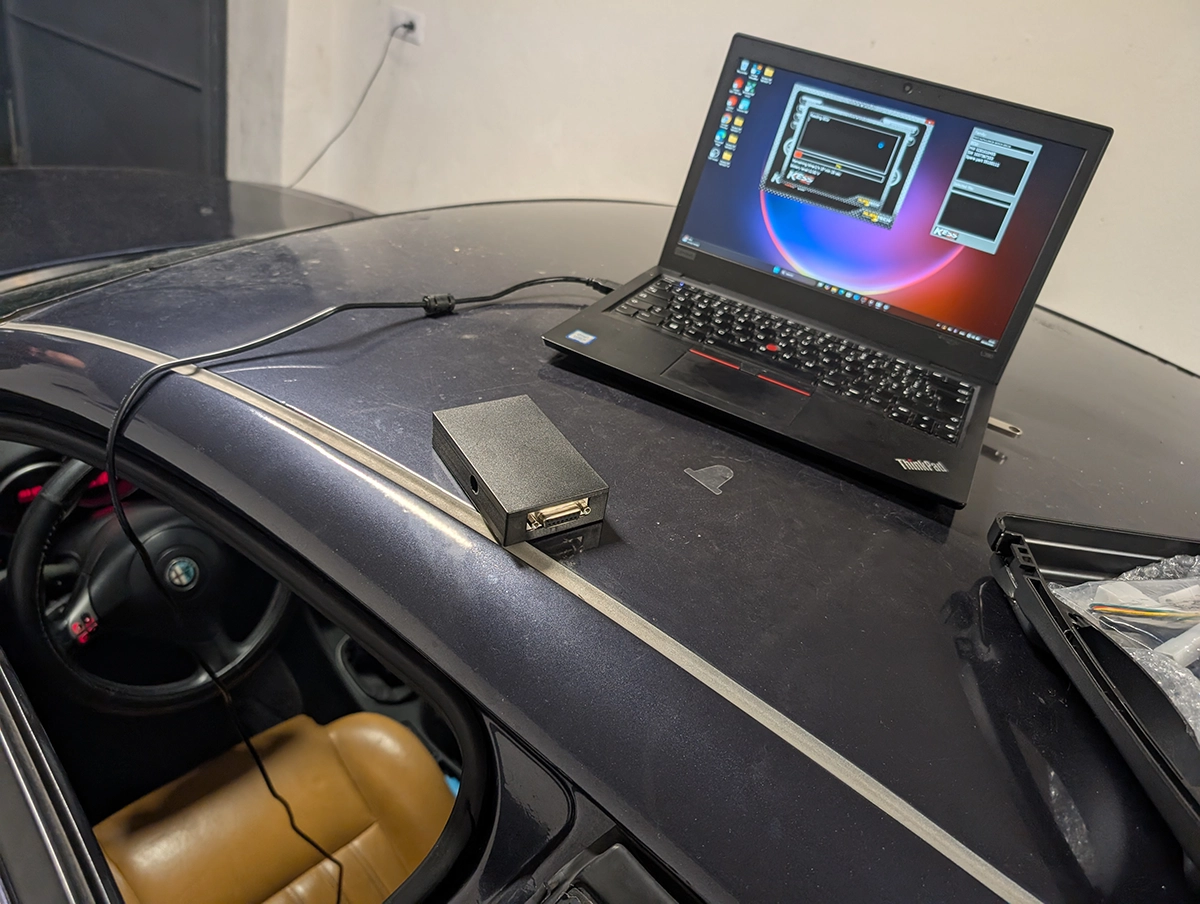
OBD2 scanner with ECU programming will let you reflash software in control modules, for example update engine control module version, or flash new file with adjusted parameters (chip-tuning).
Be careful when choosing because ECU programming and ECU coding are 2 different things.
ECU coding = unlock hidden features (limited by manufacturers feature list)
ECU programming = flashing new files to modules. New file can even change engine parameters like fuel maps, etc… to achieve more power
1. Understand the basics first
What’s the ECU?
The ECU is your car’s brain. It controls fuel injection, ignition timing, emissions, and more. It takes input from sensors like crankshaft position, airflow, oxygen, and coolant temperature, then adjusts how your engine runs.

It constantly adjusts settings on the fly to keep things running smooth. Because it’s so connected, changing one thing can affect many others. So, guessing or messing around without knowing what you’re doing can cause big problems.
How the ECU Runs Your Car
The ECU controls fuel delivery, spark timing, turbo boost, transmission shifts, and emissions devices.
The software inside the ECU is like the car’s operating system. Updating or reflashing it changes how the engine runs.
What’s the OBD2 Port?
Since 1996, cars have had a 16-pin OBD2 port under the dash on the driver’s side. This is how scan tools connect and talk to your car’s computers.
Originally it was for reading error codes and clearing lights. Now some advanced tools can use it to flash new ECU software or tune engine settings.
Without it, DIY programming wouldn’t be possible.
2. What ECU Programming Actually Means
ECU Programming (Reflashing)
This is uploading new or updated software to the ECU. Think of it like reinstalling or upgrading your phone’s operating system.
It can fix bugs, add features, or completely change how the engine behaves.
You need a special scanner that can write new software through the OBD2 port.
3. Why Program Your ECU?
- Get More Power: Reflashing can add 10 to 20 percent more horsepower and torque. Your car will feel faster and more responsive.
- Improve Fuel Economy: Tweak fuel and timing maps to get better mileage.
- Fix Bugs and Updates: Sometimes manufacturers release software updates that fix issues or improve performance.
- But Be Careful: Bad reflashing can brick your ECU or mess up your engine.
4. Choosing the Right OBD2 Scanner for ECU Programming
Basic Code Readers Won’t Cut It
If you want to flash ECU software, you need a programming-capable scanner. These cost more but can send commands to the ECU, not just read codes.
Best OBD2 scanners with ECU programming
5. Where to Get ECU Software Files
- Official update files come from car makers, usually only dealers or shops with subscriptions get them.
- Some scanners let you do remote pro flashing for a fee or use cloud services.
- Files are not free or included forever with your scanner. Don’t trust “lifetime updates” claims.
- Never flash random free files from sketchy sites — wrong files will brick your ECU.
- Always make sure the file matches your car’s VIN and ECU model.
- Back up your ECU before flashing so you can restore if needed.
6. What You Can Expect from Custom ECU Programming
- True custom ECU programming means uploading modified or new ECU software maps to change engine behavior.
- This requires special software and deep knowledge — it’s not simple or for beginners.
- Data logging is essential — collect info, analyze, tweak, test, repeat.
- Never flash without backups or stable power.
7. How to Flash Your ECU Safely
- Fully charge your battery or connect a battery maintainer.
- Use a good scanner and quality adapter.
- Verify software and files are exact match for your car.
- Back up your original ECU software.
- Follow scanner prompts carefully during flashing.
- Don’t unplug or power off anything during the process.
- After flashing, clear any errors and test drive.
- If things go wrong, restore from your backup.
8. Common Mistakes to Avoid
- Power loss or low battery voltage during flash causes bricked ECUs.
- Using wrong or corrupted files damages ECU or engine.
- Wireless dropouts during flashing corrupt data.
- Voiding warranty or breaking emissions laws if you’re not careful.
- Not telling your insurer about modifications risks denied claims.
9. What to Do If You Brick Your ECU
- Try reflashing with stable power and good cables.
- Disconnect battery for a few hours to reset.
- Some ECUs have recovery modes but they’re tricky.
- Professionals can fix or clone ECUs if needed.
- Prevention is best — backup, stable power, and correct files.
10. Final Advice
- Be honest with yourself about your skills before trying.
- Spend on good tools and reliable software files — cheap isn’t worth it.
- Always back up before flashing.
- Keep learning from trusted sources, but double-check info.
- Don’t hesitate to call a pro if you hit a wall.
Quote to Remember:
“Flashing your ECU over wireless or on a low battery? That’s the fastest way to kill it. Don’t do it.”
Most popular OBD2 guides








Hi, I am Juraj Lukacko. I got frustrated by unhelpful and scammy mechanics, so I decided to learn everything about car diagnostics myself. I test dozens of new car diagnostic tools every month along with learning new strategies to fix and customize cars.
