

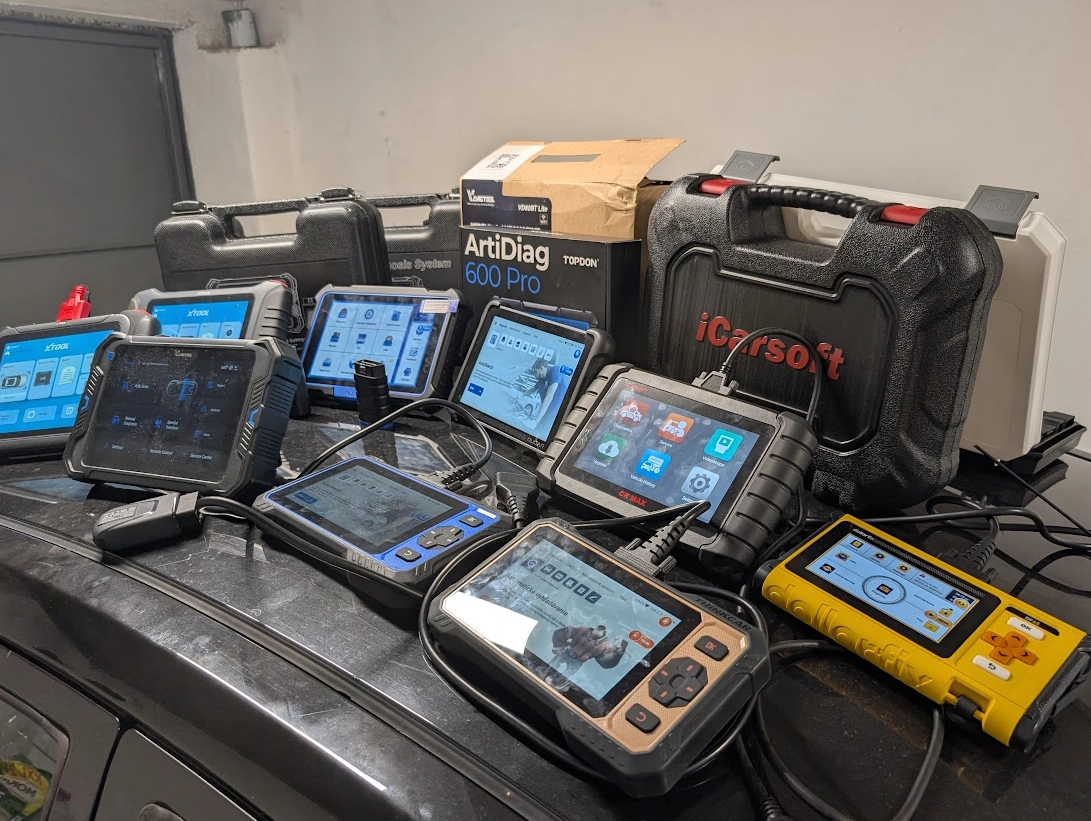
No scanner works perfectly on every car. Even if a vehicle is supported, some functions may not work, certain modules may not respond, or specific tests can fail. That’s why relying on a single tool will limit what you can do.
This content is for members only.
Types of diagnostic tools
Scan tool (main device)
This is your primary tool.
Use it for:
- Full system diagnostics
- Service resets
- Bidirectional testing
- Basic coding
👉 Every setup should start here
Smartphone scanners
These are cheaper full system tools that connect via Bluetooth.
- Access most modules
- Support bidirectional testing
- Good backup tool
👉 Usually less coverage than full scan tools, but very useful
Laptop diagnostics
Laptop tools unlock the most advanced features.
- OEM software (dealer-level access)
- ECU programming
- Advanced diagnostics
👉 Often requires clone software and setup
👉 Best to use separate laptop
Special tools
Some tasks require dedicated tools:
- TPMS tools (tire pressure sensors)
- Key programmers
- ECU programmers
👉 Not required at the start, but useful later
Recommended setup
You don’t need to spend thousands.
A solid DIY setup looks like this:
- 1 main scan tool
- 1 smartphone scanner (different brand)
- 1 laptop for advanced diagnostics
👉 This combination gives you flexibility across different cars
⚠️ Important tip
Always use tools from different brands.
If one scanner doesn’t work with a specific car, another one might.
Final takeaway
A single scanner will always have limitations.
But a small toolkit of different tools gives you much more power and flexibility when diagnosing cars.
Most popular OBD2 guides







Hi, I am Juraj Lukacko. I got frustrated by unhelpful and scammy mechanics, so I decided to learn everything about car diagnostics myself. I test dozens of new car diagnostic tools every month along with learning new strategies to fix and customize cars.
