

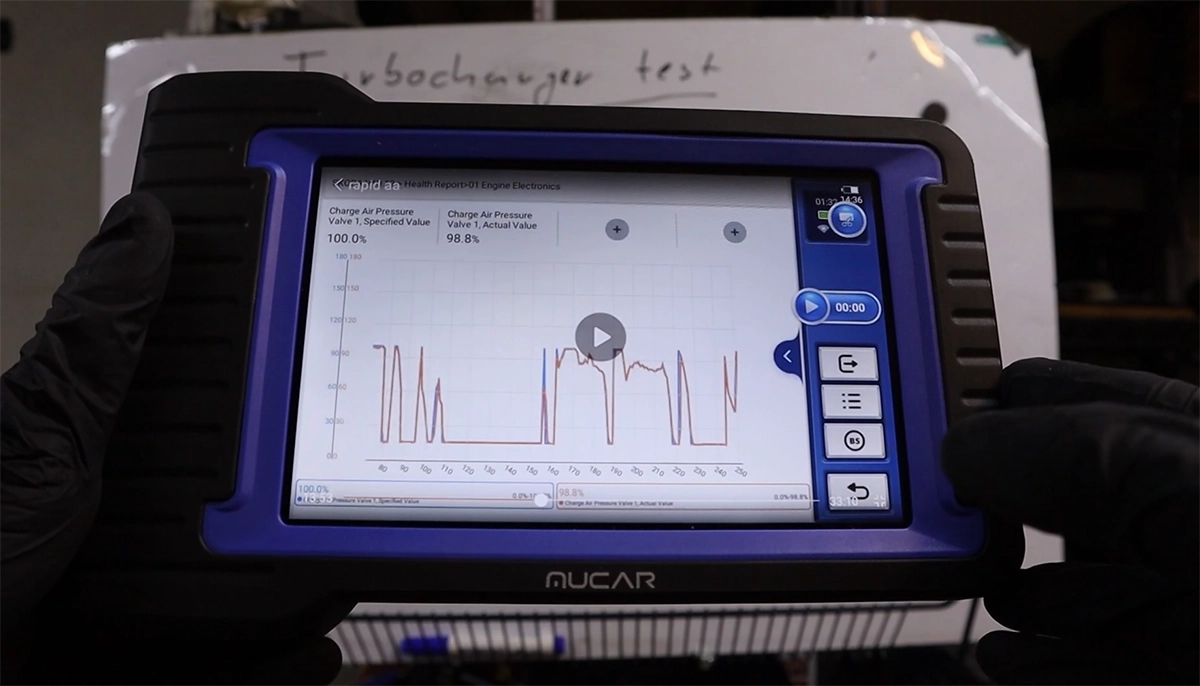
This guide shows how to quickly check turbocharger performance using live data. The idea is simple — compare what the ECU wants (specified boost) vs what the turbo actually delivers (actual boost).
If they match → turbo is working
If they don’t → you have a problem
Video: How to test turbocharger with OBD2 scanner
This video shows the exact process and real driving test using live data.
This content is for members only.
What you need
- OBD2 scanner with live data (bi-directional OBD2 scanners works best for this test)
- Access to engine module
- Ability to read or graph data
What values to look for
You’re looking for two parameters (names vary by car):
| Value type | What it means |
|---|---|
| Specified / Target boost | What ECU is requesting |
| Actual boost | What turbo is producing |
Common names:
- Charge air pressure
- Boost pressure
- Intake manifold pressure
Step-by-step turbo test
Connect scanner → go to Engine module → open Live Data
Find:
- Specified boost
- Actual boost
Display both (ideally in graph)
Now test in 2 phases:
1. Idle check
- Small difference is normal
- Actual may be slightly higher than specified
- Ignore this, it’s not a fault
2. Driving test (important part)
- Do a few accelerations
- Watch how values behave
How to read results
Healthy turbo
- Actual boost follows specified closely
- Minimal delay
- Smooth response during acceleration
Bad turbo / issue
- Specified goes up, actual stays lower
- Slow response
- Big gap between values
What can cause mismatch
If values don’t match, problem is usually:
- Boost leak (hoses, intercooler)
- Faulty turbo actuator
- Vacuum issue
- Worn turbocharger
When to use this test
Best use cases:
- Checking a used car before buying
- Diagnosing low power
- Verifying turbo after repair
This is one of the fastest real-world turbo checks you can do without touching the car.
Notes
Always verify scanner compatibility. Some cars use different parameter names or don’t expose full data on cheap tools.
Hi, I am Juraj Lukacko. I got frustrated by unhelpful and scammy mechanics, so I decided to learn everything about car diagnostics myself. I test dozens of new car diagnostic tools every month along with learning new strategies to fix and customize cars.
