
Vgate vLinker MS Tested: The Fast ELM327 Sweet Spot


Published: October 11, 2024 · Last updated: June 4, 2026
The Vgate vLinker MS is a fast ELM327 Bluetooth adapter for engine diagnostics and performance logging, running the newest ELM 2.3 chip with a pairing button, on iOS, Android and Windows. I tested it against the OBDLink MX+ and the Vgate iCar Pro 2S. The headline: it hits about 90% of the gold-standard MX+ at roughly half the price, which makes it the ELM sweet spot. It has no app of its own and it’s engine-only, so know the limits. Read on.
I earn from qualifying purchases and sometimes get tools for free (full disclosure). It never affects my scoring.
What This Tool Actually Is
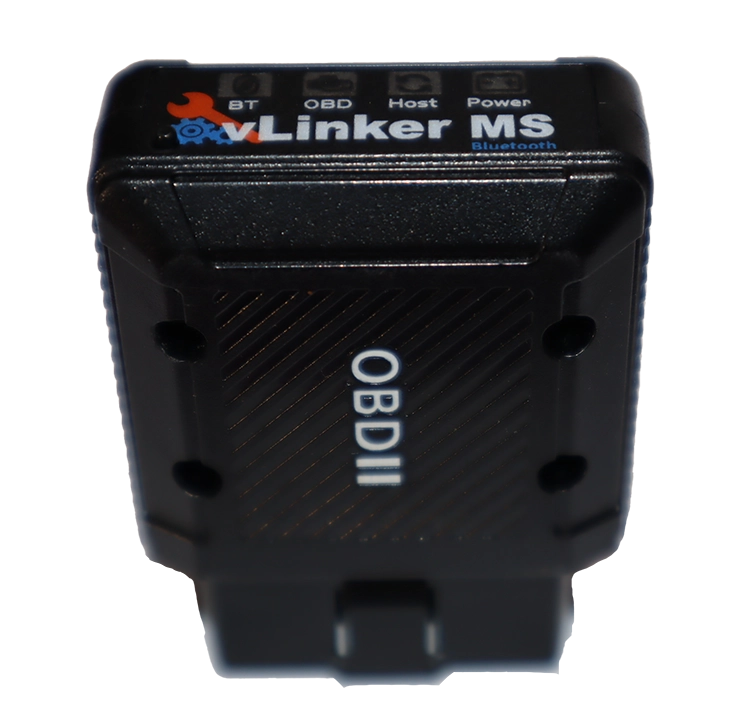
Vgate Vlinker MS
The Vgate Vlinker MS is best compromise between budget and power to connect with multiple diagnostic/coding software.

- Works well with android/iphone and even windows
- Great alternative to OBDlink MX+ to save some money
- There are full-system scanners for smartphones starting at this price already
Scores
Specs
| Tool type | Standalone device |
| User level | Beginner friendly |
| Vehicle focus | All makes |
| Free updates | Lifetime |
| Subscription | Not required |
What it’s actually good at
Speed is the whole point, and this is where it shines. In ELM speed-test apps the vLinker MS hit around 7ms response. The OBDLink MX+, the adapter everyone treats as the gold standard, managed about 6ms on the same test, so the difference is almost nothing in real use, at roughly half the price. That speed is what matters for the jobs cheap adapters choke on: ECU coding in brand-specific apps and performance data logging both need a fast adapter, and this delivers.
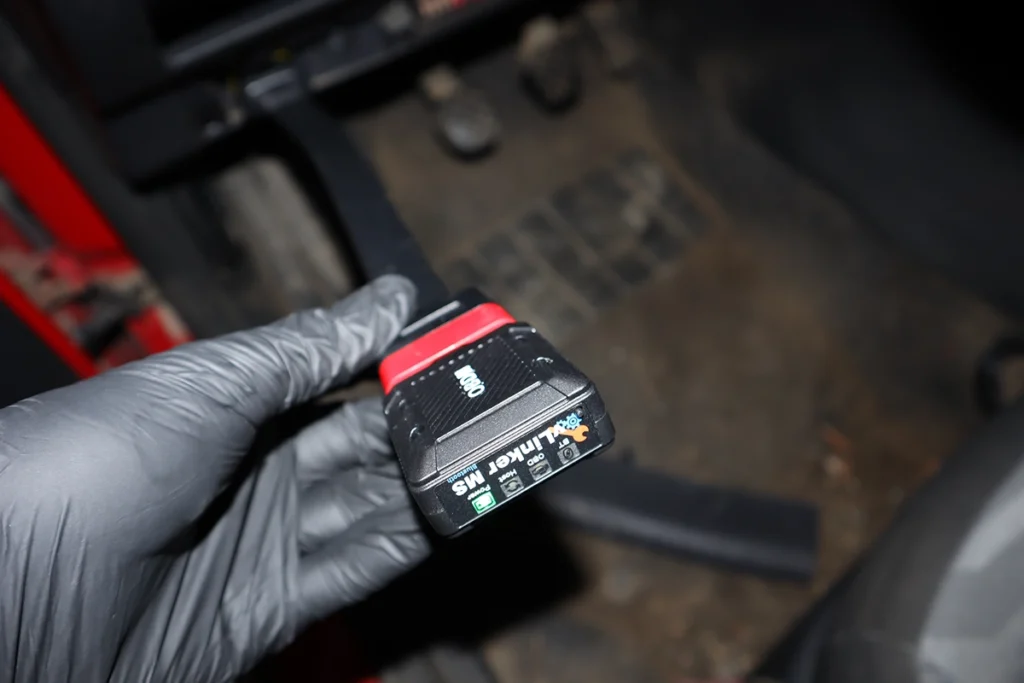
It works with every ELM app I threw at it, smoothly. Car Scanner, Torque Pro, OBD Auto Doctor, AlfaOBD, BimmerCode and various logging apps all ran fine, with smooth live data and no disconnects while driving. The pairing button is a nice security touch: press it to connect, which stops random devices pairing with your adapter. Build quality is a clear step above cheap clones, and there’s no subscription, account or activation, you just pair and use.
For coding in apps like AlfaOBD or BimmerCode, it handled the tasks well. For the heaviest BMW or Alfa coding the MX+ is still slightly safer because developers optimise for it, but the vLinker MS is close enough for almost everyone.

Where it falls short
It’s engine-only, like any ELM adapter, and it has no app of its own. No full-system access, no bidirectional, no service resets on its own, you supply the app, and ELM327 adapters can’t do module-level diagnostics or resets unless an app builds a workaround. For oil resets, EPB or full-system work you need a proper multi-brand scanner, not this.
And the honest value note: at this price, full-system smartphone scanners now exist. The vLinker MS is the best fast ELM for the money, but if your goal is real diagnostics rather than speed and logging, a tool like the Mucar BT200 Max gives you full-system and bidirectional for similar money. It comes down to what you actually want from the adapter.
Who should buy this
Yes, buy it if:
- You want near-OBDLink MX+ speed for ELM apps at about half the price
- You do ECU coding in app (BimmerCode, AlfaOBD) or performance logging that needs a fast adapter
- You value the pairing-button security and better-than-clone build, with any ELM app you like
No, look elsewhere if:
- You want full-system diagnostics, bidirectional or service resets, get a multi-brand scanner
- You want the absolute safest adapter for heavy BMW/Alfa coding, the MX+ still edges it
- You just want the cheapest ELM and don’t need the speed, the iCar Pro 2S is cheaper
Vgate Vlinker MS
 OBDLink MX+
Vgate Vlinker MS
OBDLink MX+
Vgate Vlinker MS
 Vgate iCar pro 2s
Vgate Vlinker MS
Vgate iCar pro 2s
Vgate Vlinker MS
 Mucar BT200 Max
Still deciding rather than chasing a vLinker MS deal? I line up the ELM and budget adapters I’ve tested in my [best ELM327 OBD2 scanners] roundup. The short version: the vLinker MS is the fast-ELM value pick, but the roundup shows where the MX+ or a full-system tool fits you better.
Final word
The Vgate vLinker MS is one of the best ELM327 adapters you can buy for the money: very fast, secure with its pairing button, and compatible with every app I tested. It gets close to OBDLink MX+ performance at half the price, which is exactly why it’s my value pick for ELM. If you only need engine diagnostics, logging or app-based coding, it’s perfect. If you want full-system scanning or service resets, get a proper multi-brand scanner instead.
Most popular OBD2 guides










Amazing content; very helpful! Would you please fill out the Features table? This would help us decide if the functions/limitations fit our needs and thus it’s the scanner we want to buy. Thanks, and keep up the good work!
Thank you for noticing, I filled it out.