
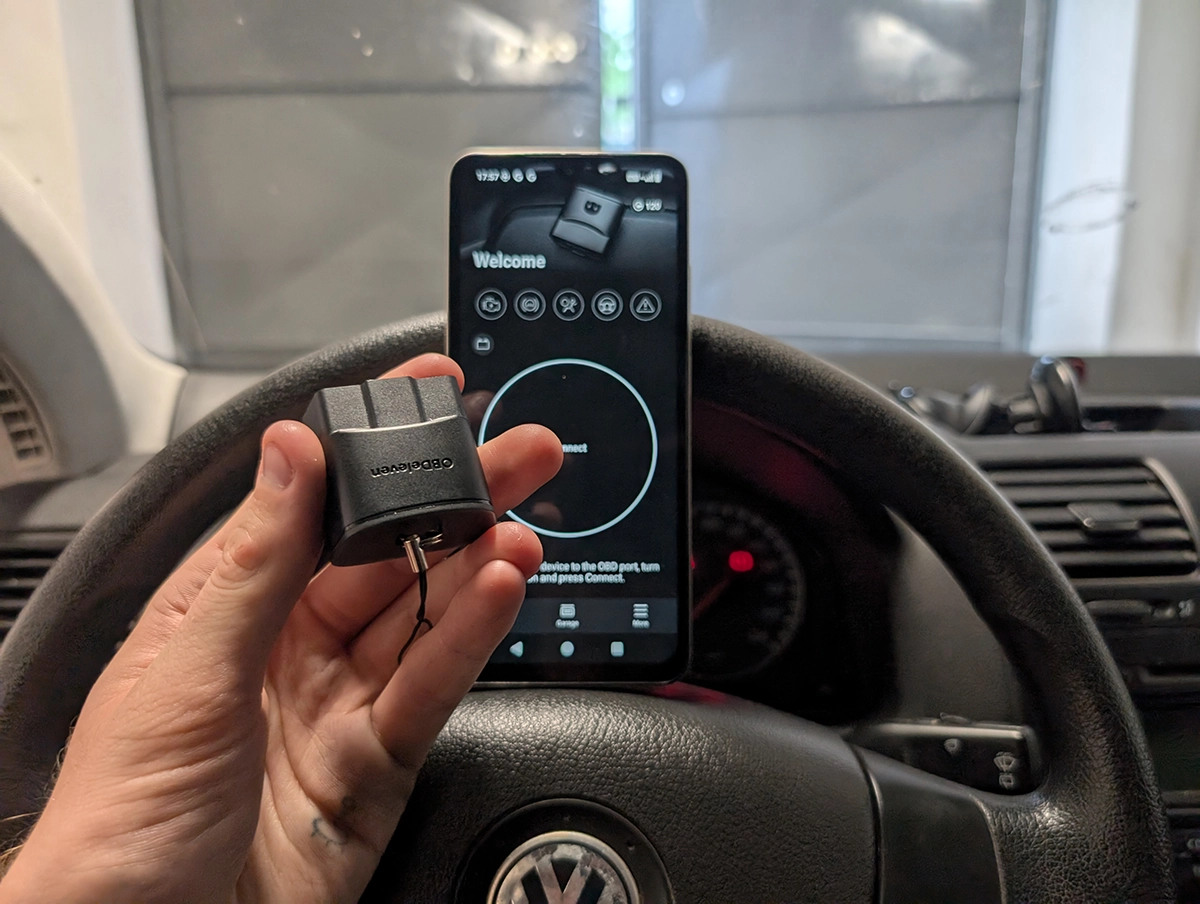
If you’re reading this, I’m going to assume you already have your OBDeleven adapter in your hand and the app installed – and now you want to actually use it without breaking anything.
This guide skips all the “which plan to buy / should you buy OBDeleven” talk and focuses only on real-world usage: If you don’t have device yet check the OBDeleven 3 vs OBDeleven 2 test first.
Affiliate Disclosure: iamcarhacker.com is an Amazon and other affiliate programs Associate. As an Amazon Associate, I earn from qualifying purchases. Full Affiliate disclosure.
1. Before You Start (Very Important)
A few quick things to get right before you start pressing buttons.
Use the right phone & app
- OBDeleven works on Android and iOS.
- If you have both, Android is usually smoother with OBDeleven in my experience.
- Make sure you’re using the correct OBDeleven app version (for VAG use OBDeleven VAG)
(If you’re not sure, just scan the QR code on the box or follow the official download link – the app will tell you if the adapter is supported.)
Power & connection checklist
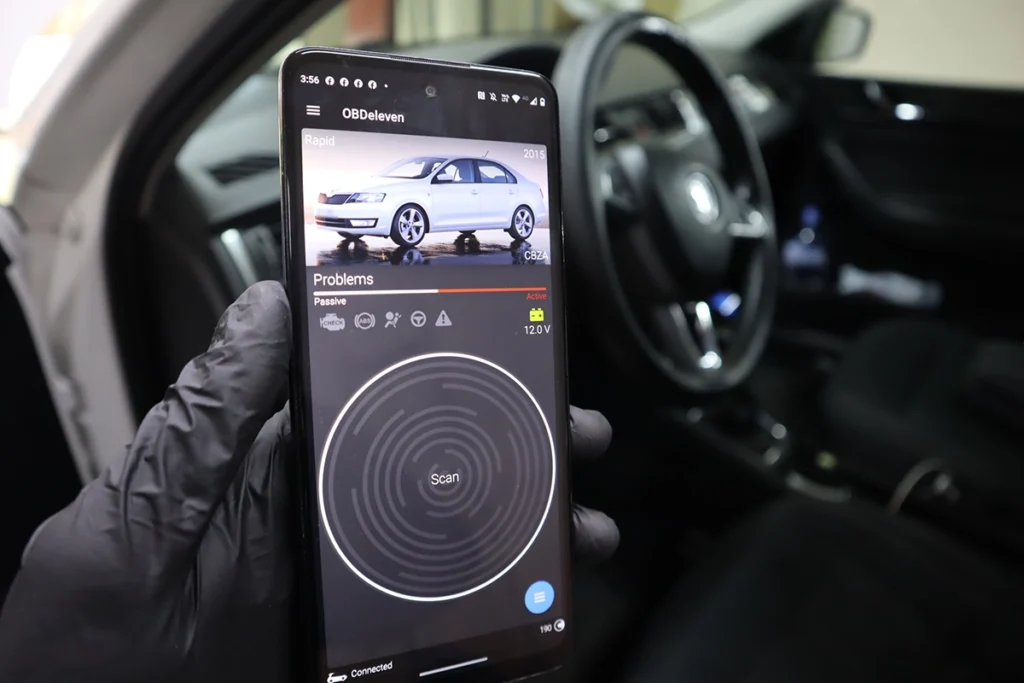
- Car ignition ON, engine usually OFF for diagnostics & coding (unless a procedure explicitly says “engine running”).
- Phone internet ON – OBDeleven uses online databases for some functions.
- Battery voltage:
- Don’t do coding/adaptations below 12.0 V.
- For long sessions, use a battery charger or at least don’t sit with ignition on for an hour with no charger.
2. Connecting OBDeleven to Your Car
Step 1 – Find the OBD-II port
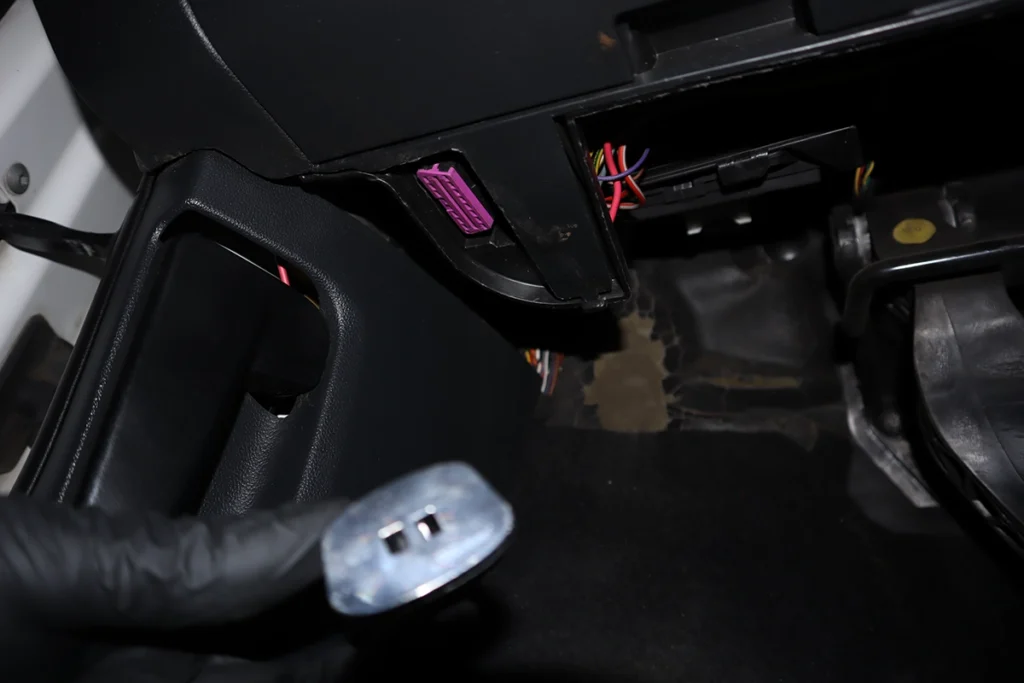
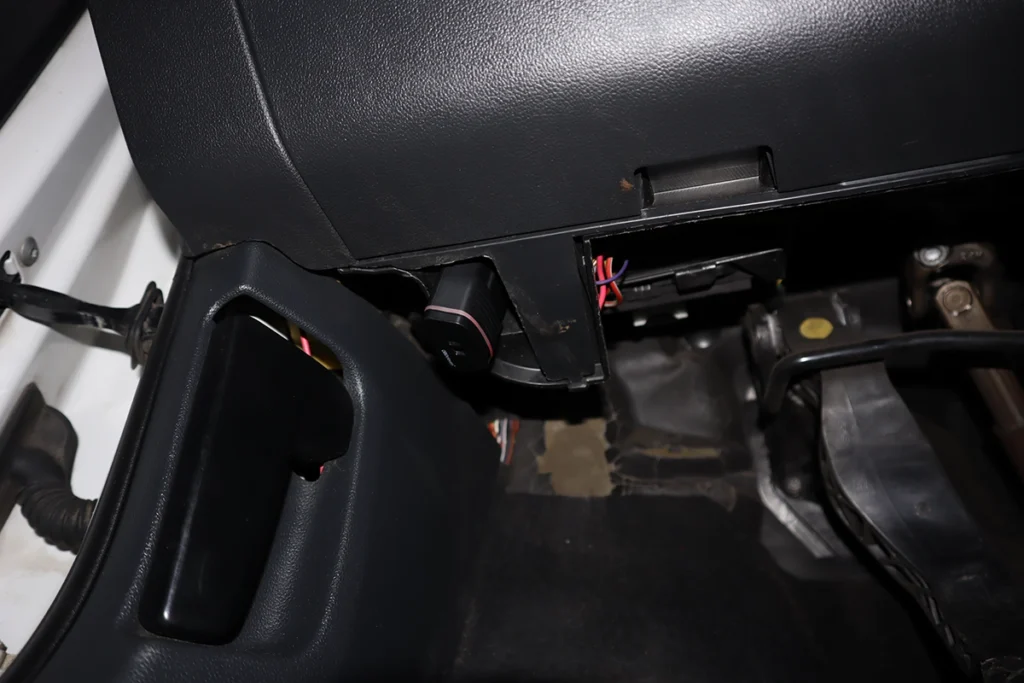
On VAG cars (VW, Audi, Škoda, SEAT) it’s usually:
- Under the dashboard near the steering wheel
- Often a purple/pink 16-pin connector
Plug the OBDeleven adapter in – the LED should light up.
Step 2 – Open the app & select your car and adapter
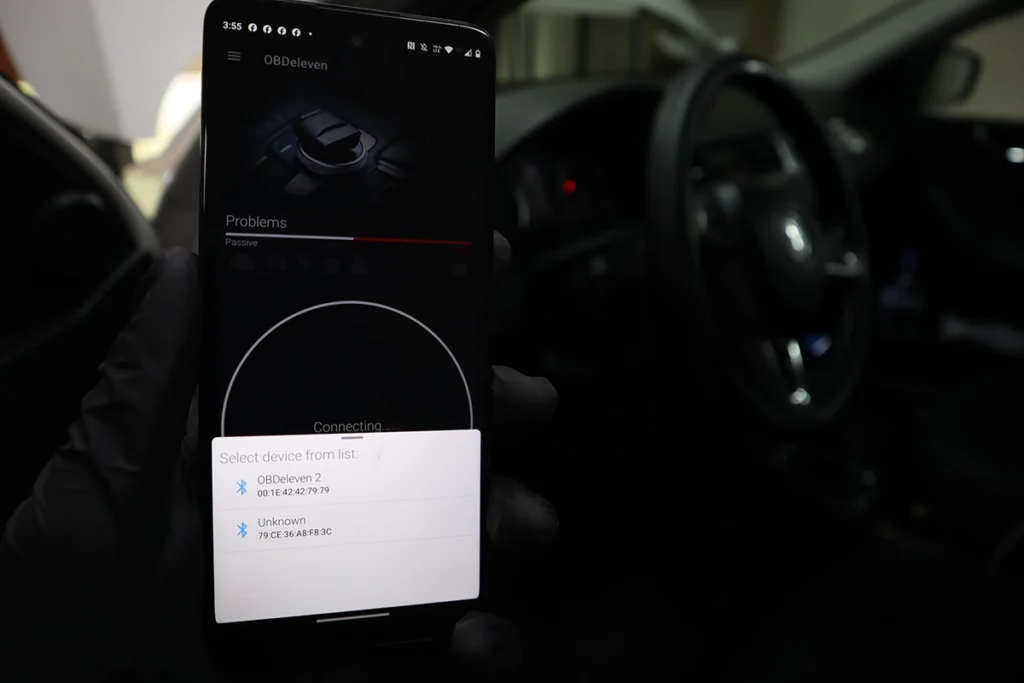
- Turn ignition ON (dash lights on, engine off).
- Open the OBDeleven app.
- Log in to your OBDeleven account.
- Tap “Connect” – the app will:
- connect to the adapter
- read your VIN
- identify the car and show a basic car screen (engine code, battery voltage, etc.)
You usually don’t need to pair the adapter in Bluetooth settings manually; OBDeleven handles this inside the app.
3. Running a Full Scan (Health Check)
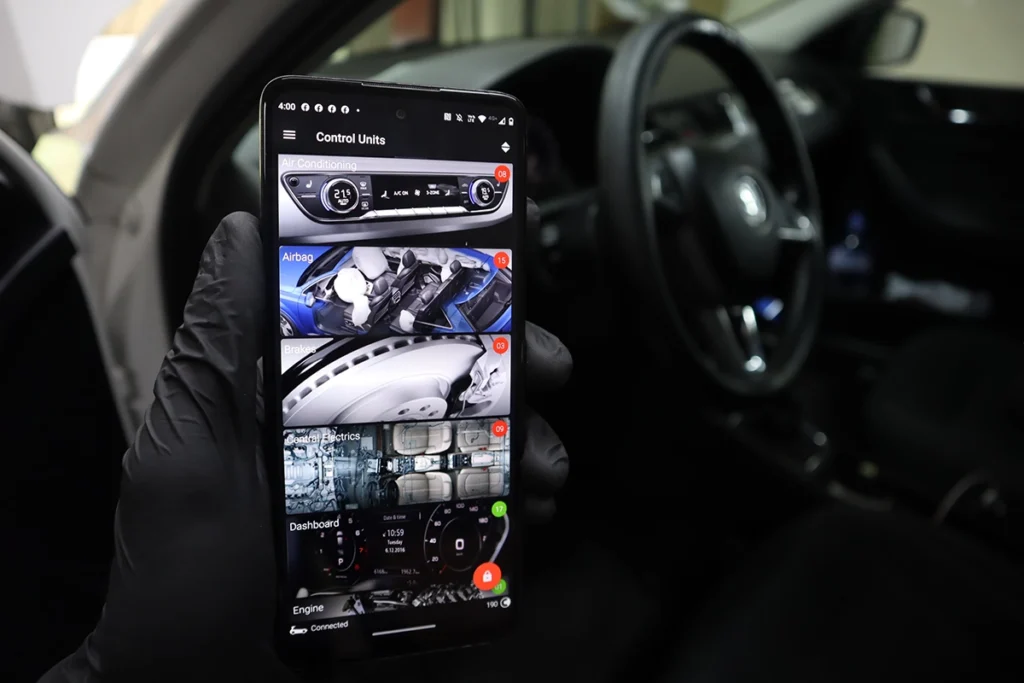
Once connected, the first thing you should learn is the full system scan.
- From the main car screen, tap “Scan” / “Full scan / Health report”.
- OBDeleven will go through all control modules it can see (engine, ABS, airbag, gateway, central electrics, etc.).
- On a simple car you might have 10–20 modules. On big Audi/BMW, 60–80 is normal.
- It will mark:
- Green modules = no faults
- Red modules = at least one stored fault
After the scan, you can:
- See a summary report
- Tap any module to drill into details
You can re-run a scan anytime after repairs or coding to check if faults are gone.
4. Reading & Clearing Fault Codes
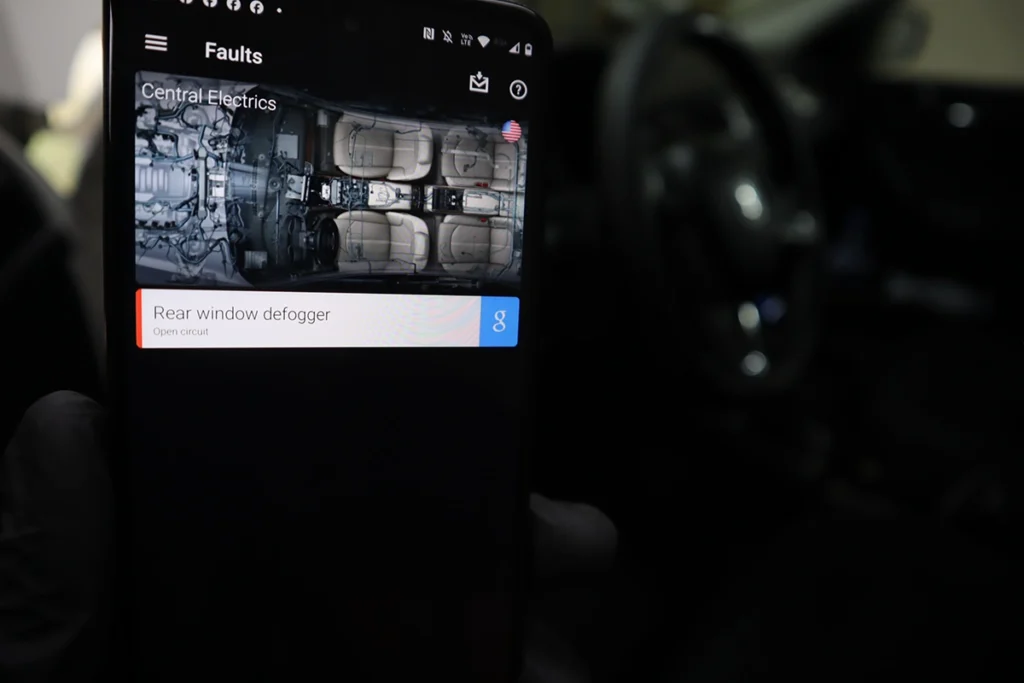
From the Control Units list:
- Tap the module (e.g. 01 – Engine, 03 – ABS, 09 – Central Electrics, etc.).
- Tap Faults / DTCs.
You’ll usually see:
- Fault code number (e.g. P0087, or VAG-style like 01234)
- Status:
- Intermittent / sporadic / stored – happened, but not present now
- Static / active – fault is currently there
- Freeze-frame style data (RPM, speed, temperature, etc. when the code was set)
Clearing faults
- Tap Clear / Erase faults.
- Intermittent faults often clear and stay away if the issue is gone.
- Static faults will usually come back immediately until you fix the real problem.
Don’t just clear everything blindly:
- Take a screenshot or export a report before clearing.
- On used cars, fault history can tell you a lot about how the car was treated.
5. Using Live Data (for Diagnostics & Used Car Checks)
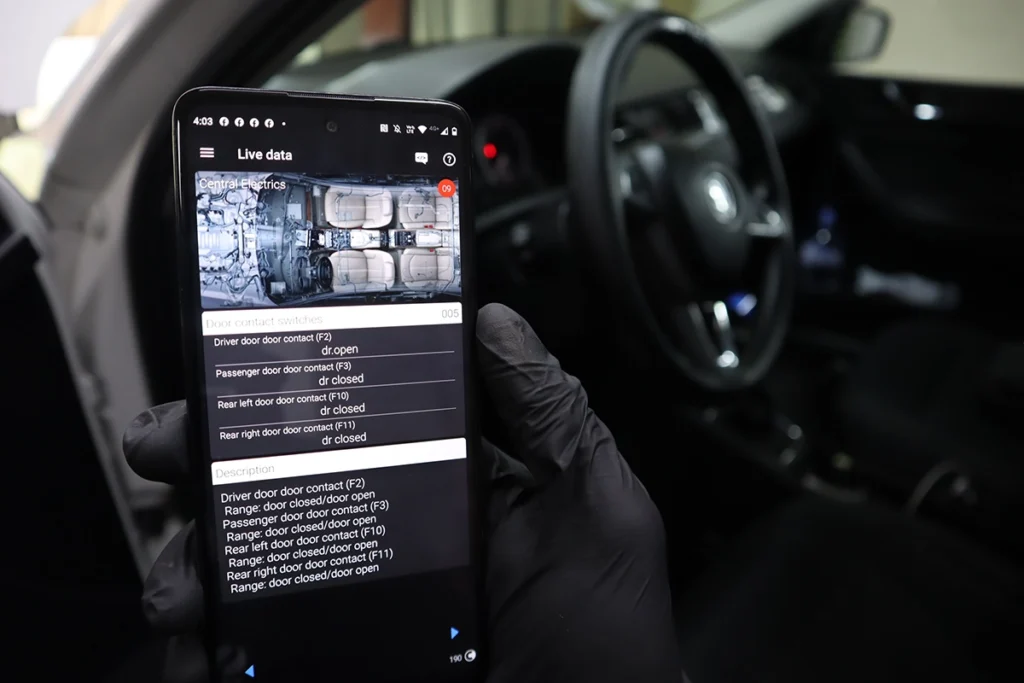
This is where OBDeleven becomes a serious diagnostic tool.
Basic live data
- Open a module (e.g. Engine).
- Tap Live data / Measurements / Data stream.
- You can:
- Select individual parameters (RPM, coolant temp, fuel pressure, boost, lambda, etc.).
- View them as text values or as graphs.
For testing:
- Choose only a few PIDs at a time (2–6).
- Too many at once = slow updates on any Bluetooth tool, not only OBDeleven.
Logging live data
- Start live data → start logging (charts option).
- Go for a test drive.
- Stop logging and save the session.
- Review graphs later on your phone or export them.
I use this a lot for:
- Checking turbo behaviour (requested vs actual boost).
- Fuel pressure issues.
- Misfires and lambda behaviour.
- Performance checks after modifications.
6. Bi-Directional Tests (Output / Actuation Tests)
Even with the free plan, OBDeleven can do real bi-directional (active) tests on many cars.
Examples:
- Switch on cooling fan
- Test fuel pump relay
- Flash indicators / lights
- Move electric windows
- Run instrument cluster gauge sweep
How to use them:
- Enter a control unit (e.g. Engine, ABS, Central Electrics, Instrument Cluster).
- Look for Output tests / Actuations / Basic settings / Component tests.
- Pick the test (e.g. Radiator fan test, Injectors, Door lock, etc.).
- Run it and listen/observe what happens.
This is extremely useful to:
- Check if a component works electrically (e.g. fan spins, relay clicks).
- Distinguish between wiring/relay/sensor problems and mechanical issues.
7. One-Click Apps (Coding Without Coding)
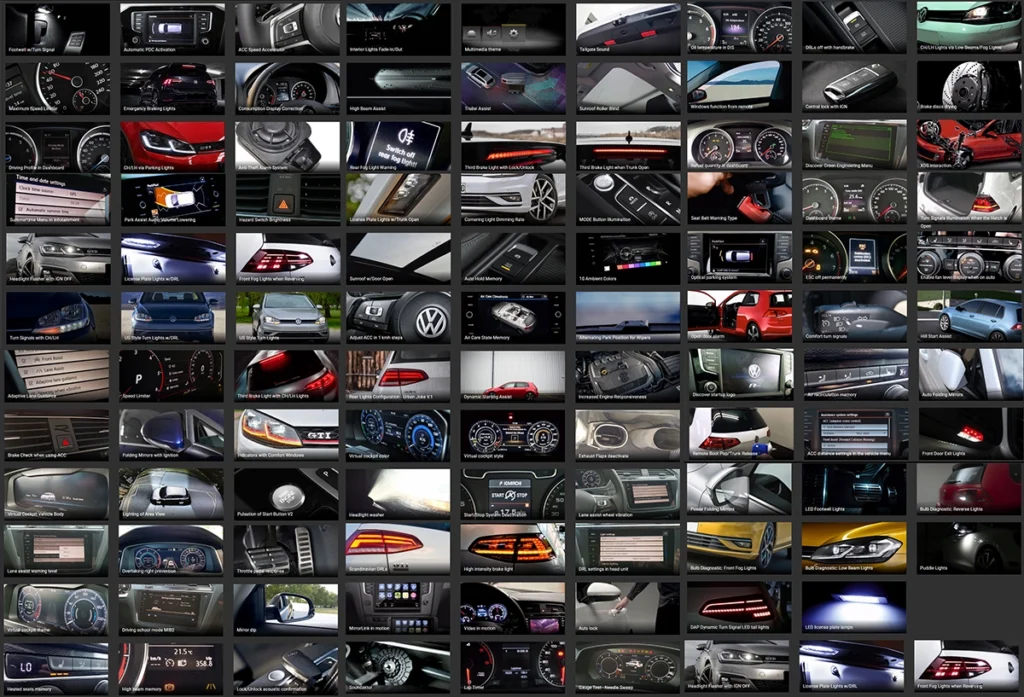
One-Click Apps are OBDeleven’s “easy mode”:
- They let you enable/disable features with a single button.
- Internally they do long coding/adaptations for you.
- Depending on your account, each use may cost Credits.
Typical examples:
- Needle sweep / gauge test on startup
- Comfort indicators (3–5–7 blinks on soft tap)
- Auto door lock at 15 km/h
- Coming/leaving home lights
- Seatbelt chime on/off
- Windows up/down from remote
How to use:
- In your car menu, go to Apps / One-Click Apps / Customizations.
- Browse or search (e.g. “needle”, “windows”, “comfort”, “lock”).
- Read the description carefully.
- Apply the change, wait for confirmation.
- Test the feature in the car.
Tips:
- Make one change at a time, test, then move on.
- If something doesn’t work (e.g. car doesn’t have needed hardware), don’t keep spamming apps.
- Remember that some apps have multiple options, and each change still consumes Credits.
If you already have PRO/ULTIMATE and are comfortable, you can skip many One-Click Apps and do manual coding instead (next section).
8. Manual Coding & Adaptations (for PRO/ULTIMATE Users)
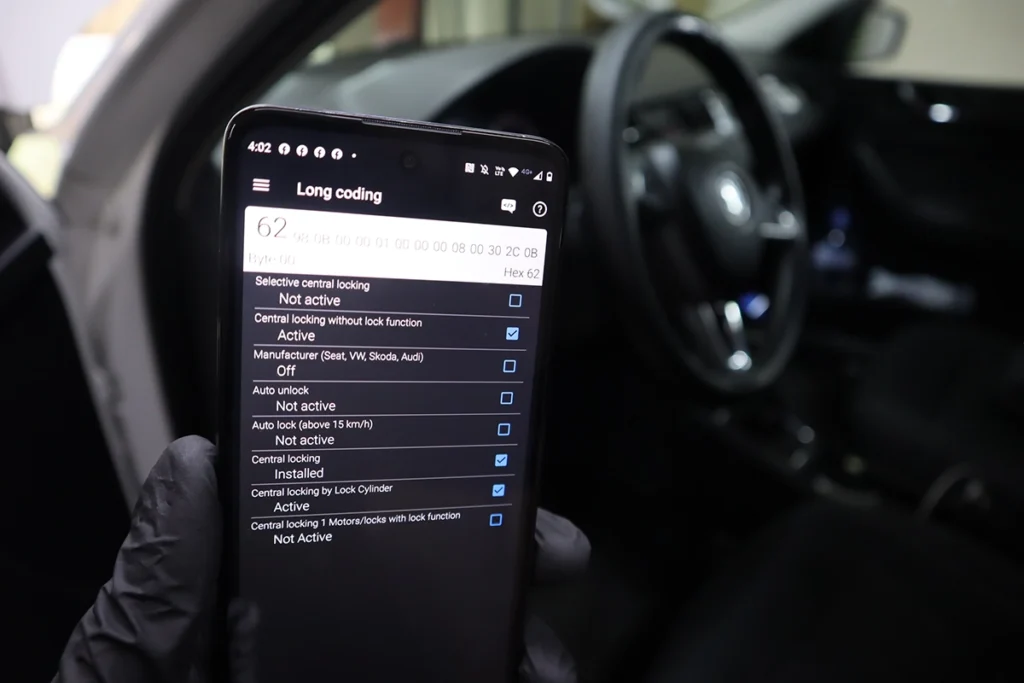
As I said, if you are not a fan of buying credits you can also code the changes yourself. And it is way easier than it sounds, trust me! For that, we will need access to long coding and adaptation features (available in the PRO plan).
Yes PRO plan is paid but if you use this device regularly you could spend hundreds of dollars for credits to make changes with one click. With long coding, you only pay $50/year for the plan and that’s it, you can make unlimited changes.
Long coding + Adaptations
What one-click app does, is do the long coding and adaptations for you. But you can do that yourself. I have a full long coding guide but I try to explain it briefly. Check this, I wanted to make a simple adjustment so my doors would lock automatically so I went to my central electrics control module and entered long coding.
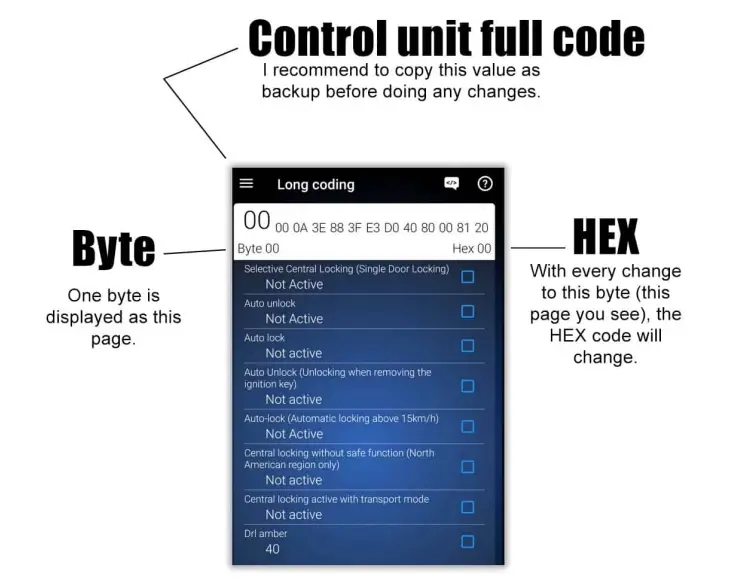
To do that I need to tick the four boxes on the page in the photo to set the function from “not active” to “active”. You can see the full process in the next image.
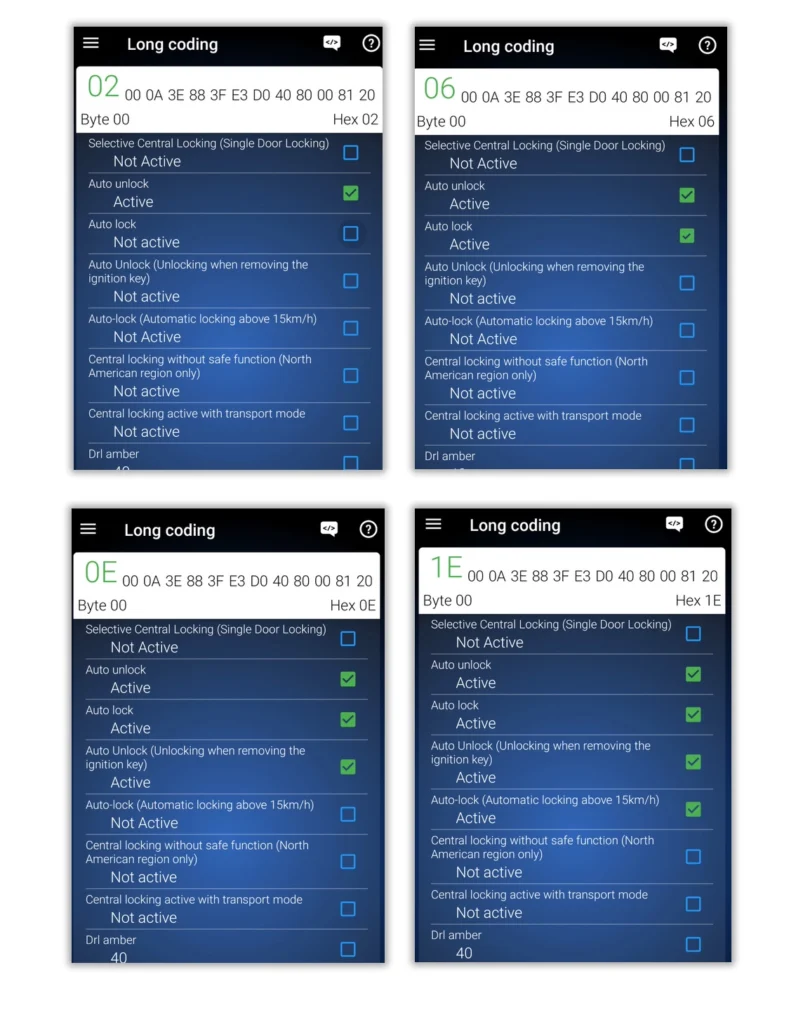
And just like that, I enabled automatic door locking when the vehicle reaches the speed of 15 km/h. That was easy, but some changes will require you to edit long coding on multiple pages, and also use adaptations.
VAG adaptations are basically the same thing as long coding. You enter the menu and choose from the desired settings. Here I am entering the adaptations menu.
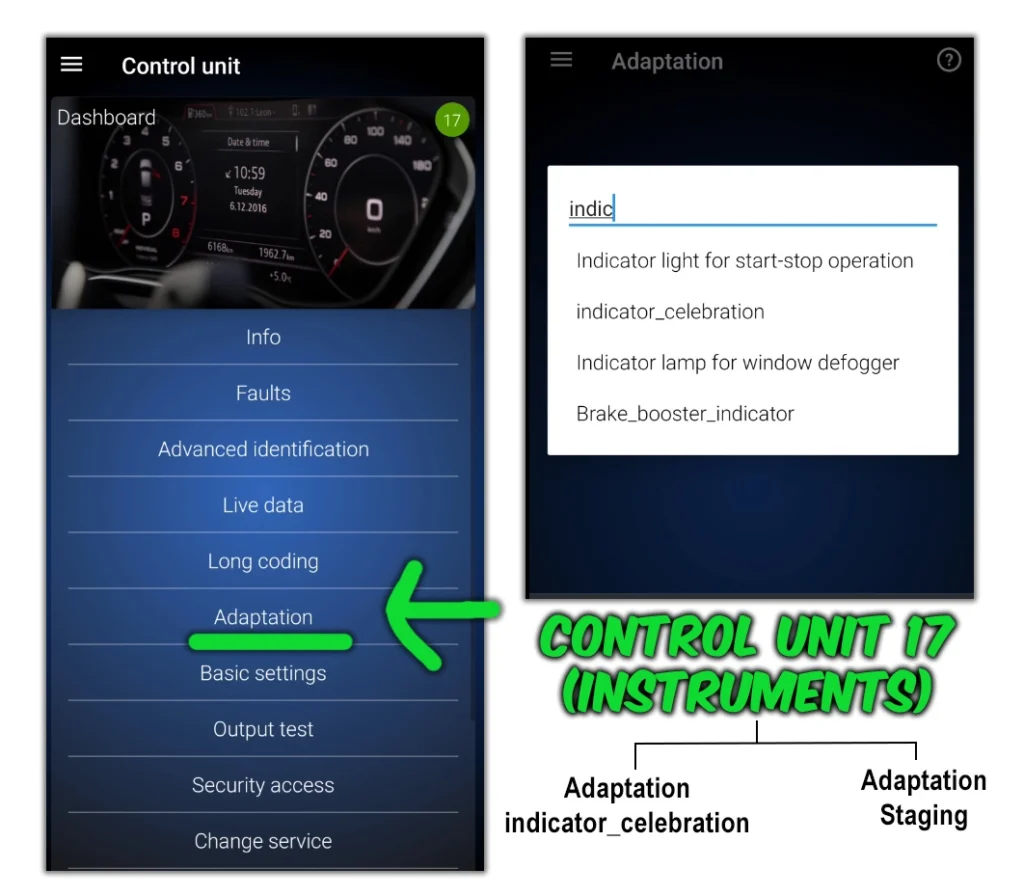
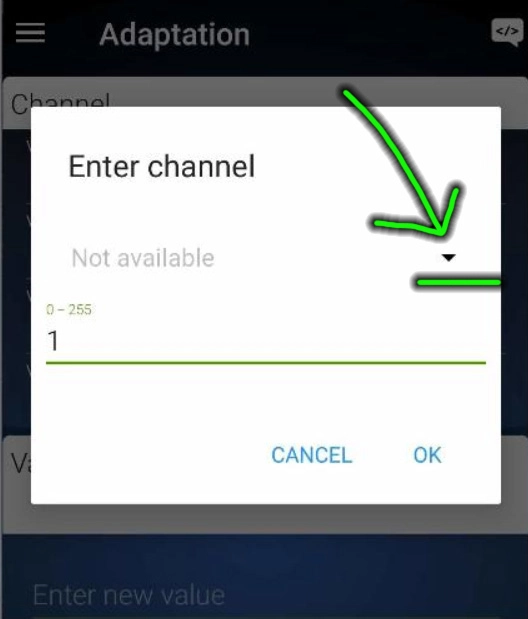
It sometimes won’t give you a list of items but asks for the adaptation page number from 0-255. If you don’t know the number for the adaptation you need to make, you can click on this little arrow to open the menu:
Anyway, I wanted to enable the staging function (speed and rpm needles to spin after ignition is turned on) on a Skoda rapid, so I entered the indicator celebration in search.
Then I simply change the setting from not active to active, similar to long coding.
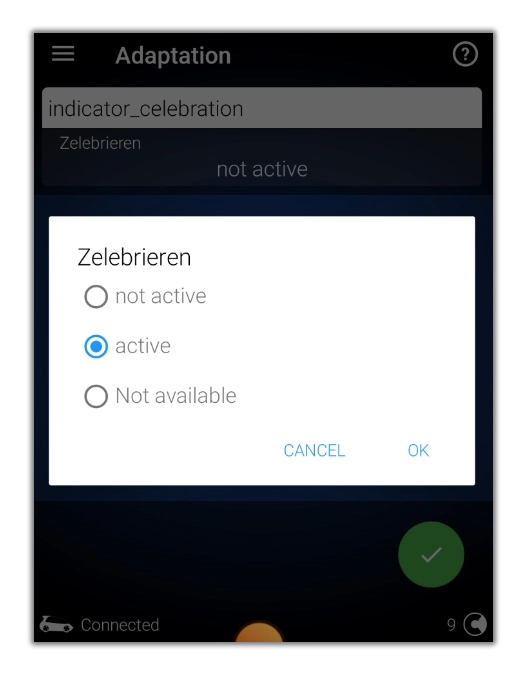
I have successfully unlocked this feature, and again without having to buy a single credit.
Make a backup before coding
I strongly advise you to make a backup before doing any coding. You can backup control the module quickly simply by copying the long HEX code and in case you mess up something, you just paste it back.
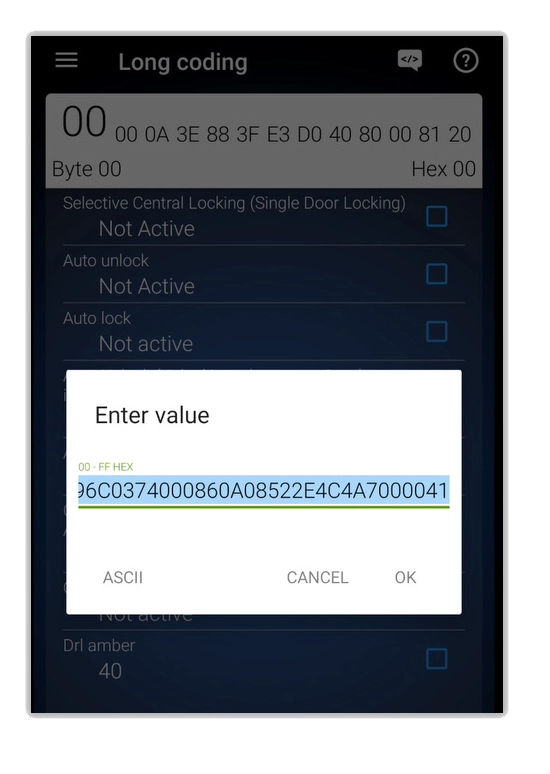
Then it is also a good idea to make a full backup of the car (in the main menu) which will take a long time but will back up all of the coding, adaptations, and other data.
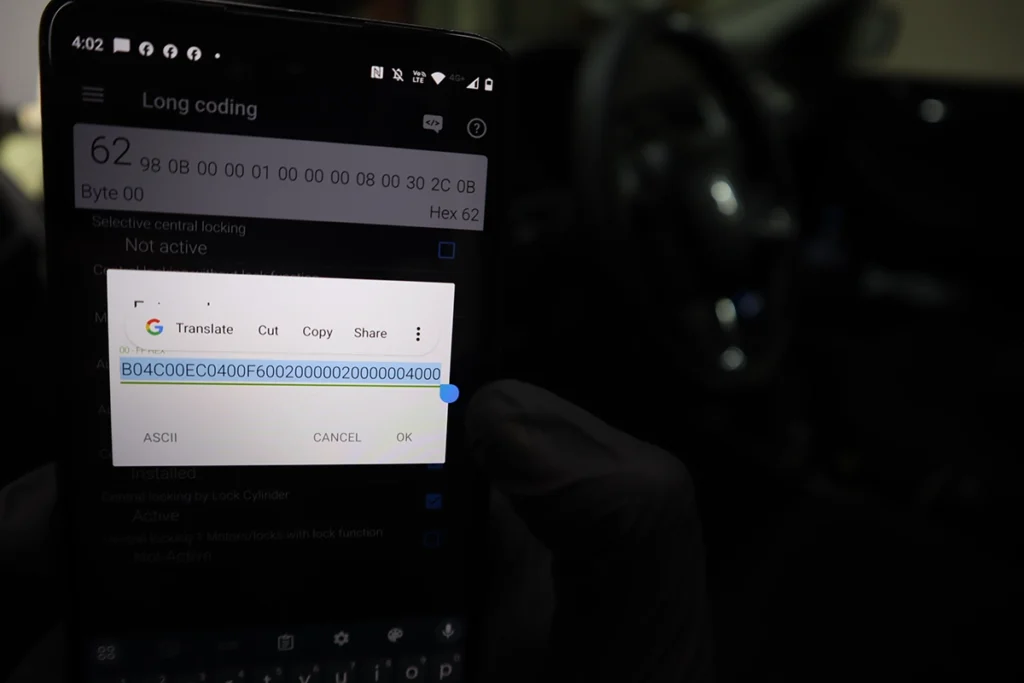
Once it’s finished, you can view your backup in the history tab (main menu). Here is a useful article on backup directly from OBDeleven.
9. Using OBDeleven to Check Real Mileage (Odometer Fraud)
This is one of my favourite “hidden superpowers” of OBDeleven, and I’ve used it to catch multiple rolled-back cars.
⚠️ Note: This doesn’t work on all cars, but on many VAG cars there are mileage traces in different modules.
General idea
- Some modules store “distance driven” or “control module mileage” separately from the dashboard odometer.
- A lazy mileage rollback only changes the cluster value, not every module.
- OBDeleven lets you read these hidden values through live data.
Step-by-step
- Plug in OBDeleven and connect to the car.
- Note the odometer value on the dashboard (e.g. 210,000 km).
- Go to Control units → Engine.
- Open Live data / Measurements.
- Use search and look for terms like:
- “distance”
- “total distance”
- “control module distance”
- “mileage”
- If you find something like “Control module distance driven”, read the value:
- If it’s close to the dash value – good sign.
- If it’s much higher (e.g. dash 210,000 km, ECU 400,000+ km) – you have proof of tampering.
- Repeat for other modules:
- ABS / Brake electronics
- Instrument cluster
- Transmission (on automatics)
- Telemetry / gateway modules on newer cars
On newer VAG cars with many modules, your chances of finding a hidden higher mileage are much better.
Use this especially when:
- You’re buying a used car from a dealer or “import” lot.
- The mileage seems “too good” for the condition.
Screenshots from OBDeleven + a photo of the dash are very strong evidence if you ever need to confront a seller.
10. My Favourite OBDeleven Tricks to Try First
If your car supports them, these are the first things I usually play with:
- Needle sweep / staging on startup
- Comfort indicators: set 3–5–7 flashes
- Auto door lock above 15 km/h
- Windows up/down from remote
- Coming/Leaving home lights (if you have light sensor/xenons/LEDs)
- Seatbelt chime off (if it annoys you and you accept the risk)
- DRL behaviour (turn on/off, US DRLs, etc.)
What exactly is available depends on:
- Car brand / model
- Year and equipment
- OBDeleven app version and database
Always change one thing at a time, test, and keep notes.
11. Safety & Best Practices
To keep things safe and avoid bricking modules:
- Battery support
- Use a charger for long coding sessions.
- Don’t code below 12.0 V battery voltage.
- Stable connection
- Don’t wiggle the adapter.
- Don’t walk away with the phone while it’s writing coding.
- Read before you click
- Don’t apply One-Click Apps or coding you don’t understand.
- Google the effect or look up forum posts first.
- Backups, backups, backups
- Always backup modules or whole car before big changes.
- Don’t over-clear codes
- Read, screenshot, then clear. Don’t just erase everything blindly every time you see a fault.
12. Where to Learn More
If you want to go deeper:
OBDeleven community forum (lots of coding examples for specific models)
OBDeleven 2 & OBDeleven 3 reviews
If you’re curious about hardware differences, speed, and brand coverage, check my dedicated reviews – this “how to use” guide stays focused on usage only.
Official OBDeleven resources
12.1 Additional info: Credits and plans
What are OBDeleven credits?
Credits are currency inside the OBD11 app, used only for a single feature. And that is the OBD11’s one-click applications. Everything else is free of charge; the features depend only on the selected subscription.
| OBD11 feature | Charged with credits? |
| Full scan | – |
| Full live data | – |
| Bi-directional tests | – |
| Freeze frame | – |
| Control unit info | – |
| Auto VIN | – |
| Long coding | – |
| Adaptations | – |
| One-click apps | Yes |
There are a few ways, how to make adjustments to the vehicle without using credits. Read my tips in OBDeleven Review.
What are OBDeleven credits for?
Credits are used to pay for one-click applications that pre-coded tweaks to your car. They are made for users who don’t want to code themselves.
If you do not want to code manually, you can use these prepared apps and pay for them with credits.
How much are OBDeleven credits?
I went on the OBD11 website to find out how much the credits cost. I have never purchased any. I got 500 credits when I bought the device, and after spending them, I learned how to use the app without buying credits.
| 10 credits | $1.99 |
| 100 credits | $17.99 |
| 500 credits | $74.99 |
Prices from when the article was written.
How to buy OBDeleven credits?
The best price for everything around OBDeleven, including their credits, is always on OBDeleven’s official website.
You can buy a code, which you then redeem in your account on their website. On the website, not in the app.
How to add credits to OBDeleven
If you bought credits from OBD11’s website, they emailed you the code. The OBD11 website adds the credits; log in to your account and go to the app dashboard.
Then just input your code; you will have credits ready when you open the OBD11 app on your phone.
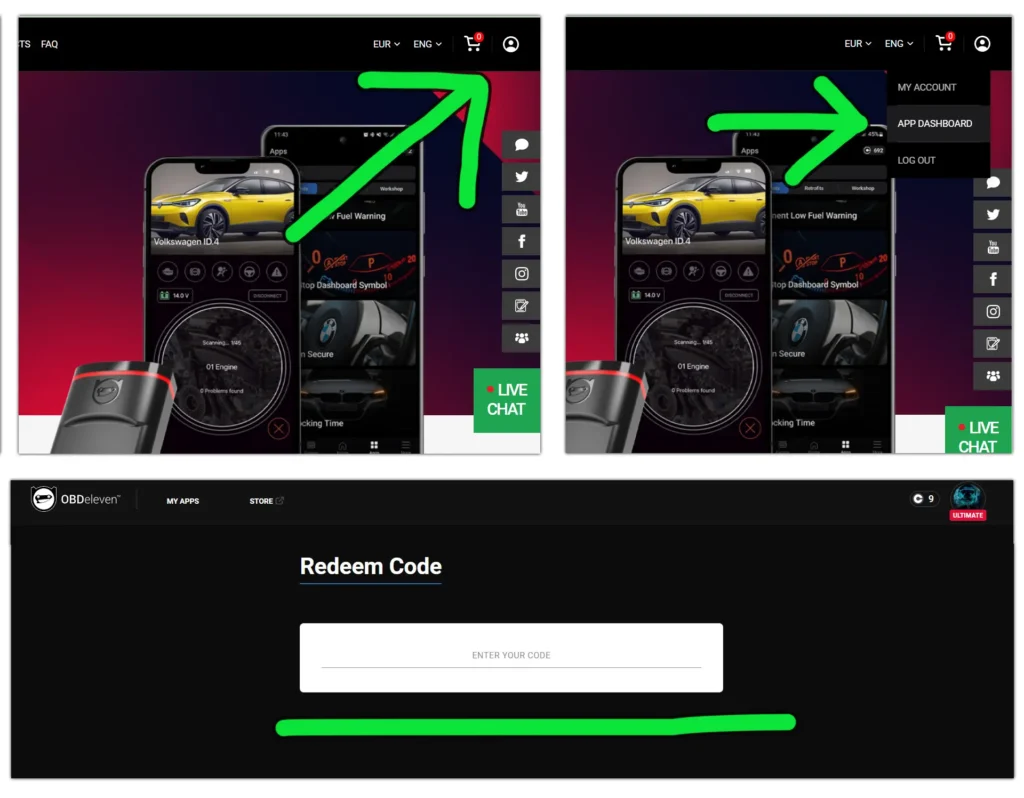
Get an idea of how much you will spend on credits.
See why the best solution is to get either a pro or ultimate plan and either code car yourself or use ultimate for a customizing bunch of cars without spending a fortune on credits..
| 10-credit app (most of them) | $2 |
| 10 apps used + 5 reverts to original | $30 |
| 100-credit app (advanced like mirror-link in motion) | $20 |
| 10 essential apps, 2 advanced, and 5 reverts to original | $70 |
| PRO plan (code yourself without using credits) | $50 /year |
Popular OBD2 guides
See all guides
Best OBD2 scanners in 2025
I constantly test new OBD-II scanners to give you the best options possible. Here is a full list of the best tools in all categories currently.
