
Best Laptop OBD2 Software (2026 Guide)

Last Updated on March 23, 2026 by Juraj
Laptop-based diagnostic software used to be the main way to diagnose cars before tablet scanners became popular.
Even today, many professional diagnostic programs still run on Windows laptops, especially dealer software used by manufacturers.
The advantage is simple:
• extremely deep vehicle access
• OEM-level functions
• very low cost compared to professional scan tools
However, installation can be more complicated than using modern Bluetooth scanners.
Below are the best laptop OBD2 solutions I recommend after testing dozens of diagnostic tools.
Affiliate Disclosure: iamcarhacker.com is an Amazon and other affiliate programs Associate. As an Amazon Associate, I earn from qualifying purchases. Full Affiliate disclosure.
Quick picks (Best laptop diagnostic setups)
If you just want the best options quickly, these are the three setups I recommend most.
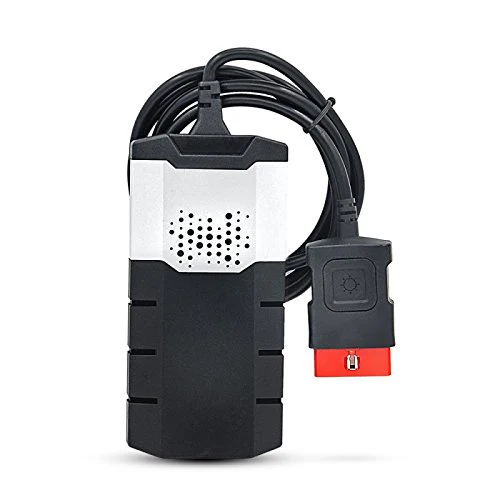
Delphi DS150
Best multi-brand laptop diagnostic tool
Delphi DS150e is the most popular multi-brand laptop diagnostic software used by DIY mechanics and small workshops.
It supports hundreds of car models and gives access to:
• engine diagnostics
• ABS / airbag modules
• live data
• service resets
It’s the closest thing to a professional scan tool you can run on a laptop.
⚠️ Works best with European cars. US coverage is weaker.
You can have short product description here. It can be added as and enable/disable toggle option from which user can have control on it.
OBDLink MX+ + laptop software
Best simple laptop setup
If you want a simple and reliable laptop setup, an OBDLink MX+ adapter paired with software like:
• OBD Auto Doctor
• ScanMaster ELM
•OBDwiz
is one of the easiest solutions.
This setup supports:
• reading engine codes
• live sensor data
• emission diagnostics
It does not give dealer-level access but it’s perfect for basic diagnostics and troubleshooting.

KESS / KTAG
Best laptop tool for ECU programming
KESS and KTAG are professional ECU programming tools used for:
• ECU remapping
• ECU cloning
• ECU recovery
KESS works through the OBD port, while KTAG works in bench mode directly on the ECU.
These tools are used mostly by tuners and advanced workshops, not typical DIY users.
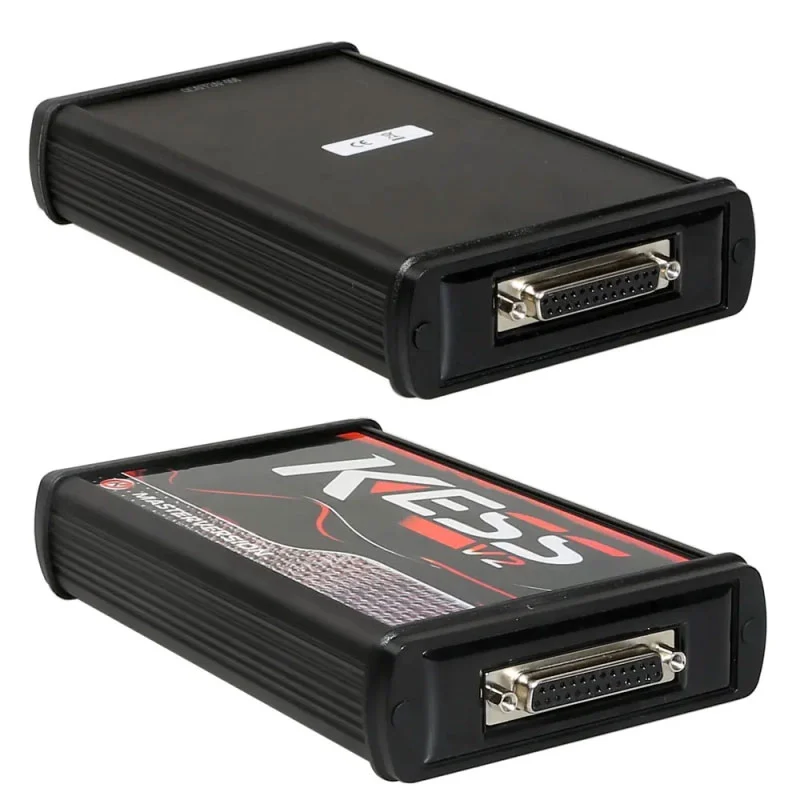
Best laptop tool for ECU programming
KESS and KTAG are professional ECU programming tools used for
• ECU remapping
• ECU cloning
• ECU recovery
KESS works through the OBD port, while KTAG works in bench mode directly on the ECU.
These tools are used mostly by tuners and advanced workshops, not typical DIY users.
Dealer diagnostic software (OEM level) / clone versions
Many car manufacturers use Windows laptop software for dealership diagnostics.
These tools give full access to vehicle modules, including:
• coding
• programming
• key learning
• advanced diagnostics
Most of the versions sold online are clones of official dealership software paired with a compatible interface.

Toyota techstream
If you have a laptop, you can use the Toyota Techstream setup — a clone of Toyota’s official dealership software. It offers complete access to all systems, including ECU programming, key registration, and service functions. It’s the most powerful DIY solution for Toyota and Lexus owners who want full OEM coverage..

VCDS (clone)
The VCDS clone from AliExpress remains a powerful PC-based tool for coding, adaptations, and long coding. It offers deep access to all VAG modules and is perfect for users who prefer laptop-based diagnostics.
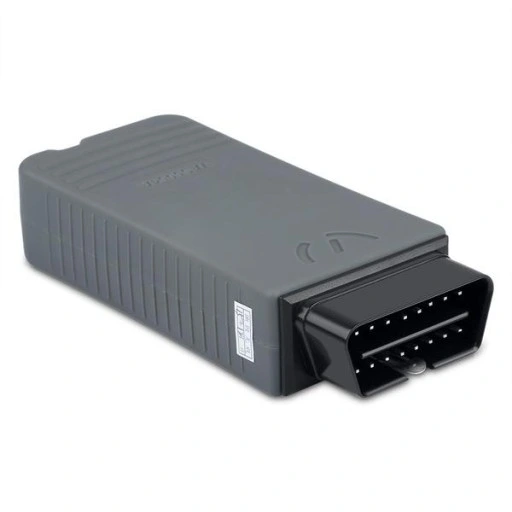
ODIS for VAG
The ODIS (Offboard Diagnostic Information System) is the official diagnostic software used by Volkswagen, Audi, Škoda, and SEAT dealerships. It provides full OEM-level access to every control module, including coding, programming, adaptations, and guided fault finding.

Xentry for Mercedes
The Mercedes XENTRY is the official diagnostic software used by Mercedes-Benz dealers. When paired with an SD Connect C4 or C6 interface, it gives you full access to all systems, module coding, and even ECU programming. It’s the best choice for professionals or advanced DIYers who want real OEM-level capabilities.
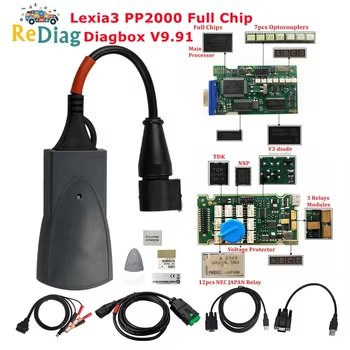
PSA Diagbox (Dealer Software)
The PSA Diagbox is the official diagnostic system used by Peugeot and Citroën dealerships. It gives full OEM-level access to all systems, including coding, programming, and key learning. Runs on a Windows laptop with a Lexia 3 or PSA interface. It’s the best choice for workshops or advanced users who want full dealer-level capabilities.
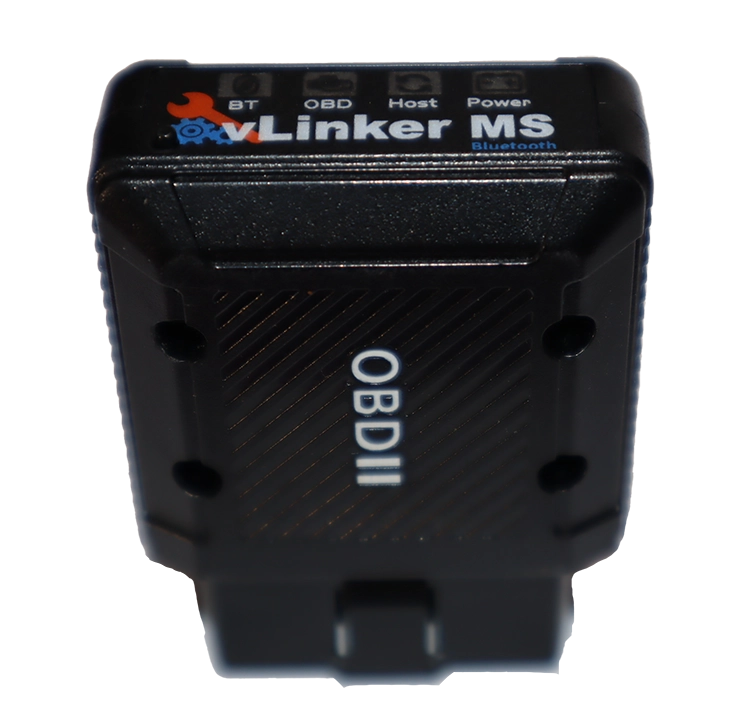
Forscan + ELM327 / USB cable
The Forscan software with an ELM327 or OBDLink EX adapter is the most popular DIY setup for Ford and Lincoln owners. It gives module-level diagnostics, live data, service resets, and even coding and adaptations. Works on Windows, Android, or iOS, depending on your adapter. A perfect low-cost option for advanced users.
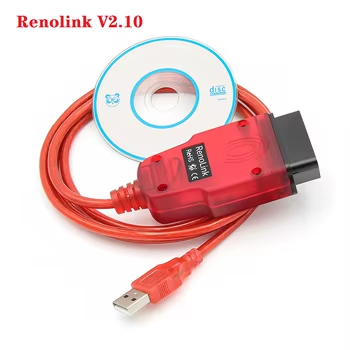
Renolink
The Renolink software is one of the best affordable tools for Renault and Dacia diagnostics and coding. It allows ECU programming, key coding, and module configuration directly from your laptop. Works with a Renolink cable on Windows, and offers excellent coverage for most Renault and Dacia models.
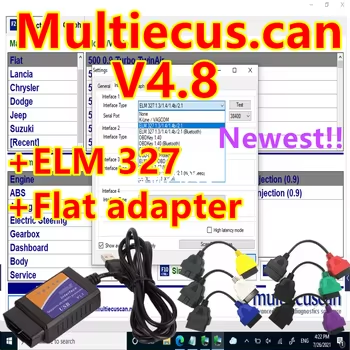
Multi ECU Scan
The MultiECUScan software is designed specifically for Fiat, Alfa Romeo, and Abarth vehicles. It provides full-system access, service resets, adaptations, and coding functions. Runs on a Windows laptop with an ELM327 or KKL cable, and is the most complete DIY solution for Fiat-based cars.

KESS/KTag Programmer
The KESS and KTAG programmers are professional tools for ECU remapping, cloning, and tuning. KESS is used for OBD programming, while KTAG is for bench mode ECU work. Both support a wide range of vehicles and are ideal for tuners or workshops looking to perform ECU modifications or recovery operations.
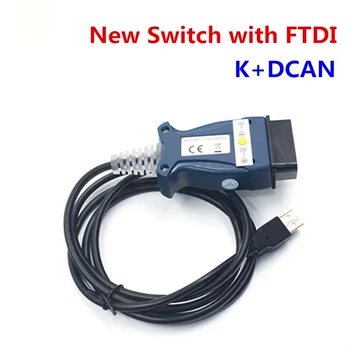
K+DCAN cable
The K+DCAN cable is the classic wired option for connecting your BMW to software like INPA or ISTA on your laptop. It gives you full access to coding and programming features, but note that software is not included — you’ll need to purchase or download it separately (available on eBay or BMW forums).
? Buy Software on eBay
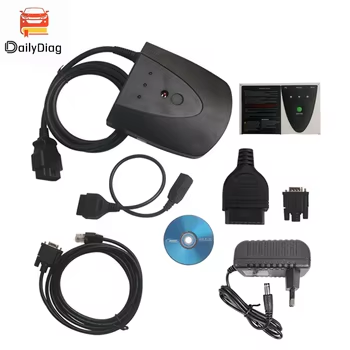
Honda HDS
The Honda HDS is the official diagnostic software used by Honda and Acura dealers. When paired with a HIM interface and a Windows laptop, it provides full access to all control modules, ECU programming, key registration, and service functions. It’s the closest you can get to dealer-level diagnostics at home.
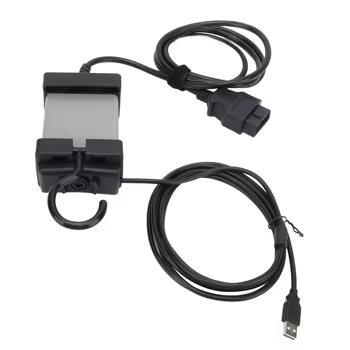
Volvo VIDA
The Volvo VIDA + DiCE system is the official Volvo diagnostic solution. It gives full dealer-level access to every control module, live data, service resets, and software updates. Requires a Windows laptop and the DiCE interface, making it the top choice for serious Volvo owners or small garages.
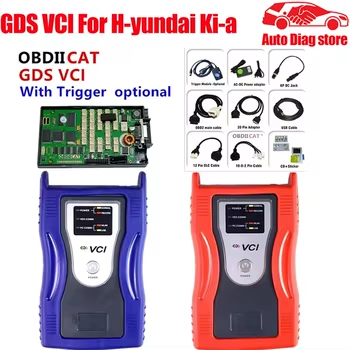
Kia/Hyundai GDS
The Hyundai GDS / Kia KDS system is the official dealer diagnostic software for Hyundai and Kia. When paired with a GDS or KDS interface, it gives you full access to every control module, coding, and ECU programming. It’s the most powerful option for workshops or advanced DIY users.
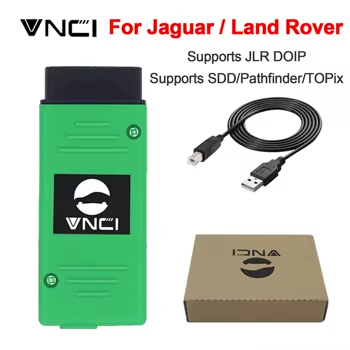
Jaguar / Land Rover SDD or Pathfinder
The Jaguar / Land Rover SDD and Pathfinder are the official diagnostic programs used by dealerships. SDD supports older JLR models, while Pathfinder covers newer vehicles. They offer full OEM access to coding, programming, module flashing, and all system diagnostics. The software runs on a Windows laptop using a DA-Dongle or J2534 interface.
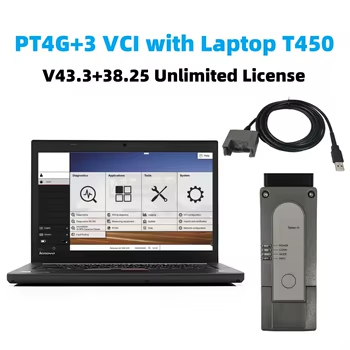
PIW PT4G+3 Tester (Porsche)
The PIWIS PT4G+3 is the official Porsche diagnostic system used by dealerships. It provides full access to every control unit, including coding, programming, adaptations, and even module flashing. It runs on a Windows laptop with the included VCI interface and is the best choice for professional or advanced users who want full OEM capabilities.
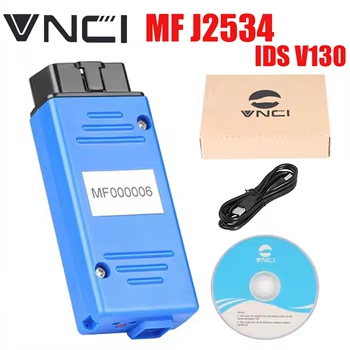
Mazda IDS+adapter
The Mazda IDS (Integrated Diagnostic System) is the official dealer software used for both Mazda and Ford vehicles. It provides full-system access, module programming, and OEM-level coding. Requires a VCM2 or J2534 adapter and a Windows laptop. Perfect for workshops or enthusiasts who want full manufacturer coverage.
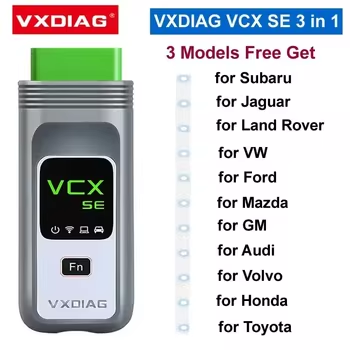
GM Tech2 / VXDIAG VCX Nano
The GM Tech2 and VXDIAG VCX Nano are the official diagnostic solutions for Chevrolet, GMC, Buick, and Cadillac. They provide full OEM-level access, including module programming, ECU coding, and service resets. Works with Tech2Win or GDS2 software on Windows laptops. Perfect for workshops or experienced DIYers who want true dealership-level diagnostics.
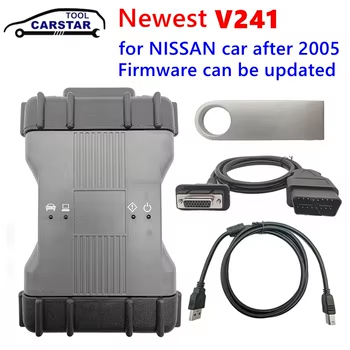
Nissan Consult III Plus
The Nissan Consult III Plus is the official diagnostic software used by Nissan and Infiniti dealerships. It provides full access to all systems, including ECU programming, key coding, and module adaptation. Works with a Consult interface or J2534 adapter on a Windows laptop. It’s the best choice for workshops or advanced DIY users who want dealer-level control.
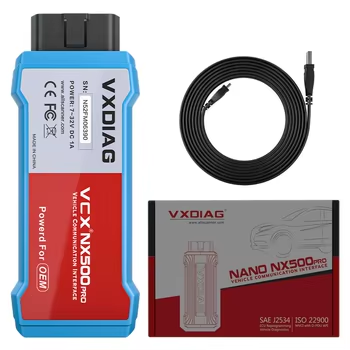
Ford IDS
The Ford IDS is the official diagnostic system used by Ford and Mazda dealerships. It provides full OEM-level access, including module programming, ECU coding, and key learning. Works on a Windows laptop with a VCM2 or J2534 adapter. Ideal for workshops or advanced users who want dealer-level coverage.
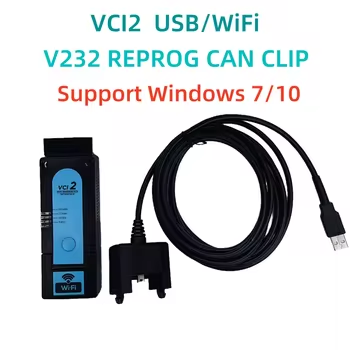
Renault CAN Clip
The Renault CAN Clip is the official diagnostic system used by Renault and Dacia dealerships. It gives full OEM-level access to all modules, including programming, coding, and adaptation. Works on a Windows laptop with a CAN Clip interface or J2534 adapter. Perfect for workshops or advanced DIY users who want true dealership-level coverage.
Laptop OBD2 software vs modern scanners
Laptop diagnostic tools are powerful, but today most mechanics prefer tablet or Bluetooth scanners.
Reasons include:
• easier setup
• wireless connection
• faster updates
• better vehicle coverage
For many users, a modern bi-directional scanner under $200 will actually be easier to use than laptop software.
If you want to see those tools, check my guide:
My experience after testing 100+ OBD2 tools
After testing hundreds of diagnostic tools, laptop software still has its place.
But for most users the best options are:
• Delphi DS150 for multi-brand diagnostics
• Techstream / VCDS / Xentry for specific brands
• KESS / KTAG for ECU programming
These tools offer the best balance between price and functionality when using a laptop for car diagnostics.
Most popular OBD2 guides










I’m interested in using an old laptop as a tool for a 2012 porsche I’m buying.
I want to be sure that:
1. its running properly and no major issues.
2. diagnose future problems (which are inevitable) so I can fix them.
Hi, check out Durametric for Porsche.
Hello, i have Audi S3 1.8T Apy Engine code ,04/1999 producted car. I was thinking of buying veepeak obd scanner or something like that but im not sure my car has obd2 protocols because in europe cars as i know it camed after 2001 year. If i buy deplhi ds150e, can i check everything and is it compatible with my car ? please help me if you have any idea
Hello for Audi S3 I recommend OBDeleven or VCDS
Which software do you recommend for Toyota/Lexus?
Techstream: https://iamcarhacker.com/lexus-toyota-techstream/
Hello for Nissan what software u suggest
Launch Creader Elite for Nissan is very good and have free updates.
What is the Best software and tool for BMW?
I would just get Launch Creader Elite for BMW
What program for Acura
I don’t know sorry, we don’t have Acura here.
Acura is Honda software
Gg
Hi, What is the Best software and tool for hyundai ?
Hello here are few options, my recommendation is Launch: https://amzn.to/4fD2oYn
Is there a type for Hyundai that I can connect to the laptop? And thank you for your help.
Maybe this but I don’t have any experience so ask seller first about support for your model
https://s.click.aliexpress.com/e/_Dn2BWTb
Sir bets for nissan full service and you have to suscribed
Here are some options: https://iamcarhacker.com/best-obd-ii-scanners-for-nissan-infiniti/
Hello, what’s is best software and tool for chervolet malibu hybrid?
I would get one of those 2 foxwell scanners:
https://iamcarhacker.com/best-obd-ii-scanners-for-general-motors-chevrolet-gmc-buick-cadillac/
Hi,
I have VCDS (for VW) but there are some things I cannot do with it, like coding replacement modules, but I think ODIS could do that. Is that true, and if so, what other functions can ODIS do that VCDS cannot?
Thx in advance
It can but for these you need to have geko login (around $30 per 1 hour) everytime you use it. Other ODIS functions are similiar to VCDS it just feels little different. But you can see topology module map which is not in vcds
I have a 2020 Kia Telluride lx I want to use my surface pad pro windows and create a UI interface for my car using obd2 link
I have a 2006 Mazda 6 mps. Which software do you recommend?
Thank you.
Forscan
What would you recommend for a ford f150 2017, chrysler town and country 2010
For laptop don’t know any…but one of these would work:
https://iamcarhacker.com/best-obd2-scanners/
Hi Juraj,
Thanks for all the great information on OBD2. It’s a great help.
I saw in previous remarks that for BMW Launch Creader Elite for BMW is best.
I also have a Saab (2004). Is there one device recommended to be used for both of them?
Intended use is reading detailed error code, possibly tweak general setting. No engine mapping or that kind of technical stuff is required.
Thanks in advance.
I doubt there will be any settings to change on 2004 and for basic engine diagnostics it will work even on BMW Launch creader.
Hi Juraj,
What’s the best software for Mercedes Benz
Hi, Xentry clone from Aliexpress
Hi, I am looking to work on a 2024 Jeep grand Cherokee. Is there anything you would recommend for that?
Hi any of scan tools here: https://iamcarhacker.com/best-bi-directional-obd2-scanners/
What you recommend for subaru legacy 2008?
One of these: https://iamcarhacker.com/best-bi-directional-obd2-scanners/
I hope you can help I have a 2013 Iveco Daily van 35s18v 3.0ltr diesel 180hp what scanner will work ,I cant find anything .
Marc
2023 model not 2013
Hello, could you please update the links for the Delphi DS150e? 🙂
Sure, updated. Thanks for notice.