
Published: October 9, 2024 · Last updated: June 4, 2026
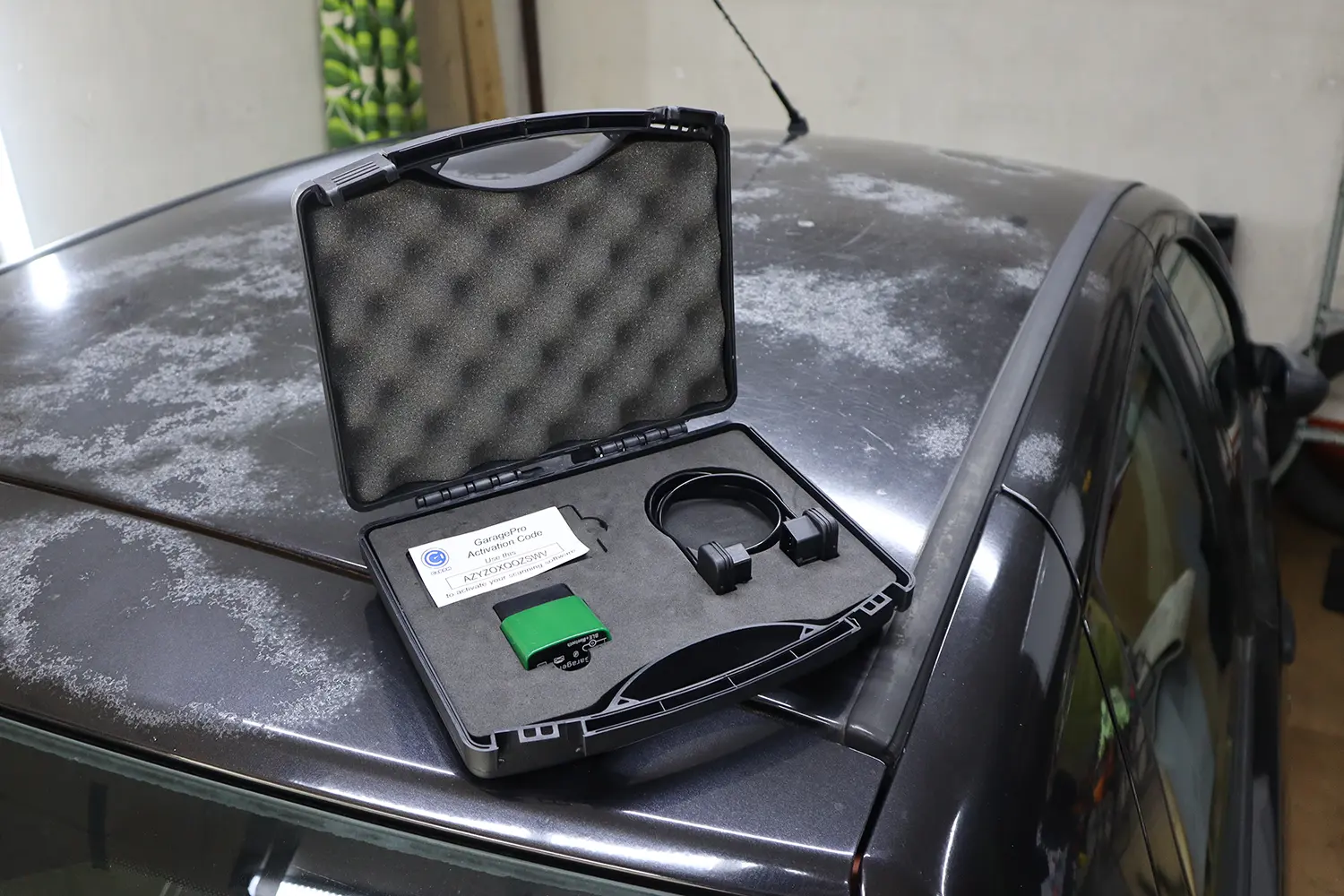
The GaragePro (CaRPM) is a Bluetooth scanner that reads codes, shows live data and generates clean PDF reports. I tested it on a Fiat Punto, a Toyota Corolla 2022 and a Renault Kangoo. Basic diagnostics worked perfectly, but every advanced function failed on all three cars, which makes it an overpriced ELM adapter selling features that don’t work. Read on for what it actually does and what to buy instead.
I earn from qualifying purchases and sometimes get tools for free (full disclosure). It never affects my scoring.
Garage pro scanner overreview

- Fault code analysis
- Bad value for money
- Nothing special
- Advanced features do not work
Scores
Specs
| Tool type | Standalone device |
| User level | Beginner friendly |
| Vehicle focus | All makes |
| Free updates | Lifetime |
| Subscription | Not required |
What it’s actually good at
Fault-code analysis is the one genuinely strong part. The code display is excellent: it shows whether each code is current, pending or confirmed, flags which one is triggering the check engine light, and lists symptoms, likely causes and basic fixes. Reports save automatically and export to PDF, which is handy if you want to hand a customer a clean report. For reading and understanding codes, it does a good job.
Live data also works well. On the Fiat Punto I tested throttle position: smooth graphing, accurate pedal response, good enough for sensor testing, and you can build custom live-data pages and email the results. Many parameters are available (not all supported by every car, which is normal). For basic engine diagnostics, reading codes, clearing them, viewing live data and making reports, it’s fine.
That’s the honest extent of what it does reliably. As a code reader with good explanations, it works.
Where it falls short
Everything advanced failed, on every car I tried. On the Toyota Corolla the cooling-fan test did nothing, the fuel-pump test did nothing, and one ABS wheel-speed reading looked wrong. On the Renault Kangoo injector coding failed to read the injectors, and other special functions were either missing or non-functional. After basic bidirectional tests failed, I didn’t even risk the dangerous ones like fuel cut or VVT control. Three different cars, and the advanced functions simply didn’t work.
That makes it an overpriced ELM adapter. It costs more than a basic ELM dongle but, in my testing, the extra money buys features that don’t function, the bidirectional tests, service resets and injector coding it advertises all failed. It also needs internet even for some basic operations. You’re paying for capability you don’t actually get.
Who should buy this
Honestly, very few people, and here’s the straight version:
Maybe consider it if:
- You only want code reading with good fault explanations and clean PDF reports, and nothing more
Look elsewhere if:
- You want bidirectional tests, service resets or coding, all of it failed in my testing
- You want honest value, a cheaper plain ELM does the basics without pretending to do more
- You want functions that actually work, a real full-system tool like the BT200 Max delivers them
Garage PRO
 Vgate iCar pro 2s
Garage PRO
Vgate iCar pro 2s
Garage PRO
 Mucar BT200 Max
Garage PRO
Mucar BT200 Max
Garage PRO
 Konwei Kdiag
Still deciding rather than chasing a GaragePro deal? I line up the budget Bluetooth scanners I’ve tested in my [best Bluetooth OBD2 scanners] roundup. The short version: GaragePro is good only for basics at a bad price, and the roundup shows which cheaper tools actually do the advanced work.
Final word
The GaragePro (CaRPM) is good for basic diagnostics only: reading codes, clearing them, viewing live data and generating reports all work well, with genuinely useful fault explanations. But the advanced features do not work, bidirectional tests failed on all three cars, injector coding failed, and special functions were mostly unavailable, while the price sits above an honest ELM adapter. If you want anything beyond basic code reading, skip GaragePro and get a real diagnostic tool.
Most popular OBD2 guides







I'm Juraj Lukacko and I work as an auto electrician. On this site I share what I learn from real work on real cars, to help you pick the right tools for diagnostics, programming and tuning and get the job done.
More about me →